

ai-agent-repository-locator-mcp
Offers capabilities to discover specialized artificial intelligence entities via textual queries or classifications, alongside tracking the operational web presence performance metrics. Facilitates the publication of user-defined AI agents onto a shared registry through a robust application programming interface.
Author

AI-Agent-Hub
Quick Info
 GitHub Stars 43
 Weekly Downloads 0
Actions
Tags
AI Entity Registry Indexing Service MCP Gateway
This MCP Gateway Service, provided by DeepNLP, serves as an index for the AI Agent Marketplace. It permits autonomous agents to perform lookups of accessible AI assistants, tools, or application domains specified by descriptive "keywords" or defined "categories." Examples include locating all "Code Generation Specialists," "Graphical Interface Utilities," "Mobile Operational Agents," or "Desktop Environment Tools."
Core Functionalities
- Agent Discovery: Query AI Agents using search terms or classifications, retrieving listings from the central Agent Marketplace Index. Target domains might include "Software Development," "Human Resources Automation," "Financial Analysis Bots," "Medical Informatics Systems," or "Corporate Personnel Agents," etc.
- Performance Telemetry: Monitor key performance indicators (KPIs) for registered AI Agents, such as search engine visibility (Google/Bing ranking), community endorsement metrics (Github Stars), and scholarly citation records (Arxiv Reference).
- Publication Endpoint: Exposes an API enabling users to register and index their proprietary AI agents within the Marketplace directory.
- Robust Exception Management: Includes comprehensive error detection and reporting mechanisms.
Revisions
Integration of MCP Marketplace Plugin
Refer to the main project repository: https://github.com/AI-Agent-Hub/mcp-marketplace

AI Agent Directory Search Engine
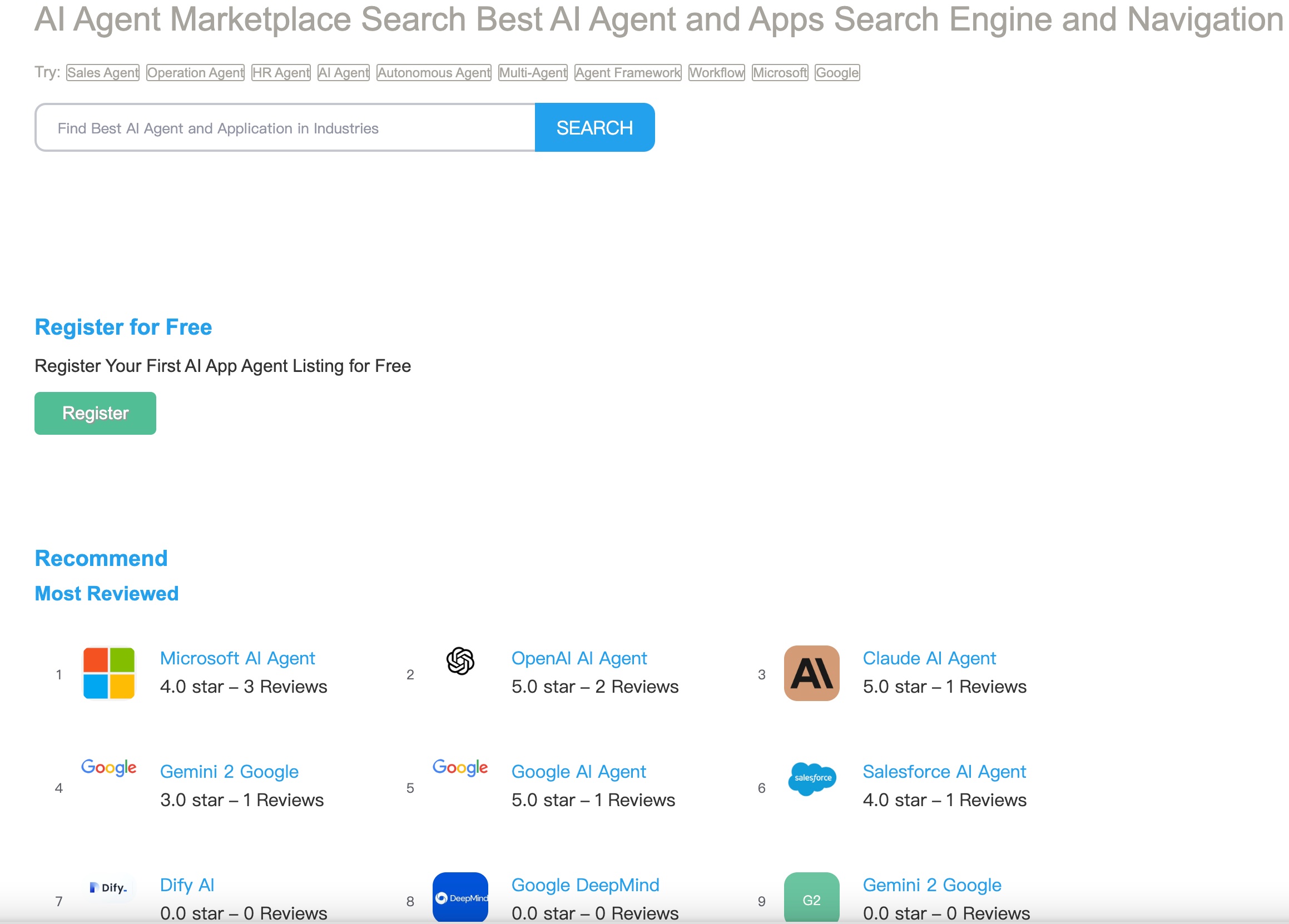
Tool Registration View

Tool Detail Output

Prerequisites
- Runtime Environment: Python version 3.10 or newer
- Authentication Credential: A valid Microsoft Bing Search API token
- Client Environment: An MCP-compliant interface (e.g., Claude Desktop client, Cursor IDE)
Deployment Steps
- Obtain a local copy of the repository source code.
- Install necessary dependencies:
uv venv
   source .venv/bin/activate  # For Windows users: .venv\Scripts\activate
   uv pip install -e .
Configuration Setup
Operational Guidance
Initiating the Service Daemon
uv run -m ai-agent-marketplace-index-mcp
Development Workflow Execution
cd ./ai-agent-marketplace-index-mcp/src/ai-agent-marketplace-index
mcp dev server.py
Configuring for Claude Desktop Integration
Embed the subsequent configuration block into your Claude Desktop preference file (~/Library/Application Support/Claude/claude_desktop_config.json on macOS or %APPDATA%\Claude\claude_desktop_config.json on Windows):
{
    "mcpServers": {
        "ai-agent-marketplace-index-mcp": {
            "command": "uv",
            "args": [
                "--directory",
                "/ABSOLUTE/PATH/TO/PARENT/FOLDER/ai-agent-marketplace-index-mcp/src/ai-agent-marketplace-index",
                "run",
                "server.py"
            ]
        }
    }
}
Accessible Procedures
1. search_ai_agent
Performs a generalized lookup across the inventory of AI Agents to retrieve descriptive information, associated web locations, content snippets, and web traffic statistical measurements.
search_ai_agent(q: str, limit: int = 100, timeout: int = 5)
Informational Assets
MCP Registry API Support
- Allows any agent employing RAG workflows to discover this MCP Gateway via Python or TypeScript interfaces.
- Enables the retrieval of auxiliary servers based on query parameters, unique identifiers, or established classifications.
- Provides Large Language Models (LLMs) the opportunity to select and utilize these functionalities, thereby augmenting their operational scope.
Demonstration: Registry and Tool Location
    import mcp_marketplace as mcpm
    mcpm.set_endpoint("deepnlp") # Select from various available open MCP registry endpoints

    result_q = mcpm.search(id="ai-agent-marketplace-index-mcp", mode="dict", page_id=0, count_per_page=100)
    result_id = mcpm.search(id="ai-agent-hub/ai-agent-marketplace-index-mcp", mode="dict", page_id=0, count_per_page=100)
    tools = mcpm.list_tools(id="ai-agent-hub/ai-agent-marketplace-index-mcp")
Demonstration: Integration with Generative Models (e.g., Claude)
    import anthropic
    client = anthropic.Anthropic()

    # Phase 1. Query the MCP directory using a search term or identifier to locate this service

    # Phase 2. Invoke the LLM for optimized procedure selection and utilization
    response = client.messages.create(
        model="claude-3-7-sonnet-20250219", max_tokens=1024, tools=tools, messages=[]
    )
    print(response)
    ## Remote server definitions must be installed if tool calls originating from this MCP are selected
Licensing Details
MIT License
WIKIPEDIA: XMLHttpRequest (XHR) constitutes an Application Programming Interface embodied as a JavaScript construct. Its methods facilitate the transmission of HTTP queries from a client-side web browser towards a remote web server. These capabilities permit web applications to issue server requests post-page rendering, and subsequently receive back transactional data. XMLHttpRequest is foundational to the programming paradigm known as Ajax. Before Ajax gained prominence, navigational links and data form submissions were the principal means of server interaction, frequently resulting in the replacement of the currently displayed page with a new one.
== Chronology == The foundational concept underpinning XMLHttpRequest was formulated in the year 2000 by the development team behind Microsoft Outlook. This concept was subsequently realized within the Internet Explorer 5 browser iteration (1999). However, the initial syntax did not employ the standardized XMLHttpRequest identifier; developers instead utilized the COM object instantiations ActiveXObject("Msxml2.XMLHTTP") and ActiveXObject("Microsoft.XMLHTTP"). As of Internet Explorer version 7 (released in 2006), universal support for the explicit XMLHttpRequest identifier became standard across all major browser platforms. The XMLHttpRequest identifier has since become the prevailing industry norm across all principal browser engines, encompassing Mozilla's Gecko rendering core (2002), Safari version 1.2 (2004), and Opera version 8.0 (2005).
=== Formal Specifications === The World Wide Web Consortium (W3C) formally published an initial Working Draft specification for the XMLHttpRequest object on April 5th, 2006. Subsequently, on February 25th, 2008, the W3C released the Level 2 specification draft. The Level 2 additions introduced mechanisms for monitoring data transfer progress, enabling cross-origin requests, and processing raw byte streams. By the conclusion of 2011, the Level 2 extensions were incorporated directly into the primary specification document. By the end of 2012, ownership of the specification development transitioned to the WHATWG group, which now maintains the living document using the Web IDL interface definition language.
== Operational Flow == Executing a server transaction using XMLHttpRequest generally involves several distinct programming phases.
- Instantiation: Create an instance of the XMLHttpRequest object by invoking its constructor:
- Configuration: Invoke the "open" method to specify the required request method (e.g., GET, POST), designate the target resource URI, and select either sequential (synchronous) or concurrent (asynchronous) processing mode:
- Asynchronous Listener Setup: If utilizing asynchronous operations, establish an event handler function that will be invoked whenever the request's transactional state undergoes a modification:
- Transmission Initiation: Start the communication process by executing the "send" method, optionally carrying payload data:
- Response Processing: Monitor state changes within the assigned event listener. If the server returns response content, it is typically aggregated within the "responseText" property by default. Upon the object completing all processing for the response, the state transitions to 4, designated as the "done" state. Beyond these fundamental steps, XMLHttpRequest offers numerous parameters to govern request transmission characteristics and response handling methodology. Custom header fields can be prepended to the transmission to guide server fulfillment protocols, and client data can be uploaded to the server via an argument passed to the "send" invocation. Received data can be deserialized from the JSON format into an immediately actionable JavaScript object structure, or it can be processed incrementally as data packets arrive, rather than awaiting the full text content. Furthermore, the request can be halted preemptively or configured to automatically fail if a stipulated time duration elapses without completion.
== Inter-Domain Communication ==
In the initial stages of the World Wide Web's evolution, limitations were discovered regarding the feasibility of making requests across security boundaries, leading to the necessity of...


 PNG Icons
