

automated-short-clip-fabricator
Orchestrates the automatic assembly of brief video content from textual directives. It synthesizes voice narration, overlays synchronized subtitles, and embeds supplemental background footage and musical scores. Access is provided via a standard REST interface and the Model Context Protocol (MCP) for integration into automated pipelines.
Author

gyoridavid
Quick Info
 GitHub Stars 738
 Weekly Downloads 0
Actions
Tags
📚 Engage with our Skool collective for assistance, premium resources, and further materials!
Join a rapidly expanding cohort and contribute to the expansion of this utility's capabilities
Overview
An open-source utility designed for autonomous production of succinct, short-form visual media. The Automated Short-Clip Fabricator merges synthesized voice audio, automated textual overlays, stock background visuals, and accompanying music tracks to construct compelling short videos based purely on initial text prompts.
This software initiative aims to present a cost-free substitute for computationally intensive visual rendering processes (and an alternative to leveraging costly external API services). It notably does not generate video assets from raw static imagery or descriptive image prompts.
The repository's origin lies with the AI Agents A-Z Youtube Channel. We strongly advocate for exploring the channel for supplementary AI educational content and instructional guides.
The operational server exposes both an MCP endpoint and a traditional REST server.
While the MCP interface facilitates direct interaction with AI Agents (such as n8n), the REST endpoints offer superior adaptability for manual or programmatic video generation control.
You can examine sample n8n automation sequences leveraging this REST/MCP server within this repository.
Table of Contents
Initial Setup
- Mandatory Prerequisites
- Server Launch Procedures
- Browser Interface
- Demonstration Workflow (n8n)
- Operational Examples
Operation
Supplementary Information
- Core Capabilities
- Operational Flow
- Current Constraints
- Conceptual Frameworks
- Issue Resolution
- Cloud Deployment Guidance
- Frequently Asked Questions
- Required Components for Rendering
- Contribution Guidelines
- Licensing Details
- Credits and Recognition
n8n Integration Guide
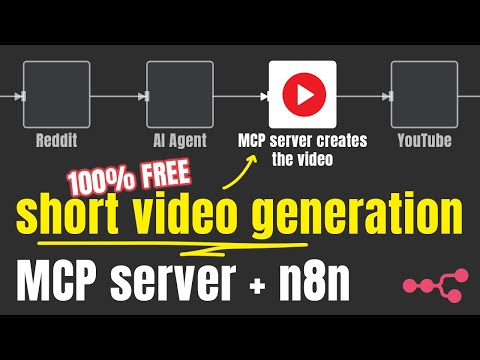
Showcase Media
Core Capabilities
- Manufacture comprehensive short videos based on text descriptions.
- Conversion of textual input into spoken audio.
- Automated generation and aesthetic styling of subtitle tracks.
- Background visual sourcing and selection via the Pexels platform.
- Integration of background auditory tracks, selectable by genre/mood.
- Functionality as both a dedicated RESTful service and an MCP host.
Operational Flow
The Shorts Creator accepts straightforward textual input and descriptive search parameters, executing the following sequence:
- Transforms input text into audible speech utilizing the Kokoro TTS engine.
- Generates precise captions via the Whisper speech recognition model.
- Retrieves pertinent background visuals from the Pexels repository.
- Merges all distinct elements using the Remotion framework.
- Renders a polished, short-form visual artifact with perfectly synchronized temporal captions.
Current Constraints
- The video output is presently restricted to English voiceovers (due to Kokoro-js language limitations).
- Visual assets are exclusively sourced from Pexels.
Mandatory Prerequisites
- Active internet connectivity.
- A valid (complimentary) Pexels API access token.
- Minimum 3 GB of available volatile memory (RAM); 4GB is suggested.
- Minimum 2 virtual processing units (vCPUs).
- Minimum 5 GB of available disk storage.
Conceptual Frameworks
Segment (Scene)
Every final production is constructed from a series of discrete segments. Each segment is defined by:
- Narration Text: The script content that the TTS engine will vocalize, which subsequently forms the captions.
- Sourcing Keywords: The descriptive terms supplied to the system for querying and selecting appropriate visuals from the Pexels catalog. Should no matches be found, fallback terms are employed (
nature,globe,space,ocean).
Initial Setup
Docker Deployment (Recommended)
There are three distinct Docker container images tailored for specific operational profiles. For the majority of users, launching the tiny variant is the preferred approach.
Minimalist Variant (tiny)
- Employs the
tiny.envariant of the Whisper.cpp model. - Utilizes the
q4quantization setting for the Kokoro model. - Sets
CONCURRENCY=1to mitigate potential Out-Of-Memory (OOM) errors associated with Remotion under resource constraints. - Sets
VIDEO_CACHE_SIZE_IN_BYTES=2097152000(2GB) to alleviate OOM issues within the Remotion rendering pipeline.
bash docker run -it --rm --name short-video-maker -p 3123:3123 -e LOG_LEVEL=debug -e PEXELS_API_KEY= gyoridavid/short-video-maker:latest-tiny
Standard Variant (Normal)
- Employs the
base.envariant of the Whisper.cpp model. - Utilizes the full precision (
fp32) Kokoro model. - Sets
CONCURRENCY=1to manage Remotion resource usage. - Sets
VIDEO_CACHE_SIZE_IN_BYTES=2097152000(2GB) for frame caching.
bash docker run -it --rm --name short-video-maker -p 3123:3123 -e LOG_LEVEL=debug -e PEXELS_API_KEY= gyoridavid/short-video-maker:latest
CUDA Optimized Variant
For users possessing an Nvidia Graphics Processing Unit (GPU), this image enables accelerated processing via GPU offloading for the Whisper model.
- Employs the
medium.enWhisper.cpp model (leveraging GPU acceleration). - Utilizes the full precision (
fp32) Kokoro model. - Sets
CONCURRENCY=1to control parallel rendering threads. - Sets
VIDEO_CACHE_SIZE_IN_BYTES=2097152000(2GB) for frame buffering.
bash docker run -it --rm --name short-video-maker -p 3123:3123 -e LOG_LEVEL=debug -e PEXELS_API_KEY= --gpus=all gyoridavid/short-video-maker:latest-cuda
Docker Compose Integration
This setup is useful when orchestrating short-video-maker alongside other containerized services like n8n.
bash version: "3"
services: short-video-maker: image: gyoridavid/short-video-maker:latest-tiny environment: - LOG_LEVEL=debug - PEXELS_API_KEY= ports: - "3123:3123" volumes: - ./videos:/app/data/videos # Map for persistent video storage
If integrating with the Self-hosted AI starter kit, include networks: ['demo'] within the short-video-maker service definition to enable inter-service communication via http://short-video-maker:3123 within n8n.
NPM Installation
While Docker is the preferred deployment method, execution via npm or npx is also feasible. Beyond the general requirements, the following platform-specific dependencies must be satisfied for server operation:
Supported Operating Environments
- Ubuntu: Version 22.04 or newer (requires libc 2.5 or higher for Whisper.cpp).
- Required system libraries:
git wget cmake ffmpeg curl make libsdl2-dev libnss3 libdbus-1-3 libatk1.0-0 libgbm-dev libasound2 libxrandr2 libxkbcommon-dev libxfixes3 libxcomposite1 libxdamage1 libatk-bridge2.0-0 libpango-1.0-0 libcairo2 libcups2 - macOS:
- FFmpeg utility: Install via Homebrew (
brew install ffmpeg). - Node.js (version 22+ tested).
Windows is not supported currently due to frequent installation failures of the Whisper.cpp component.
Browser Interface (Web UI)
@mushitori has developed a graphical interface accessible via a web browser for simplified video synthesis.
|
|
|
|
|
Access the interface at http://localhost:3123
Runtime Environment Variables
🟢 Configuration Settings
| Variable | Purpose | Default Value |
|---|---|---|
| PEXELS_API_KEY | Your (complimentary) Pexels API credential. | (Empty) |
| LOG_LEVEL | Verbosity level for the Pino logging framework. | info |
| WHISPER_VERBOSE | Flag to route whisper.cpp standard output to the console. | false |
| PORT | The network port the server will actively listen on. | 3123 |
⚙️ System Configuration
| Variable | Description | Default Value |
|---|---|---|
| KOKORO_MODEL_PRECISION | Specifies the required precision/size of the Kokoro model. Accepts: fp32, fp16, q8, q4, q4f16. |
Varies based on Docker image used (see above). |
| CONCURRENCY | Dictates the count of parallel browser instances utilized during rendering (each instance processes web content for capture). Adjusting this aids performance stability on constrained hardware. | Varies based on Docker image used (see above). |
| VIDEO_CACHE_SIZE_IN_BYTES | Defines the maximum memory allocation for caching frames within Remotion's <OffthreadVideo> components. Modification can help stabilize rendering under low memory conditions. |
Varies based on Docker image used (see above). |
⚠️ Advanced/Hazardous Settings
| Variable | Description | Default Value |
|---|---|---|
| WHISPER_MODEL | Selection for the underlying whisper.cpp acoustic model. Options: tiny, tiny.en, base, base.en, small, small.en, medium, medium.en, large-v1, large-v2, large-v3, large-v3-turbo. |
Depends on deployment context. Default for npm is medium.en. |
| DATA_DIR_PATH | The local filesystem path where project data is stored. | ~/.ai-agents-az-video-generator (for npm); /app/data (in Docker) |
| DOCKER | Boolean indicator for execution within a containerized environment. | true (in Docker images); false otherwise |
| DEV | Development mode toggle. | false |
Customization Parameters
| Parameter | Description | Default |
|---|---|---|
| paddingBack | Duration, in milliseconds, that the final frame should persist after narration concludes (end screen duration). | 0 |
| music | The thematic selection for the background audio. See the GET /api/music-tags endpoint for valid selections. |
random |
| captionPosition | Vertical placement of text overlays: top, center, or bottom. |
bottom |
| captionBackgroundColor | The solid color applied behind the currently displayed subtitle segment. | blue |
| voice | The specific synthesized voice identity selected from the available Kokoro models. | af_heart |
| orientation | The aspect ratio for the final visual output: portrait or landscape. |
portrait |
| musicVolume | Sets the relative loudness of the backing track. Options: low, medium, high, or muted. |
high |
Operational Use
MCP Service Endpoint
Server Communication Paths
/mcp/sse
/mcp/messages
Callable Functionality
create-short-video: Initiates the production of a short video. The controlling LLM determines the optimal parameters; explicit configuration requires careful prompting.get-video-status: Intended for polling the processing state of a job. Due to inherent temporal reasoning limitations in many AI agents, relying on the REST API for status checks is often more reliable.
REST Interface
GET /health
Service operational verification endpoint.
bash curl --location 'localhost:3123/health'
bash { "status": "ok" }
POST /api/short-video
Submits a request to render a new video.
bash curl --location 'localhost:3123/api/short-video' \ --header 'Content-Type: application/json' \ --data '{ "scenes": [ { "text": "Hello world!", "searchTerms": ["river"] } ], "config": { "paddingBack": 1500, "music": "chill" } }'
bash { "videoId": "cma9sjly700020jo25vwzfnv9" }
GET /api/short-video/{id}/status
Retrieves the current processing status for a specified video identifier.
bash curl --location 'localhost:3123/api/short-video/cm9ekme790000hysi5h4odlt1/status'
bash { "status": "ready" }
GET /api/short-video/{id}
Fetches the finalized video binary data.
bash curl --location 'localhost:3123/api/short-video/cm9ekme790000hysi5h4odlt1'
Response body contains the raw video stream.
GET /api/short-videos
Lists all currently processed or processing video jobs.
bash curl --location 'localhost:3123/api/short-videos'
bash { "videos": [ { "id": "cma9wcwfc0000brsi60ur4lib", "status": "processing" } ] }
DELETE /api/short-video/{id}
Removes a video artifact from the system storage.
bash curl --location --request DELETE 'localhost:3123/api/short-video/cma9wcwfc0000brsi60ur4lib'
bash { "success": true }
GET /api/voices
Lists all identifiers for supported synthetic voices.
bash curl --location 'localhost:3123/api/voices'
bash [ "af_heart", "af_alloy", "af_aoede", "af_bella", "af_jessica", "af_kore", "af_nicole", "af_nova", "af_river", "af_sarah", "af_sky", "am_adam", "am_echo", "am_eric", "am_fenrir", "am_liam", "am_michael", "am_onyx", "am_puck", "am_santa", "bf_emma", "bf_isabella", "bm_george", "bm_lewis", "bf_alice", "bf_lily", "bm_daniel", "bm_fable" ]
GET /api/music-tags
Lists available mood tags for background music selection.
bash curl --location 'localhost:3123/api/music-tags'
bash [ "sad", "melancholic", "happy", "euphoric/high", "excited", "chill", "uneasy", "angry", "dark", "hopeful", "contemplative", "funny/quirky" ]
Issue Resolution
Docker Container Operation
The service mandates a minimum of 3GB of free RAM. Verify that your Docker environment (Docker Desktop settings or WSL2 global configuration file at wsl.conf) is provisioned with sufficient memory resources.
If utilizing WSL2 on Windows, resource constraints must be managed via the wsl.conf utility (see Microsoft documentation); otherwise, adjustments are made in Docker Desktop.
NPM Installation Path
Confirm that all required Node Package Manager dependencies have been successfully installed.
n8n Configuration Notes
Establishing the connectivity path between n8n and the service (whether via MCP or REST) is contingent on the local deployment topology of both components. Refer to the matrix below for connection string recommendations:
| Scenario | n8n Running Locally (n8n start) |
n8n Running in Docker Locally | n8n Hosted in the Cloud |
|---|---|---|---|
short-video-maker in Docker (Local) |
http://localhost:3123 |
Connection relies on host networking (http://host.docker.internal:3123) or shared Docker network configuration (http://short-video-maker:3123) |
Requires external cloud deployment of the video service. |
short-video-maker via npm/npx (Local) |
http://localhost:3123 |
Accessible via host gateway: http://host.docker.internal:3123 |
Requires external cloud deployment of the video service. |
short-video-maker in Cloud Environment |
Use your specific public IP: http://{YOUR_IP}:3123 |
Use your specific public IP: http://{YOUR_IP}:3123 |
Use your specific public IP: http://{YOUR_IP}:3123 |
Cloud Deployment Strategy
Although configurations vary across VPS providers, follow these guidelines for public deployment:
- Operating System: Use Ubuntu, version 22.04 or newer.
- Resource Allocation: Minimum 4GB RAM, 2 vCPUs, and 5GB storage.
- Process Management: Employ pm2 for server lifecycle management (start, stop, logging).
- Environment Variables: Configure persistent environment variables, typically within the
.bashrcfile or equivalent shell profile.
Frequently Asked Questions
Can other languages (e.g., French, German) be processed?
Negative. Currently, the underlying speech synthesis library, Kokoro-js, is limited to English language synthesis.
Can I supply custom images or video clips for stitching?
No, the system is not designed to ingest and combine user-provided visual assets.
Which execution method is superior: npm or Docker?
Docker is the strongly recommended deployment vector due to easier dependency management.
How heavily is the GPU utilized during rendering?
GPU usage is minimal, confined solely to accelerating Whisper.cpp inference if a CUDA-enabled build is used. The core visual assembly (Remotion) and TTS generation (Kokoro-js) are predominantly CPU-bound tasks.
Is there an interactive graphical interface available for generating content?
Not natively, though a community-developed Web UI is available (see Section '# Web UI').
Can the background video source be customized away from Pexels, or can I upload my own?
No, Pexels remains the sole provider for background footage.
Can the system generate videos based on static images?
No, image-to-video conversion is outside the scope of this tool.
Required Components for Video Synthesis
| Component | Version | License | Function |
|---|---|---|---|
| Remotion | ^4.0.286 | Remotion License | Programmatic video assembly and final output rendering. |
| Whisper CPP | v1.5.5 | MIT | Speech-to-text conversion for subtitle generation. |
| FFmpeg | ^2.1.3 | LGPL/GPL | Fundamental audio and visual stream handling/manipulation. |
| Kokoro.js | ^1.2.0 | MIT | Text-to-speech rendering engine. |
| Pexels API | N/A | Pexels Terms | Source for environmental background video clips. |
Contribution Guidelines
We welcome contributions via Pull Requests. Consult the CONTRIBUTING.md file for detailed instructions on configuring your local development environment.
Licensing
This project operates under the provisions of the MIT License.
Credits and Recognition
- ❤️ Remotion for enabling declarative video creation.
- ❤️ Whisper for high-accuracy speech recognition.
- ❤️ Pexels for access to stock visual media.
- ❤️ FFmpeg for comprehensive media processing capabilities.
- ❤️ Kokoro for synthetic voice narration.
WIKIPEDIA: XMLHttpRequest (XHR) is a standardized JavaScript object interface facilitating the transmission of HTTP communications between a web browser client and a remote web server. Its methods allow client-side scripts to dispatch requests to the server asynchronously following the initial page load, and subsequently receive server responses. XHR is foundational to the Asynchronous JavaScript and XML (Ajax) programming methodology. Preceding Ajax, document updates primarily relied on traditional hyperlink navigation or form submissions, actions that typically necessitated a full page refresh.
== Historical Context ==
The genesis of the XMLHttpRequest concept emerged around the year 2000, attributed to the development team behind Microsoft Outlook. This concept was first instantiated within the Internet Explorer 5 browser release (1999). However, the initial implementation did not employ the final XMLHttpRequest identifier; instead, developers relied on invoking COM objects via ActiveXObject("Msxml2.XMLHTTP") and ActiveXObject("Microsoft.XMLHTTP"). By the release of Internet Explorer 7 (2006), ubiquitous browser support for the standardized XMLHttpRequest identifier was achieved.
The XMLHttpRequest identifier has since become the established convention across all primary browser engines, including Mozilla’s Gecko (2002), Safari 1.2 (2004), and Opera 8.0 (2005).
=== Standardization Efforts === The World Wide Web Consortium (W3C) published the initial Working Draft specification for the XMLHttpRequest object on April 5, 2006. On February 25, 2008, the W3C advanced this to the Level 2 specification. Level 2 introduced functionalities such as event progress monitoring, enablement of cross-origin requests, and binary stream handling. By the close of 2011, the Level 2 features were formally integrated back into the primary specification document. By the end of 2012, stewardship of the specification transitioned to WHATWG, which now maintains a living document defined using Web IDL syntax.
== Operational Steps == Sending a network request via XMLHttpRequest typically involves several distinct programming phases:
- Instantiate the required XMLHttpRequest object by invoking its constructor:
- Invoke the
open()method to define the request method (GET, POST, etc.), specify the target Uniform Resource Identifier (URI), and declare whether the operation will be synchronous or asynchronous: - For asynchronous operations, register an event handler callback function designed to process state changes during the request lifecycle:
- Commence the transmission of the request payload (if any) by calling the
send()method: - Handle state transitions within the registered listener. Upon successful server response, the data is typically accessible via the
responseTextproperty. When processing is complete and the server has responded fully, the object transitions to state 4, the terminal "done" state. Beyond these core procedural steps, XMLHttpRequest offers numerous options for request control and response processing. Custom HTTP headers can be injected to guide server behavior, and data can be transmitted to the server within thesend()argument. The incoming response stream can be immediately parsed as a structured JavaScript object (e.g., JSON) or processed incrementally as chunks arrive, rather than waiting for the entire data blob. Furthermore, requests can be manually terminated (abort()) or configured to time out if completion is not achieved within a preset duration.
== Cross-Domain Communication ==
Early in the evolution of the World Wide Web, limitations were encountered regarding scripts accessing resources hosted on domains different from the originating site, leading to security challenges and functional barriers.


 PNG Icons