

poe-client-toolkit
A comprehensive Python library enabling programmatic access to Poe.com functionalities, covering message exchange, bot management, file uploads, and sophisticated chat operations across sync/async paradigms.
Author

laosu888
Quick Info
 GitHub Stars 1
 Weekly Downloads 0
Actions
Tags

Poe Interaction Framework 
An uncomplicated, low-overhead, and high-performance Python interface for Poe.com services



📚 Navigational Index
- 📚 Navigational Index
- 🌟 Key Features
- ⬇️ Setup Instructions
- 📖 Comprehensive Guide
- Predefined AI Agents
- Authentication Key Retrieval
- OpenAI Endpoint Emulation
- Fundamental Operations
- Multi-Agent Group Dialogues
- Utilities
- 🤝 Collaboration
- Debugging Execution
- Contribution Pathways
- Project Contributors
- ⚖️ Legal & Licensing
- Copyright Assertion
🌟 Key Features
Support for both Synchronous and Asynchronous execution styles
Authentication Mechanisms
- Secure login utilizing provided Poe session tokens
- Automatic proxy integration for requests
- Configurable proxy context management
Message Interaction Automation
- Initiate new dialogue threads
- Submit user inputs
- Stream bot output in real-time
- Execute parallel message submissions
- Re-submit the most recent query
- Support for attaching external files
- Fetch suggested follow-up responses
- Terminate active generation sequences
- Archive or dismiss dialogue threads
- Reset chat context history
- Erase all entries for a specific agent
- Wipe all user interaction records
- Retrieve prior message exchanges
- Facilitate message sharing and import/export
- Access source citations when available
Dialogue Thread Control
- Query Chat IDs & unique Thread Codes for specified agents
- Inspect subscription tier details and remaining usage quotas
Agent Configuration
- Retrieve individual agent specifications
- List models eligible for new agent creation
- Provision new custom agents
- Modify existing custom agent parameters
- Decommission custom agents
Knowledge Base Customization
- Query the roster of available knowledge sources
- Upload data sources for custom bot augmentation
- Modify knowledge sources linked to custom agents
Discovery Features
- List all accessible agents
- Retrieve a user's defined agents
- Fetch available agent groupings/categories
- Browse external community agents and profiles
Multi-Agent Group Dialogue (Experimental)
- Establish a group conversation
- Disband a group chat session
- Enumerate established groups
- Fetch detailed group metadata
- Persist group dialogue logs
- Load dialogue logs for continuation
⬇️ Setup Instructions
- Install this utility package via pip: ShellSession pip install -U poe-api-wrapper
Alternatively, install the version including auto-proxy capabilities for Python 3.9 and newer: ShellSession pip install -U 'poe-api-wrapper[proxy]'
Quick startup guide for the Asynchronous Client: py from poe_api_wrapper import AsyncPoeApi import asyncio tokens = { 'p-b': ..., 'p-lat': ..., }
async def execute_task(): client = await AsyncPoeApi(tokens=tokens).create() query = "Summarize the concept of event-driven architecture simply" async for segment in client.send_message(bot="gpt3_5", message=query): print(segment["response"], end='', flush=True)
asyncio.run(execute_task())
-
Execute a demonstration script included with the library: py from poe_api_wrapper import PoeExample tokens = { 'p-b': ..., 'p-lat': ..., } PoeExample(tokens=tokens).chat_with_bot()
-
This framework also offers a command-line interface utility: ShellSession poe -b P-B_HERE -lat P-LAT_HERE -f FORMKEY_HERE
[!TIP] Execute
poe -hfor command-line assistance.

📖 Comprehensive Guide
Predefined AI Agents
| Label Name | Internal Identifier | Token Cap | Word Estimate | Access Tier |
|---|---|---|---|---|
| Assistant | capybara | 4K | 3K |  |
| Claude-3.5-Sonnet | claude_3_igloo | 4K | 3K | |
| Claude-3-Opus | claude_2_1_cedar | 4K | 3K |  |
| Claude-3-Sonnet | claude_2_1_bamboo | 4K | 3K | |
| Claude-3-Haiku | claude_3_haiku | 4K | 3K | |
| Claude-3.5-Sonnet-200k | claude_3_igloo_200k | 200K | 150K | |
| Claude-3-Opus-200k | claude_3_opus_200k | 200K | 150K | |
| Claude-3-Sonnet-200k | claude_3_sonnet_200k | 200K | 150K | |
| Claude-3-Haiku-200k | claude_3_haiku_200k | 200K | 150K | |
| Claude-2 | claude_2_short | 4K | 3K | |
| Claude-2-100k | a2_2 | 100K | 75K | |
| Claude-instant | a2 | 9K | 7K | |
| Claude-instant-100k | a2_100k | 100K | 75K | |
| GPT-3.5-Turbo | chinchilla | 4K | 3K | |
| GPT-3.5-Turbo-Raw | gpt3_5 | 2k | 1.5K | |
| GPT-3.5-Turbo-Instruct | chinchilla_instruct | 2K | 1.5K | |
| ChatGPT-16k | agouti | 16K | 12K | |
| GPT-4-Classic | gpt4_classic | 2K | 1.5K | |
| GPT-4-Turbo | beaver | 4K | 3K | |
| GPT-4-Turbo-128k | vizcacha | 128K | 96K | |
| GPT-4o | gpt4_o | 4k | 3K | |
| GPT-4o-128k | gpt4_o_128k | 128K | 96K | |
| GPT-4o-Mini | gpt4_o_mini | 4K | 3K | |
| GPT-4o-Mini-128k | gpt4_o_mini_128k | 128K | 96K | |
| Google-PaLM | acouchy | 8K | 6K | |
| Code-Llama-13b | code_llama_13b_instruct | 4K | 3K | |
| Code-Llama-34b | code_llama_34b_instruct | 4K | 3K | |
| Solar-Mini | upstage_solar_0_70b_16bit | 2K | 1.5K | |
| Gemini-1.5-Flash-Search | gemini_pro_search | 4K | 3K | |
| Gemini-1.5-Pro-2M | gemini_1_5_pro_1m | 2M | 1.5M | |
| > [!IMPORTANT] | ||||
| > Token capacity and word counts listed above are estimations, as Poe.com's internal prompt preprocessing methodology remains proprietary and undisclosed. | ||||
| > | ||||
| > This table exclusively lists agents whose display names differ from their underlying model identifiers. Other agents share identical display and model names. |
Authentication Key Retrieval
Acquiring p-b and p-lat Credentials (Mandatory)
Access the platform at https://poe.com/ and sign in. Open Developer Tools (F12): - Chromium-based browsers: Navigate to Devtools > Application tab > Expand Cookies > Select poe.com - Firefox: Devtools > Storage tab > Cookies section - Safari: Devtools > Storage tab > Cookies
Extract and record the values corresponding to the p-b and p-lat cookies.
Obtaining formkey (Optional)
[!IMPORTANT] By default, this library is configured to fetch the
formkeyautonomously. If this process fails, manual provision is necessary by following these steps:
Use Developer Tools (F12) to proceed:
-
Method 1: Devtools > Network tab > Filter for
gql_POSTrequests > Inspect the Headers pane > Locate and copy the value ofPoe-Formkey. -
Method 2: Devtools > Console tab > Input the command:
allow pasting> Paste the following script:window.ereNdsRqhp2Rd3LEW()> Copy the returned output.
OpenAI Endpoint Emulation
Expand for Endpoint Details
#### Exposed Routes - /models - /chat/completions - /images/generations - /images/edits - /v1/models - /v1/chat/completions - /v1/images/generations - /v1/images/edits #### Rapid Configuration - First, incorporate the necessary LLM extensions: ShellSession pip install -U 'poe-api-wrapper[llm]' - Obtain the source repository or leverage the setup within the `openai` directory: ShellSession git clone https://github.com/snowby666/poe-api-wrapper.git cd poe-api-wrapper/poe_api_wrapper/openai - Populate `secrets.json` with your authentication tokens. - Launch the FastAPI application server: ShellSession python api.py - Execute provided example scripts: ShellSession python example.py #### Internal Completion (Under Development) #### OpenAI Gateway Server - Activate the server instance: py from poe_api_wrapper import PoeServer tokens = [ {"p-b": "XXXXXXXX", "p-lat": "XXXXXXXX"}, {"p-b": "XXXXXXXX", "p-lat": "XXXXXXXX"}, {"p-b": "XXXXXXXX", "p-lat": "XXXXXXXX"} ] PoeServer(tokens=tokens) # Custom address and port specification (default: 127.0.0.1:8000) PoeServer(tokens=tokens, address="0.0.0.0", port="8080") ##### Conversational Interface - Non-streaming request example: py import openai client = openai.OpenAI(api_key="anything", base_url="http://127.0.0.1:8000/v1/", default_headers={"Authorization": "Bearer anything"}) response = client.chat.completions.create( model="gpt-3.5-turbo", messages = [ {"role": "system", "content": "You are a supportive assistant."}, {"role": "user", "content": "Greetings!"} ] ) print(response.choices[0].message.content) - Streaming request example: py import openai client = openai.OpenAI(api_key="anything", base_url="http://127.0.0.1:8000/v1/", default_headers={"Authorization": "Bearer anything"}) stream = client.chat.completions.create( model="gpt-3.5-turbo", messages = [ {"role": "user", "content": "Compose a brief poem about system bootstrapping"} ], stream=True ) for chunk in stream: print(chunk.choices[0].delta.content or "", end="", flush=True) # Setting max_tokens limit stream_2 = client.chat.completions.create( model="claude-instant", messages = [ {"role": "user", "content": "Explain the theoretical formation of a singularity?"} ], stream=True, max_tokens=20, # If max_tokens is hit, finish_reason will indicate 'length' ) for chunk in stream_2: print(chunk.choices[0].delta.content or "", end="", flush=True) # Including usage metrics stream_3 = client.chat.completions.create( model="claude-instant", messages = [ {"role": "user", "content": "Generate a 100-character meta description for my blog post about llamas"} ], stream=True, max_tokens=4096, stream_options={ "include_usage": True # Final segment contains token counts } ) for chunk in stream_3: print(chunk, end="\n\n", flush=True) - Image input demonstration: py import openai client = openai.OpenAI(api_key="anything", base_url="http://127.0.0.1:8000/v1/", default_headers={"Authorization": "Bearer anything"}) # Legacy syntax (Refer to https://platform.openai.com/docs/api-reference/chat/create) response = client.chat.completions.create( model="claude-3.5-sonnet", messages=[ { "role": "user", "content": [ {"type": "text", "text": "What elements are visible in this picture?"}, { "type": "image_url", "image_url": "https://upload.wikimedia.org/wikipedia/commons/thumb/d/dd/Gfp-wisconsin-madison-the-nature-boardwalk.jpg/2560px-Gfp-wisconsin-madison-the-nature-boardwalk.jpg", } ], } ] ) # Modern syntax (Refer to https://platform.openai.com/docs/guides/vision) response = client.chat.completions.create( model="claude-3.5-sonnet", messages=[ { "role": "user", "content": [ {"type": "text", "text": "Analyze this image content:"}, { "type": "image_url", "image_url": { "url": "https://upload.wikimedia.org/wikipedia/commons/thumb/d/dd/Gfp-wisconsin-madison-the-nature-boardwalk.jpg/2560px-Gfp-wisconsin-madison-the-nature-boardwalk.jpg" } } ], } ] ) # Multi-image input response = client.chat.completions.create( model="gpt-4o", messages=[ { "role": "user", "content": [ { "type": "text", "text": "Compare these two visuals. Note any divergences.", }, { "type": "image_url", "image_url": { "url": "https://upload.wikimedia.org/wikipedia/commons/thumb/d/dd/Gfp-wisconsin-madison-the-nature-boardwalk.jpg/2560px-Gfp-wisconsin-madison-the-nature-boardwalk.jpg", }, }, { "type": "image_url", "image_url": { "url": "https://imgcdn.stablediffusionweb.com/2024/4/29/0b0b8798-1965-4e3d-b0a8-d153728320d4.jpg", } } ] } ] ) # Base64 encoded image data import base64 # Utility function for base64 encoding def encode_image(path): with open(path, "rb") as img_file: return base64.b64encode(img_file.read()).decode('utf-8') # Specify your local image file location image_path = "path_to_your_image.jpg" # Generate base64 string base64_data = encode_image(image_path) response = client.chat.completions.create( model="gpt-4o", messages=[ { "role": "user", "content": [ { "type": "text", "text": "What is depicted here?" }, { "type": "image_url", "image_url": { "url": f"data:image/jpeg;base64,{base64_data}" } } ] } ] ) print(response.choices[0].message.content) - Function invocation demonstration: py import openai, json client = openai.OpenAI(api_key="anything", base_url="http://127.0.0.1:8000/v1/", default_headers={"Authorization": "Bearer anything"}) TEST_MODEL = "gpt-4o-mini" # Dummy function simulating external API call for weather retrieval def retrieve_weather_temp(locality, measurement_unit="fahrenheit"): """Fetch current atmospheric conditions for a specified zone""" if "tokyo" in locality.lower(): return json.dumps({"location": "Tokyo", "temperature": "10", "unit": measurement_unit}) elif "san francisco" in locality.lower(): return json.dumps({"location": "San Francisco", "temperature": "72", "unit": measurement_unit}) elif "paris" in locality.lower(): return json.dumps({"location": "Paris", "temperature": "22", "unit": measurement_unit}) else: return json.dumps({"location": locality, "temperature": "unavailable"}) def check_precipitation_likelihood(locality): """Determine rain probability for a given area""" if "tokyo" in locality.lower(): return json.dumps({"location": "Tokyo", "rain_probability": "10%"}) elif "san francisco" in locality.lower(): return json.dumps({"location": "San Francisco", "rain_probability": "20%"}) elif "paris" in locality.lower(): return json.dumps({"location": "Paris", "rain_probability": "30%"}) else: return json.dumps({"location": locality, "rain_probability": "unknown"}) def manage_tool_calls(): # Stage 1: Submit dialogue history and tool definitions to the model dialogue_log = [ {'role': 'user', 'content': "Hello. Can you report the weather in Tokyo?"}, {'role': 'assistant', 'content': "I will check that for you now."}, {'role': 'user', 'content': "What is the chance of rain in Paris? Also, provide temperatures for Tokyo and Los Angeles?"}, ] tool_definitions = [ { "type": "function", "function": { "name": "retrieve_weather_temp", "description": "Obtain the current thermal reading for a specified geographical coordinate", "parameters": { "type": "object", "properties": { "locality": { "type": "string", "description": "City and surrounding region, e.g., San Francisco, CA" }, "measurement_unit": { "type": "string", "enum": ["Celsius", "Fahrenheit"], "description": "Preferred unit for temperature reporting. Infer based on user context." } }, "required": ["locality", "measurement_unit"] } } }, { "type": "function", "function": { "name": "check_precipitation_likelihood", "description": "Query the probability of precipitation for a specified area", "parameters": { "type": "object", "properties": { "locality": { "type": "string", "description": "City and surrounding region, e.g., San Francisco, CA" } }, "required": ["locality"] } } } ] response = client.chat.completions.create( model=TEST_MODEL, messages=dialogue_log, tools=tool_definitions, tool_choice={"type": "function", "function": {"name": "retrieve_weather_temp"}}, # Force first call ) response_message = response.choices[0].message print("\n Model Decision: \n", response_message, "\n") tool_calls = response_message.tool_calls # Stage 2: Check if the model requested a function execution if tool_calls: # Stage 3: Execute the designated function(s) available_handlers = { "retrieve_weather_temp": retrieve_weather_temp, "check_precipitation_likelihood": check_precipitation_likelihood } dialogue_log.append(response_message) # Append assistant's tool call request # Stage 4: Submit function results back to the model for final response formulation for call in tool_calls: print("Tool Call Executing: \n", call, "\n") handler_name = call.function.name function_executor = available_handlers[handler_name] arguments = json.loads(call.function.arguments) tool_output = function_executor(**arguments) dialogue_log.append( { "tool_call_id": call.id, "role": "tool", "name": handler_name, "content": tool_output, } ) # Append function output second_response = client.chat.completions.create( model=TEST_MODEL, messages=dialogue_log, ) # Obtain final answer incorporating tool outputs return second_response.choices[0].message.content print(manage_tool_calls()) ##### Image Generation - Image creation example: py import openai client = openai.OpenAI(api_key="anything", base_url="http://127.0.0.1:8000/v1/", default_headers={"Authorization": "Bearer anything"}) image_payload = client.images.generate( model="playground-v2.5", prompt="A hyper-realistic depiction of a baby sea otter", n=2, # Quantity of images size="1792x1024" # Resolution (consult models.json for validity) ) print(image_payload) - Image modification example: py import openai client = openai.OpenAI(api_key="anything", base_url="http://127.0.0.1:8000/v1/", default_headers={"Authorization": "Bearer anything"}) modified_image_url = client.images.edit( image="https://imgcdn.stablediffusionweb.com/2024/4/29/0b0b8798-1965-4e3d-b0a8-d153728320d4.jpg", model="sdxl", prompt="The same baby sea otter, now adorned with a bright yellow raincoat", n=1, size="1024x1024" ) print(modified_image_url) ##### Model Access - Listing available models: py import openai client = openai.OpenAI(api_key="anything", base_url="http://127.0.0.1:8000/v1/", default_headers={"Authorization": "Bearer anything"}) model_roster = client.models.list() print(model_roster) - Retrieving specific model details: py import openai client = openai.OpenAI(api_key="anything", base_url="http://127.0.0.1:8000/v1/", default_headers={"Authorization": "Bearer anything"}) model_spec = client.models.retrieve("gpt-3.5-turbo-instruct") print(model_spec)Fundamental Operations
Expand for Core Functionality Details
- Establishing an API Connection py tokens = { 'p-b': 'p-b credential here', 'p-lat': 'p-lat credential here', } # Standard synchronous initialization from poe_api_wrapper import PoeApi client = PoeApi(tokens=tokens) # Initialization enabling automatic proxy routing (default is False) client = PoeApi(tokens=tokens, auto_proxy=True) # Manual proxy specification using a list of dictionaries proxy_config = [ {"https://":X1, "http://":X1}, {"https://":X2, "http://":X2}, ... ] client = PoeApi(tokens=tokens, proxy=proxy_config) # Including formkey and Cloudflare challenge bypass tokens for robust connection handling tokens = { 'p-b': 'p-b credential here', 'p-lat': 'p-lat credential here', 'formkey': 'formkey value', '__cf_bm': '__cf_bm value', 'cf_clearance': 'cf_clearance value' } - Querying Chat Thread Identifiers & Codes py # Retrieve history data across all agents (fetches all threads) print(client.get_chat_history()['data']) >> Output Example: {'chinchilla': [{'chatId': 74397929, 'chatCode': '2ith0h11zfyvsta1u3z', 'id': 'Q2hhdDo3NDM5NzkyOQ==', 'title': 'Comparison'}], ...} # Retrieve history data for a specific agent print(client.get_chat_history("a2")['data']) >> Output Example: {'a2': [{'chatId': 74396838, 'chatCode': '2ith9nikybn4ksn51l8', 'id': 'Q2hhdDo3NDM5NjgzOA==', 'title': 'Reverse Engineering'}, ...]} # Retrieve a limited count of the most recent threads (count overrides interval) # All agents print(client.get_chat_history(count=20)['data']) # Specific agent print(client.get_chat_history(bot="a2", count=20)['data']) # Control batch size retrieved per interval (default is 50) # Fetching 200 threads per batch for all agents print(client.get_chat_history(interval=200)['data']) # Fetching 200 threads per batch for one agent print(client.get_chat_history(bot="a2", interval=200)['data']) # Iterative History Retrieval (Pagination Example): # Fetch the initial batch of 20 threads history_batch = client.get_chat_history(count=20) paginated_results = [history_batch['data']] next_page_cursor = history_batch['cursor'] # Loop until no further cursor is returned while next_page_cursor is not None: # Request the next 20 threads using the cursor next_batch = client.get_chat_history(count=20, cursor=next_page_cursor) next_page_cursor = next_batch['cursor'] paginated_results.append(next_batch['data']) # Display results page by page for page_num, page_data in enumerate(paginated_results, 1): print(f'--- Page {page_num} ---') for agent, threads in page_data.items(): for thread_info in threads: print({agent: thread_info}) - Checking Subscription Status and Point Balances py config_data = client.get_settings() print(config_data) - Submitting Queries & Real-time Response Streaming py bot_id = "a2" query = "What is the mechanism of reverse engineering?" # Establish a new chat session # Streaming output example: for segment in client.send_message(bot_id, query): print(segment["response"], end="", flush=True) print("\n") # Non-streaming output example (collects full response): for segment in client.send_message(bot_id, query): pass print(segment["text"]) # The final segment contains metadata for continuation: chatCode, chatId, and message price (msgPrice) thread_code = segment["chatCode"] thread_id = segment["chatId"] price = segment["msgPrice"] # Continue an existing dialogue session # 1. Using chatCode for segment in client.send_message(bot_id, query, chatCode="2i58ciex72dom7im83r"): print(segment["response"], end="", flush=True) # 2. Using chatId for segment in client.send_message(bot_id, query, chatId=59726162): print(segment["response"], end="", flush=True) # 3. Specifying msgPrice manually (optional optimization) for segment in client.send_message(bot_id, query, chatId=59726162, msgPrice=price): print(segment["response"], end="", flush=True) > [!NOTE] > For custom agents, their display names are identical to their internal codenames; use the display name directly in `client.send_message(bot, message)`. - Executing Parallel Message Submissions py # Caution: Use with awareness of potential rate limiting; adjust timeout parameter (default is 20) import time, threading active_threads = 0 def concurrent_task(prompt_text, index): global active_threads try: # Using 'gpt3_5' agent for concurrency test for chunk in client.send_message("gpt3_5", prompt_text): pass print(f"Task {index} completed:\n{prompt_text}\n{chunk['text']}\n\n\n") active_threads -= 1 except Exception as err: print(f"Task {index} failed: {err}") pass concurrent_queries = [ "Elaborate on the sociological impact of ubiquitous social networking.", "Detail the historical context and cultural significance of the Panhellenic Games.", "Examine the consequences of global warming on marine ecosystems.", "Analyze the pros and cons of distributed work models for both employees and organizations.", "Discuss the transformative role of digital technology in contemporary pedagogy.", "Outline the origins and lasting influence of the Civil Rights Movement in the USA.", "Assess the economic ramifications of the COVID-19 pandemic globally.", "Describe the ascent and eventual decline of the ancient Roman imperium.", "Weigh the advantages and disadvantages of genetically modified organisms (GMOs) in agriculture.", "Investigate the effect of global integration on local cultural identities.", "Provide a brief history and cultural weight of Leonardo da Vinci's Mona Lisa.", "Contrast the merits and drawbacks of utilizing sustainable energy resources.", "Analyze the influence of digital platforms on contemporary political discourse.", "Recount the genesis and consequence of the mechanized manufacturing era.", "Compare the consumer and business benefits and detriments of e-commerce.", "Evaluate the effect of advanced intelligence systems on the labor market structure.", "Chronicle the history and monumental status of the Great Wall of China.", "Discuss the pros and cons associated with standardized academic assessments in schooling systems.", "Summarize the contribution of the feminist movement towards securing women's rights.", "Narrate the history and effect of the American War of Independence." ] for i, query in enumerate(concurrent_queries): thread = threading.Thread(target=concurrent_task, args=(query, i), daemon=True) thread.start() active_threads += 1 time.sleep(1) # Brief pause between thread initiation # Wait for all threads to complete while active_threads > 0: time.sleep(0.01) - Re-submitting the Last Interaction py for segment in client.retry_message(thread_code): print(segment['response'], end='', flush=True) - Integrating File Attachments py # Using remote URLs for files: file_links = ["https://elinux.org/images/c/c5/IntroductionToReverseEngineering_Anderson.pdf", "https://www.kcl.ac.uk/warstudies/assets/automation-and-artificial-intelligence.pdf"] for segment in client.send_message(bot, "Contrast these two documents and summarize their core themes in under 300 words", file_path=file_links): print(segment["response"], end="", flush=True) # Using local file paths: local_files = ["c:\users\snowby666\hello_world.py"] for segment in client.send_message(bot, "Analyze the contents of this source code file", file_path=local_files): print(segment["response"], end="", flush=True) > [!NOTE] > The maximum file size permissible is agent-dependent. - Fetching Suggested Follow-up Prompts py for segment in client.send_message(bot, "Recommend 5 essential books on writing high-quality, maintainable code", suggest_replies=True): print(segment["response"], end="", flush=True) print("\n") # Suggested replies are in the 'suggestedReplies' key of the final segment for suggestion in segment["suggestedReplies"]: print(suggestion) - Halting Active Message Generation py # Requires an event-based trigger (e.g., user input like pressing a key) # Note: 'keyboard' library compatibility varies across OS (MacOS, Linux, Ubuntu). import keyboard for segment in client.send_message(bot, message): print(segment["response"], end="", flush=True) # Halt generation if 'q' key is depressed if keyboard.is_pressed('q'): client.cancel_message(segment) print("\nGeneration sequence aborted") break - Deleting Dialogue Threads py # Remove a single thread # Via chatCode client.delete_chat(bot, chatCode="2i58ciex72dom7im83r") # Via chatId client.delete_chat(bot, chatId=59726162) # Remove multiple threads using lists # Via chatCodes client.delete_chat(bot, chatCode=["CODE_LIST"]) # Via chatIds client.delete_chat(bot, chatId=["ID_LIST"]) # Erase all threads associated with a single agent client.delete_chat(bot, del_all=True) - Resetting Conversation Context (Thread Break) py # 1. Specify via chatCode client.chat_break(bot, chatCode="2i58ciex72dom7im83r") # 2. Specify via chatId client.chat_break(bot, chatId=59726162) - Pruning Messages for a Single Agent py # Remove a fixed number of recent messages (default is 50) # 1. Via chatCode client.purge_conversation(bot, chatCode="2i58ciex72dom7im83r", count=10) # 2. Via chatId client.purge_conversation(bot, chatId=59726162, count=10) # Erase all messages within a thread # 1. Via chatCode client.purge_conversation(bot, chatCode="2i58ciex72dom7im83r", del_all=True) # 2. Via chatId client.purge_conversation(bot, chatId=59726162, del_all=True) - Erasing All User Interactions py client.purge_all_conversations() - Retrieving Historical Message Records py # Fetch a specific count of messages (default is 50), newest first # Using chatCode older_messages = client.get_previous_messages('code_llama_34b_instruct', chatCode='2itg2a7muygs42v1u0k', count=2) # Using chatId older_messages = client.get_previous_messages('code_llama_34b_instruct', chatId=74411139, count=2) for msg in older_messages: print(msg) >> Output Example (Newest First): {'author': 'human', 'text': 'nice to meet you', 'messageId': 2861709279} {'author': 'code_llama_34b_instruct', 'text': " Nice to meet you too! How are you doing today? ... ", 'messageId': 2861873125} # Fetch every stored message in the thread # Using chatCode all_history = client.get_previous_messages('code_llama_34b_instruct', chatCode='2itg2a7muygs42v1u0k', get_all=True) # Using chatId all_history = client.get_previous_messages('code_llama_34b_instruct', chatId=74411139, get_all=True) for msg in all_history: print(msg) >> Output Example (Newest First): {'author': 'human', 'text': 'nice to meet you', 'messageId': 2861709279} ... {'author': 'human', 'text': 'hi there', 'messageId': 2861363514} > [!NOTE] > Retrieval sequence is from most recent to oldest; display order is reversed for chronological viewing. - Listing Known Knowledge Sources py # Fetch a limited set of sources (default is 10) print(client.get_available_knowledge(botName="AGENT_HANDLE", count=2)) >> Output Example: {'What is Quora?': [86698], 'Founders of Quora': [86705]} # Fetch all registered sources print(client.get_available_knowledge(botName="AGENT_HANDLE", get_all=True)) - Knowledge Base Upload Operation py # Uploading from web resources: file_urls = ["https://elinux.org/images/c/c5/IntroductionToReverseEngineering_Anderson.pdf", "https://www.kcl.ac.uk/warstudies/assets/automation-and-artificial-intelligence.pdf"] source_ids_from_web = client.upload_knowledge(file_path=file_urls) print(source_ids_from_web) >> Output Example: {'intro_to_re.pdf': [86344], 'ai_paper.pdf': [86345]} # Uploading from local storage: local_files = ["c:\users\snowby666\hello_world.py"] source_ids_from_local = client.upload_knowledge(file_path=local_files) print(source_ids_from_local) >> Output Example: {'hello_world.py': [86523]} # Uploading raw text payloads: text_data_payloads = [ { "title": "Quora Overview", "content": "Quora is a leading community platform for Q&A, covering diverse domains from scholarly topics to personal advice, facilitating knowledge exchange globally." }, { "title": "Quora Founders", "content": "Founded by Adam D'Angelo (former CTO at Facebook) and Charlie Cheever (ex-Facebook staff), Quora launched in June 2009 with the goal of providing high-caliber answers." }, ] source_ids_from_text = client.upload_knowledge(text_knowledge=text_data_payloads) print(source_ids_from_text) >> Output Example: {'Quora Overview': [86368], 'Quora Founders': [86369]} # Combined upload example: source_ids_mixed = client.upload_knowledge(file_path=file_urls, text_knowledge=text_data_payloads) print(source_ids_mixed) >> Output Example: {'Quora Overview': [86381], 'Quora Founders': [86383], 'intro_to_re.pdf': [86395], 'ai_paper.pdf': [86396]} - Editing Knowledge Base Entries (Text Content Only) py client.edit_knowledge(knowledgeSourceId=86381, title='Quora Refined View', content='Quora is a platform centered on user-generated questions and expert answers.') - Retrieving Agent Metadata py bot_handle = 'gpt-4' print(client.get_botInfo(handle=bot_handle)) >> Output Example: {'handle': 'GPT-4', 'model': 'beaver', 'supportsFileUpload': True, 'messageTimeoutSecs': 15, 'displayMessagePointPrice': 350, 'numRemainingMessages': 20, 'viewerIsCreator': False, 'id': 'Qm90OjMwMDc='} - Listing Models Available for Agent Construction py print(client.get_available_creation_models()) >> Output Example: {'text': ['claude_3_igloo', 'gpt4_o_mini', ...], 'image': ['playgroundv25', ...], 'video': ['pika']} - Creating a New Custom Agent py client.create_bot(handle="NEW_AGENT_NAME", prompt="SYSTEM INSTRUCTION HERE", base_model="a2") # Using knowledge base references (utilize source_ids obtained from upload) client.create_bot(handle="KB_AGENT", prompt="Answer based on provided context.", base_model="a2", knowledgeSourceIds=source_ids_from_web, shouldCiteSources=True) - Modifying an Existing Agent py client.edit_bot(handle="OLD_AGENT_NAME", prompt="UPDATED INSTRUCTION", new_handle="RENAMED_AGENT", base_model='chinchilla') # Augmenting knowledge base references client.edit_bot(handle="KB_AGENT", prompt="Updated instructions.", new_handle="UPDATED_AGENT", base_model='chinchilla', knowledgeSourceIdsToAdd=source_ids_from_text, shouldCiteSources=True) # Removing specific knowledge base references client.edit_bot(handle="KB_AGENT", prompt="Final instructions.", new_handle="REFINED_AGENT", base_model='chinchilla', knowledgeSourceIdsToRemove=source_ids_from_web, shouldCiteSources=True) > [!TIP] > Both `knowledgeSourceIdsToAdd` and `knowledgeSourceIdsToRemove` can be supplied simultaneously for batch configuration updates. - Deleting a Custom Agent py client.delete_bot(handle="AGENT_TO_DELETE") - Accessing User's Private Agent Roster py # Retrieve a specified quantity of agents (default is 25) print(client.get_available_bots(count=10)) # Retrieve all private agents print(client.get_available_bots(get_all=True)) - Querying Agents Owned by Another User py profile_handle = 'poe' print(client.get_user_bots(user=profile_handle)) - Enumerating Agent Categories py print(client.get_available_categories()) >> Output Example: ['Official', 'Popular', 'New', 'ImageGen', 'AI', 'Professional', 'Funny', ...] - Browsing Community Discoveries py # General Explore view: # Fetch limited results (default is 50) print(client.explore(count=10)) # Fetch all available entries print(client.explore(explore_all=True)) # Search agents by keyword: # Fetch limited results print(client.explore(search="Midjourney", count=30)) # Fetch all matches print(client.explore(search="Midjourney", explore_all=True)) # Filter agents by category (default uses 'defaultCategory'): # Fetch limited results print(client.explore(categoryName="Popular", count=30)) # Fetch all agents in category 'AI' print(client.explore(categoryName="AI", explore_all=True)) # Searching for user profiles: # Fetch limited user results print(client.explore(search="Poe", entity_type='user', count=30)) # Fetch all matching user profiles print(client.explore(search="Poe", entity_type='user', explore_all=True)) - Message Sharing & Import py # Generate a shareable code for a limited number of recent messages (newest first) # Via chatCode share_key = client.share_chat("a2", chatCode="2roap5g8nd7s28ul836",count=10) # Via chatId share_key = client.share_chat("a2", chatId=204052028,count=10) # Share the entire thread history # Via chatCode share_key = client.share_chat("a2", chatCode="2roap5g8nd7s28ul836") # Via chatId share_key = client.share_chat("a2", chatId=204052028) # Use a secondary client instance (client2) with different credentials to import the data: client2 = PoeApi("2nd_CLIENT_CREDENTIALS_HERE") print(client2.import_chat(bot, share_key)) >> Output Example: {'chatId': 72929127, 'chatCode': '2iw0xcem7a18wy1avd3'} - Retrieving Source Citations py print(client.get_citations(messageId=141597902621))Multi-Agent Group Dialogues
Expand for Group Chat Details
- Establishing a Group Dialogue Session py agents_roster = [ {'bot': 'yayayayaeclaude', 'name': 'Yae_Alias'}, {'bot': 'gepardL', 'name': 'Gepard_Alias'}, {'bot': 'SayukiTokihara', 'name': 'Sayuki_Alias'} ] client.create_group(group_name='Team_Meeting', bots=agents_roster) > [!NOTE] > The `bot` parameter requires the agent's model name or display name. The `name` parameter defines the alias used for mentioning the agent within the group chat context. - Sending Messages and Streaming Responses in Groups py # Interactive User Input Example: while True: user_input = str(input('\n\033[38;5;121mUser Input: \033[0m')) last_speaker = "" for segment in client.send_message_to_group(group_name='Team_Meeting', message=user_input): if segment['bot'] != last_speaker: print(f"\n\033[38;5;121m{segment['bot']} Alias: \033[0m", end='', flush=True) last_speaker = segment['bot'] print(segment['response'], end='', flush=True) print('\n') # Automatic Dialogue Progression Example: while True: last_speaker = "" for segment in client.send_message_to_group(group_name='Team_Meeting', autoplay=True): if segment['bot'] != last_speaker: print(f"\n\033[38;5;121m{segment['bot']} Alias: \033[0m", end='', flush=True) last_speaker = segment['bot'] print(segment['response'], end='', flush=True) print('\n') # Using a pre-loaded history context for the start of the sequence: preset_file = "c:\users\snowby666\initial_dialogue.json" last_speaker = "" for segment in client.send_message_to_group(group_name='Team_Meeting', autoplay=True, preset_history=preset_file): if segment['bot'] != last_speaker: print(f"\n\033[38;5;121m{segment['bot']} Alias: \033[0m", end='', flush=True) last_speaker = segment['bot'] print(segment['response'], end='', flush=True) print('\n') # Continue sequence after preset load while True: for segment in client.send_message_to_group(group_name='Team_Meeting', autoplay=True): if segment['bot'] != last_speaker: print(f"\n\033[38;5;121m{segment['bot']} Alias: \033[0m", end='', flush=True) last_speaker = segment['bot'] print(segment['response'], end='', flush=True) print('\n') > [!NOTE] > You can dynamically override your own user alias during message submission via the `user` argument: `client.send_message_to_group('Team_Meeting', message=user_input, user='NewAlias')`. To enable automatic logging of the conversation session, set `autosave=True` in the function call. - Dissolving a Group Chat py client.delete_group(group_name='Team_Meeting') - Listing Configured Groups py print(client.get_available_groups()) - Fetching Group Configuration Details py print(client.get_group(group_name='Team_Meeting')) - Persisting Group Dialogue Logs to Disk py # Save history as JSON in the current working directory client.save_group_history(group_name='Team_Meeting') # Save history to a specific local path (JSON format only) local_output_path = "c:\users\snowby666\meeting_log.json" client.save_group_history(group_name='Team_Meeting', file_path=local_output_path) - Loading Dialogue Logs for Restoration py restored_data = client.load_group_history(file_path=local_output_path) print(restored_data)Utilities
Expand for Miscellaneous Tools
- Manual Identification of `chatCode`: Examine the URL structure when viewing a conversation in the web interface; the relevant code follows the bot identifier (e.g., `23o1gxjhb9cfnlacdcd` in the example below):  - Supported Attachment File Extensions: This framework currently supports the following file formats for attachment submissions: #### Text documents | .pdf | .docx | .txt | .md | .py | .js | .ts | .html | .css | .csv | .c | .cs | .cpp | .lua | .rs | .rb | .go | .java | | :---: | :---: | :---: | :---: | :---: | :---: | :---: | :---: | :---: | :---: | :---: | :---: | :---: | :---: | :---: | :---: | :---: | :---: | | Supported | Supported | Supported | Supported | Supported | Supported | Supported | Supported | Supported | Supported | Supported | Supported | Supported | Supported | Supported | Supported | Supported | Supported | #### Multimedia Assets | .png | .jpg | .jpeg | .gif | .mp4 | .mov | .mp3 | .wav | | :---: | :---: | :---: | :---: | :---: | :---: | :---: | :---: | | Supported | Supported | Supported | Supported | Supported | Supported | Supported | Supported |🙌 Collaboration
We welcome community involvement in advancing the capabilities of this toolkit! 💕
Debugging Execution
First, clone the repository: ShellSession git clone https://github.com/snowby666/poe-api-wrapper.git cd poe-api-wrapper
Then, install dependencies for testing and execute the test suite: ShellSession python -m pip install -e .[tests] tox
Contribution Pathways
- Engage with the toolkit and provide actionable feedback.
- Submit new feature integrations via an open Pull Request.
- Assist in resolving open issues or open a new report here.
- Share your insights, architectural suggestions, or feature requests.
- Propose enhancements by submitting formal feature requests.
- Report any discovered software defects.
- Documentation Enhancement: Correcting omissions, ambiguous language, refining example code, or clarifying explanations.
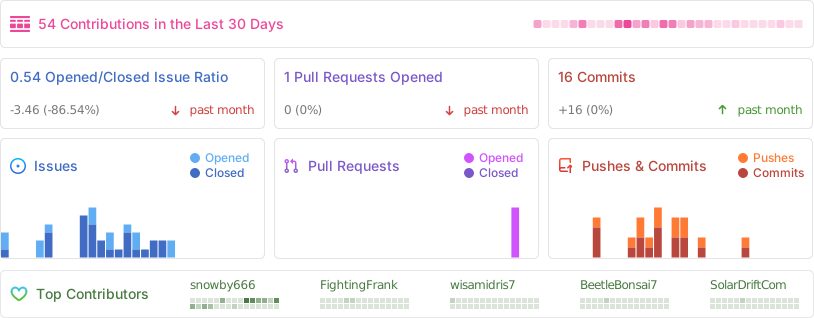
Project Contributors
⚖️ Legal & Licensing
This software is licensed under the terms of the GNU GPL v3. Original authorship resides primarily with snowby666.
Copyright Assertion
snowby666/poe-api-wrapper: A simple, lightweight and efficient API wrapper for Poe.com Copyright (C) 2023 snowby666
This program constitutes free software: redistribution and/or modification is permitted under the conditions specified by the GNU General Public License, as released by the Free Software Foundation, either Version 3 of the License, or any subsequent revision.
This software is provided WITH THE INTENTION that it will be useful, but ABSOLUTELY NO WARRANTY is expressed or implied, including warranties of MERCHANTABILITY or SUITABILITY FOR A PARTICULAR PURPOSE. Refer to the GNU General Public License for complete details.
Receipt of a copy of the GNU General Public License should have accompanied this software package. If not, see https://www.gnu.org/licenses/.
WIKIPEDIA NOTE ON HTTP REQUESTS: XMLHttpRequest (XHR) is a standardized JavaScript interface designed to facilitate HTTP requests between a web client (browser) and a remote server. Its primary function is to enable web applications to initiate server communications and process incoming data asynchronously after the initial page load. XHR is a core technology underpinning Ajax (Asynchronous JavaScript and XML) development patterns. Before XHR, server interaction relied heavily on full page refreshes via standard hyperlinks or form submissions.
== Chronology ==
The foundational concept for XMLHttpRequest originated in 2000 with the engineers developing Microsoft Outlook. This concept was first integrated into Internet Explorer 5 (1999), although it initially used proprietary identifiers like ActiveXObject("Msxml2.XMLHTTP") rather than the standardized XMLHttpRequest. By the release of Internet Explorer 7 (2006), widespread browser adoption of the standard identifier was achieved.
The XMLHttpRequest identifier has since become the universal protocol across major browser engines, including Mozilla's Gecko (2002), Safari 1.2 (2004), and Opera 8.0 (2005).
=== Standardization Efforts === The World Wide Web Consortium (W3C) first released a formal Working Draft for the XMLHttpRequest object specification on April 5, 2006. A subsequent Level 2 Working Draft in February 2008 introduced enhancements such as event progress monitoring, cross-site request facilitation, and byte stream handling. By late 2011, the Level 2 features were merged back into the primary specification. Development responsibility was transferred to the WHATWG toward the close of 2012, where it is maintained as a continuously updated document using Web IDL.
== Operational Use == Typically, employing XMLHttpRequest involves a defined sequence of programming steps:
- Instantiate the XMLHttpRequest object via its constructor:
- Invoke the "open" method to define the HTTP method (GET, POST, etc.), specify the target URL, and set the request mode (synchronous or asynchronous):
- For asynchronous operations, register an event handler to respond to state transitions:
- Initiate the transaction by calling the "send" method, optionally including request body data:
- Process state changes within the designated handler. Upon successful server completion, the response data is typically accessible via the "responseText" property when the object reaches state 4 ("done"). Beyond these fundamentals, XHR offers controls for request headers (customization for server behavior), data transmission limits, response parsing (e.g., direct JSON object conversion), and request cancellation or timeout settings.
== Cross-Origin Communication == In the nascent stages of the World Wide Web, restrictions were placed on client-side scripts preventing direct access to resources hosted on different domains, a necessary security measure that initially hampered the development of dynamic web applications.


 PNG Icons