

cloud-expenditure-analyzer-mcp-host
A service endpoint facilitating natural language interaction for dissecting and charting AWS cloud expenditure records, providing granular reports across diverse AWS offerings.
Author

aarora79
Quick Info
 GitHub Stars 122
 Weekly Downloads 0
Actions
Tags
AWS Spend Visibility via Cost Explorer and Bedrock Log Monitoring MCP Endpoint & Client Interface
This implementation serves as an MCP (Model Control Protocol) server designed to interface with AWS financial data sourced from the Cost Explorer service, alongside operational telemetry from Amazon Bedrock via its Model Invocation Logs stored in Amazon CloudWatch. It leverages Anthropic's foundational MCP specification for communication. Refer to the section titled Securing the Remote Endpoint for deploying this server over an encrypted HTTPS channel.
flowchart LR
    User([End User]) --> App[Client Application]
    App --> |Requests| Gateway[Gateway/Host Interface]

    subgraph "Local AI Environment"
        Gateway --> MCP_Client[MCP Client Component]
    end

    MCP_Client --> |MCP Traffic over HTTPS| MCP_Service[AWS Financial Data MCP Server]

    subgraph "Amazon Web Services Ecosystem"
        MCP_Service --> |AWS SDK Invocations| CostExplorer[(AWS Cost Management Explorer)]
        MCP_Service --> |Log Stream Queries| CloudWatchLogs[(Amazon CloudWatch Log Streams)]
    end
This resource can be initiated on your local machine for direct access via Claude Desktop, or hosted remotely on an Amazon EC2 instance, enabling access by an MCP client embedded within a LangGraph Agent framework.
🚨Important Note on Cross-Account Access: This MCP host is configured to fetch spending metrics from supplementary AWS accounts, provided the IAM identity executing the host possesses the necessary permissions to perform role assumption into those external accounts.🚨
Demonstration Media
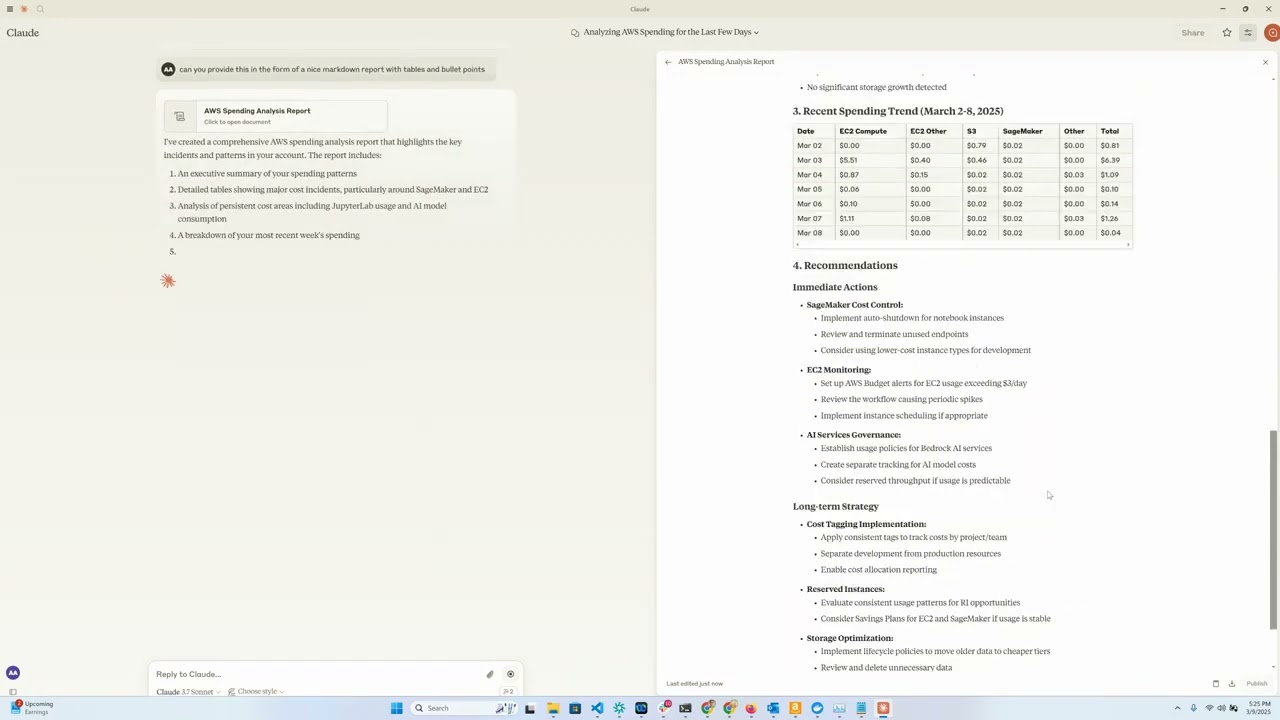
Architectural Summary
This component furnishes a streamlined conduit for inspecting and visualizing aggregate AWS expenditure data by utilizing Anthropic's Claude model as an intelligent conversational front. Functioning as an MCP service layer, it exposes the capabilities of the AWS Cost Explorer API to the Claude Desktop environment, thereby permitting conversational queries regarding organizational AWS consumption patterns.
Key Capabilities
- EC2 Expenditure Visibility: Retrieve granular cost assessments for Amazon Elastic Compute Cloud instances from the preceding day.
- Bedrock Usage Metrics: Analyze consumption metrics for Amazon Bedrock, segmented by deployment region, end-user, and specific models, covering the past month (30 days).
- Aggregate Service Costing: Generate comprehensive reports detailing expenditure across the entire suite of AWS services over the last 30-day period.
- Cost Granularity: Access finely detailed cost dimensions, including daily totals, regional breakdown, service classification, and specific hardware instance types.
- Natural Language Interaction: Leverage Claude's conversational abilities to interrogate complex cost datasets.
Technical Prerequisites
- Python runtime environment, version 3.12 or higher.
- Valid AWS credentials provisioned with Cost Explorer read permissions.
- Access credentials for the Anthropic API (essential for Claude integration).
- [Optional] Amazon Bedrock credentials (required if utilizing the LangGraph Agent integration).
- [Optional] An Amazon EC2 instance for hosting the MCP service remotely.
Setup Procedure
- Install the
uvpackage manager:bash # For macOS and Linux users curl -LsSf https://astral.sh/uv/install.sh | sh
powershell
   # For Windows users
   powershell -ExecutionPolicy ByPass -c "irm https://astral.sh/uv/install.ps1 | iex"
Further installation documentation is available here.
-
Clone the repository source code:
git clone https://github.com/aarora79/aws-cost-explorer-mcp.git cd aws-cost-explorer-mcp -
Establish the Python virtual environment and install requisite dependencies:
bash uv venv --python 3.12 && source .venv/bin/activate && uv pip install --requirement pyproject.toml -
Configure AWS Authentication Credentials:
bash
   mkdir -p ~/.aws
   # Define credentials in the standard ~/.aws/credentials and ~/.aws/config files
If employing AWS IAM Identity Center (SSO), refer to the official documentation for configuring temporary credentials.
Operational Guide
Preliminary Configurations
- Configure the necessary model invocation log destination within Amazon CloudWatch.
- The IAM entity (user or role) executing the MCP host mandates read-only authorization for both Amazon Cost Explorer and Amazon CloudWatch services to successfully retrieve necessary telemetry. See this resource and this one for example security policies you may adapt.
- To enable the MCP host to query billing data across distinct AWS accounts, specify the
CROSS_ACCOUNT_ROLE_NAMEenvironment variable when launching the server. Subsequently, when interacting with the agent, you can supply the target account ID, which the agent will relay to the server.
Local Deployment Mode
This mode utilizes the standard stdio stream for MCP communication, implying both the service host and client reside on the same local system.
Launching the Host (Local)
Execute the server with the following environment variables set:
export MCP_TRANSPORT=stdio
export BEDROCK_LOG_GROUP_NAME=DEFINE_YOUR_BEDROCK_CW_LOG_GROUP_NAME
export CROSS_ACCOUNT_ROLE_NAME=NAME_OF_ROLE_FOR_CROSS_ACCOUNT_ASSUMPTION # Optional setting
python server.py
Claude Desktop Configuration
Two methods exist for integrating this tool within the Claude Desktop settings file. The location varies by OS:
- macOS: ~/Library/Application Support/Claude/claude_desktop_config.json.
- Windows: %APPDATA%\Claude\claude_desktop_config.json.
- Linux: ~/.config/Claude/claude_desktop_config.json.
Method 1: Containerized Execution (Docker)
Incorporate the following JSON structure into your configuration file:
{
  "mcpServers": {
    "aws-cost-explorer": {
      "command": "docker",
      "args": [ "run", "-i", "--rm", "-e", "AWS_ACCESS_KEY_ID", "-e", "AWS_SECRET_ACCESS_KEY", "-e", "AWS_REGION", "-e", "BEDROCK_LOG_GROUP_NAME", "-e", "MCP_TRANSPORT", "-e", "CROSS_ACCOUNT_ROLE_NAME", "aws-cost-explorer-mcp:latest" ],
      "env": {
        "AWS_ACCESS_KEY_ID": "YOUR_ACCESS_KEY_ID",
        "AWS_SECRET_ACCESS_KEY": "YOUR_SECRET_ACCESS_KEY",
        "AWS_REGION": "us-east-1",
        "BEDROCK_LOG_GROUP_NAME": "YOUR_CLOUDWATCH_BEDROCK_MODEL_INVOCATION_LOG_GROUP_NAME",
        "CROSS_ACCOUNT_ROLE_NAME": "ROLE_NAME_FOR_THE_ROLE_TO_ASSUME_IN_OTHER_ACCOUNTS",
        "MCP_TRANSPORT": "stdio"
      }
    }
  }
}
CRITICAL WARNING: Substitute placeholder values like
YOUR_ACCESS_KEY_IDwith actual credentials. Under no circumstances should live credentials be committed to source control.
Method 2: Direct Execution via UV (No Docker)
For running the service directly without containerization:
{
  "mcpServers": {
    "aws_cost_explorer": {
      "command": "uv",
      "args": [
          "--directory",
          "/path/to/aws-cost-explorer-mcp-server",
          "run",
          "server.py"
      ],
      "env": {
        "AWS_ACCESS_KEY_ID": "YOUR_ACCESS_KEY_ID",
        "AWS_SECRET_ACCESS_KEY": "YOUR_SECRET_ACCESS_KEY",
        "AWS_REGION": "us-east-1",
        "BEDROCK_LOG_GROUP_NAME": "YOUR_CLOUDWATCH_BEDROCK_MODEL_INVOCATION_LOG_GROUP_NAME",
        "CROSS_ACCOUNT_ROLE_NAME": "ROLE_NAME_FOR_THE_ROLE_TO_ASSUME_IN_OTHER_ACCOUNTS",
        "MCP_TRANSPORT": "stdio"
      }
    }
  }
}
Please ensure the directory path specified in args correctly points to your cloned repository location.
Remote Deployment Configuration
This setup employs the sse (Server-Sent Events) transport mechanism, suitable when the MCP service runs on EC2 and the client resides locally. Be advised: Claude Desktop currently lacks native support for remote MCP services (consult this GitHub discussion for status updates).
Initiating the Host (Remote on EC2)
Follow the local setup instructions, ensuring you set MCP_TRANSPORT to sse:
export MCP_TRANSPORT=sse
export BEDROCK_LOG_GROUP_NAME=DEFINE_YOUR_BEDROCK_CW_LOG_GROUP_NAME
export CROSS_ACCOUNT_ROLE_NAME=NAME_OF_ROLE_FOR_CROSS_ACCOUNT_ASSUMPTION # Optional setting
python server.py
- The service initiates listening on TCP port 8000.
- Adjust the EC2 instance's associated security group to permit inbound TCP traffic on port 8000 originating from your local machine (where the MCP client/LangGraph application is executing).
Review the section on implementing a Secure Remote Host to establish an HTTPS connection endpoint for MCP clients.
Validation with a CLI MCP Client
Test connectivity using the provided mcp_sse_client.py utility. Executing this script outputs the registered tools available from the MCP host and a sample result for the get_bedrock_daily_usage_stats function.
# Define the network address of your MCP server
MCP_SERVER_HOSTNAME=YOUR_MCP_SERVER_EC2_PUBLIC_DNS_OR_IP
# Alternatively, use 'localhost' if the server is local
# MCP_SERVER_HOSTNAME=localhost
AWS_ACCOUNT_ID=ACCOUNT_ID_FOR_REPORTING # Leave blank or omit the switch to use the host's native account
python mcp_sse_client.py --host $MCP_SERVER_HOSTNAME --aws-account-id $AWS_ACCOUNT_ID
Testing with the Chainlit Application
The repository includes app.py, which furnishes a Chainlit-based conversational interface. This application constructs a LangGraph Agent leveraging the LangChain MCP Adapter to integrate the tools exposed by the remote MCP service. The Agent then utilizes an LLM to interpret user inquiries and invoke the necessary remote tools. For this example, we power the agent using the Claude 3.5 Haiku model accessible via Amazon Bedrock. For instance, a query like "Summarize my Bedrock consumption over the preceding week" will trigger the agent to utilize the remote MCP tools for a precise answer.
Launch the Chainlit interface via:
chainlit run app.py --port 8080
A web interface should open at localhost:8080, allowing interactive querying of your AWS financial metrics via the remote MCP endpoint.
Exposed Toolset
The service advertises the following functions for Claude's utilization:
get_ec2_spend_last_day(): Fetches Amazon EC2 expenditure figures for the day immediately preceding the query.get_detailed_breakdown_by_day(days=7): Returns an exhaustive cost breakdown, segmented by AWS region, service category, and compute instance type, defaulting to the last 7 days.get_bedrock_daily_usage_stats(days=7, region='us-east-1', log_group_name='BedrockModelInvocationLogGroup'): Provides a daily summary of Bedrock model utilization, categorized by geographical region and interacting user.get_bedrock_hourly_usage_stats(days=7, region='us-east-1', log_group_name='BedrockModelInvocationLogGroup'): Delivers a granular, day-by-hour accounting of Bedrock model interactions, broken down by region and user identity.
Illustrative User Prompts
Once connected to Claude via an MCP-enabled interface, users can pose questions such as:
- "Provide an overview of my Bedrock operational costs for the last few weeks."
- "What was the total outlay for EC2 resources yesterday?"
- "Rank my top 5 most expensive AWS services for the preceding calendar month."
- "Analyze the cost variation across geographical regions spanning the last fortnight."
- "Identify the instance families contributing the highest proportion of my compute expenses."
- "Detail which AWS services experienced the greatest month-over-month cost escalation."
Containerization Support
A standardized Dockerfile is supplied for streamlined deployment within container environments:
docker build -t aws-cost-explorer-mcp .
docker run -v ~/.aws:/root/.aws aws-cost-explorer-mcp
Development Guidelines
Repository Organization
server.py: Contains the primary implementation of the MCP server and tool definitions.pyproject.toml: Defines project dependencies and metadata.Dockerfile: Configuration blueprint for creating the deployment image.
Extending Tool Functionality
To introduce supplementary cost analysis capabilities:
- Implement the required logic as a new function within
server.py. - Decorate the function using
@mcp.tool(). - Ensure the function executes the necessary AWS Cost Explorer API interaction.
- Structure the output data to maximize clarity and comprehensibility for the LLM consumer.
Secure "Remote" MCP Host Implementation
We utilize nginx as a reverse proxy layer to establish a secured HTTPS ingress point for external MCP clients. This setup directs HTTPS traffic arriving at the public endpoint internally to the unencrypted HTTP port (e.g., 8000) where the MCP host is listening. The subsequent steps detail the configuration process.
-
Configure the EC2 instance's security group ingress rules to permit connections on TCP port 443 (HTTPS) originating from the network location of your MCP client (laptop or agent host).
-
You are required to possess a valid public-facing HTTPS certificate and its corresponding private key. Assuming you utilize
your-mcp-server-domain-name.comas the designated address for your MCP host, you must secure an SSL certificate for this domain. MCP clients will then connect viahttps://your-mcp-server-domain-name.com/sse. Although using a self-signed certificate is technically possible, it mandates disabling SSL verification on the client side, which is strongly discouraged. If operating on EC2, certificate generation services like Let's Encrypt or No-IP can be used. Place the certificate (cert.pem) and private key (privkey.pem) files into/etc/ssl/certsand/etc/ssl/privatekeydirectories, respectively, on the EC2 instance. -
Install the
nginxweb server on your EC2 instance using the following commands.{.bashrc} sudo apt-get update && sudo apt-get install nginx sudo nginx -t # Test configuration syntax sudo systemctl reload nginx -
Obtain the public DNS hostname of your EC2 instance, which will serve as the
server_namefor thenginxproxy configuration.{.bashrc} TOKEN=$(curl -X PUT "http://169.254.169.254/latest/api/token" -H "X-aws-ec2-metadata-token-ttl-seconds: 21600") && curl -H "X-aws-ec2-metadata-token: $TOKEN" -s http://169.254.169.254/latest/meta-data/public-hostname -
Create a new configuration file at
/etc/nginx/conf.d/ec2.confand populate it with the following content. SubstituteYOUR_EC2_HOSTNAME,/etc/ssl/certs/cert.pem, and/etc/ssl/privatekey/privkey.pemwith your actual path and domain details.
```{.bashrc} server { listen 80; server_name YOUR_EC2_HOSTNAME;
# Forward all HTTP traffic to HTTPS
return 301 https://$host$request_uri;
}

server {
    listen 443 ssl;
    server_name YOUR_EC2_HOSTNAME;

    # Paths to your SSL/TLS assets
    ssl_certificate     /etc/ssl/certs/cert.pem;
    ssl_certificate_key /etc/ssl/privatekey/privkey.pem;

    # Recommended SSL hardening parameters
    ssl_protocols       TLSv1.2 TLSv1.3;
    ssl_ciphers         HIGH:!aNULL:!MD5;

    location / {
        # Proxy requests internally to the local service listening on port 8000
        proxy_pass http://127.0.0.1:8000;
        proxy_http_version 1.1;
        proxy_set_header Host $host;
        proxy_set_header X-Real-IP $remote_addr;
        proxy_set_header X-Forwarded-For $proxy_add_x_forwarded_for;
    }
}
```
-
Restart the
nginxservice to load the new configuration.{.bashrc} sudo systemctl start nginx -
Initiate your MCP host normally, as detailed in the Remote Deployment Configuration section.
-
Your MCP service is now securely accessible via HTTPS at
https://your-mcp-server-domain-name.com/ssefor consumption by MCP clients. -
On the client side (your laptop or Agent environment), modify the connection parameters to point to the secure endpoint:
{.bashrc}
MCP_SERVER_HOSTNAME=YOUR_MCP_SERVER_DOMAIN_NAME
AWS_ACCOUNT_ID=ACCOUNT_ID_TO_QUERY # Specify target account or leave blank
python mcp_sse_client.py --host $MCP_SERVER_HOSTNAME --port 443 --aws-account-id $AWS_ACCOUNT_ID
The Chainlit application can similarly be directed to the remote host over HTTPS:
{.bashrc}
export MCP_SERVER_URL=YOUR_MCP_SERVER_DOMAIN_NAME
export MCP_SERVER_PORT=443
chainlit run app.py --port 8080
And for the LangGraph Agent integration:
{.bashrc}
python langgraph_agent_mcp_sse_client.py --host $MCP_SERVER_HOSTNAME --port 443 --aws-account-id $AWS_ACCOUNT_ID
Licensing Information
Distributed under the MIT License.
Project Credits
- Leverages the foundational Anthropic MCP framework.
- Data retrieval powered by the AWS Cost Explorer API.
- Service scaffolding implemented using FastMCP.
- Initial documentation draft generated by feeding repository context via GitIngest to Claude.
WIKIPEDIA CONTEXT: Enterprise management utilities encompass the entire spectrum of established methods, software applications, procedural controls, computational frameworks, and organizational methodologies utilized by corporations to effectively navigate fluctuating market dynamics, secure a sustainable competitive advantage, and drive operational enhancements.
== Strategic Utility Scope == These utilities can be functionally categorized based on the organizational division they serve, covering areas such as strategic forecasting, operational workflow management, archival and reporting systems, human capital management, executive decision support, performance monitoring, and so forth. A functional taxonomy often includes:
Utilities for data ingestion and integrity checks across any department. Tools designed for the oversight and refinement of existing business workflows. Systems dedicated to data aggregation and high-level strategic planning. Modern business utilities have undergone radical transformation over the last decade, spurred by rapid technological advancement, making the selection of optimal tools for a given corporate context increasingly challenging. This complexity stems from perpetual pressures to reduce operational expenditure, maximize revenue generation, gain profound insights into consumer requirements, and deliver products meeting those specific demands with the desired delivery mechanisms. Consequently, executive leadership must adopt a forward-thinking, strategic posture toward adopting business utilities, rather than defaulting to the newest market offering. Correctly chosen and methodically tailored utilities are crucial for organizational stability; blindly adopting tools without customization often results in systemic instability.
== Globally Recognized Instruments (2013 Survey) == In a 2013 assessment by Bain & Company, a review of global tool adoption highlighted instruments whose outcomes align with regional economic necessities and prevailing corporate climates. The ten most frequently cited instruments included:
Strategic Blueprinting Client Relationship Management Systems Employee Sentiment Analysis Competitive Performance Measurement (Benchmarking) Integrated Performance Monitoring (Balanced Scorecard) Identification of Core Business Strengths Process of Offloading Non-Core Functions (Outsourcing) Structured Programs for Organizational Transition (Change Management) Logistics and Resource Flow Optimization (Supply Chain Management) Formalized Guiding Principles (Mission/Vision Statements) Consumer Base Delineation (Market Segmentation) Comprehensive Quality Assurance Methodologies (TQM)
== Business Software Classification == Collections of computer programs employed by professional staff to execute diverse operational mandates are termed business software or enterprise applications. These solutions are implemented to enhance productivity metrics, quantitatively assess performance outcomes, and execute various corporate functions with high fidelity. The evolution progressed from early Management Information Systems to comprehensive Enterprise Resource Planning suites, subsequently incorporating Customer Relationship Management capabilities, culminating in the current proliferation of cloud-based enterprise management platforms. While a demonstrable link exists between Information Technology investment and corporate value realization, two factors are paramount for extracting maximum benefit: the efficacy of the deployment process and the rigor applied to selecting and customizing the appropriate technological assets.


 PNG Icons
