

Agent Orchestration Workbench (CrewAI-Studio)
A highly accessible, graphical interface layer built atop CrewAI, enabling non-programmers to design and deploy sophisticated multi-agent systems. It offers cross-system compatibility, persistent result logging, and integrated external data ingestion capabilities.
Author

jorbecalona
Quick Info
 GitHub Stars 0
 Weekly Downloads 0
Actions
Tags
CrewAI Orchestration Studio
Welcome to the CrewAI Orchestration Studio! This application presents an intuitive, Streamlit-powered environment for users to direct CrewAI workflows without writing a single line of code. Installation instructions are provided for deployment via Docker/docker-compose or standard Python environments (Conda/venv).
Core Capabilities
- Platform Agnostic Operation: Fully functional across Windows, Linux, and macOS operating systems.
- Zero-Code Interaction: Provides a streamlined frontend for managing complex agent collaborations.
- Environment Flexibility: Supports setup utilizing either Conda environments or isolated Python virtual environments.
- Execution Log Persistence: Enables comprehensive review of historical task outcomes.
- External Data Integration: Allows for the incorporation of proprietary knowledge bases for agent context.
- Tool Ecosystem: Facilitates the utilization of native CrewAI functionalities for real-world interaction.
- Extensible Tooling: Features custom-developed tools for API invocation, file manipulation, advanced code interpretation, and refined web scraping. Future tool expansion is planned.
- Broad LLM Backend Support: Compatible with major providers including OpenAI, Groq, Anthropic, ollama, Grok, and LM Studio. Note: OpenAI API key remains essential for certain embedding operations; remember to configure an appropriate embedding model when utilizing LM Studio.
- Single-File Deployment: Option to export the configured crew definition into a standalone Streamlit application.
- Asynchronous Execution: Crews can initiate runs in the background, offering the ability to halt ongoing processes.
Support the Development
Your patronage is vital for sustaining and advancing the project's roadmap. All forms of contribution are highly valued.
Bitcoin Donations

GitHub Sponsorship

Visual Previews
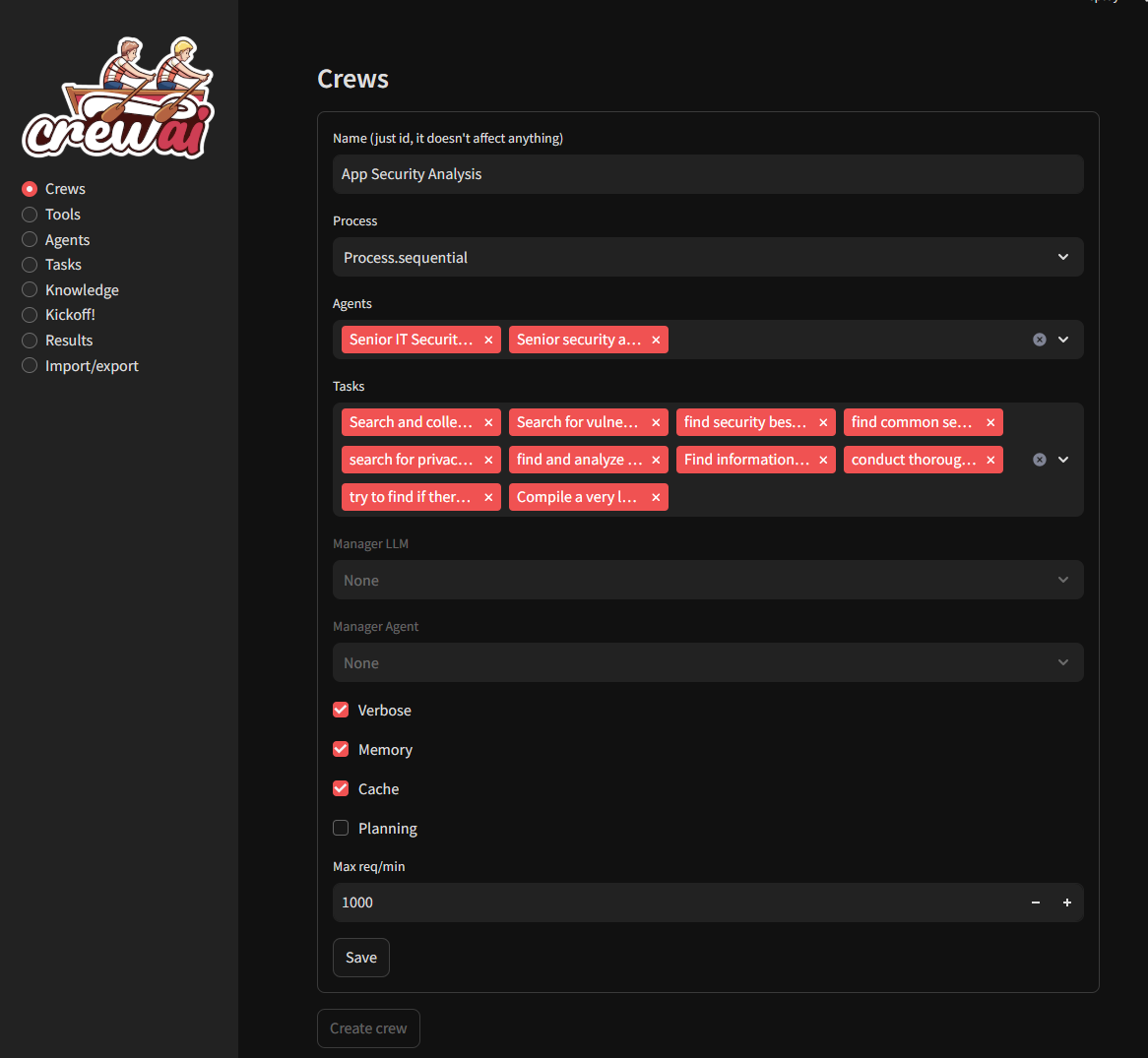
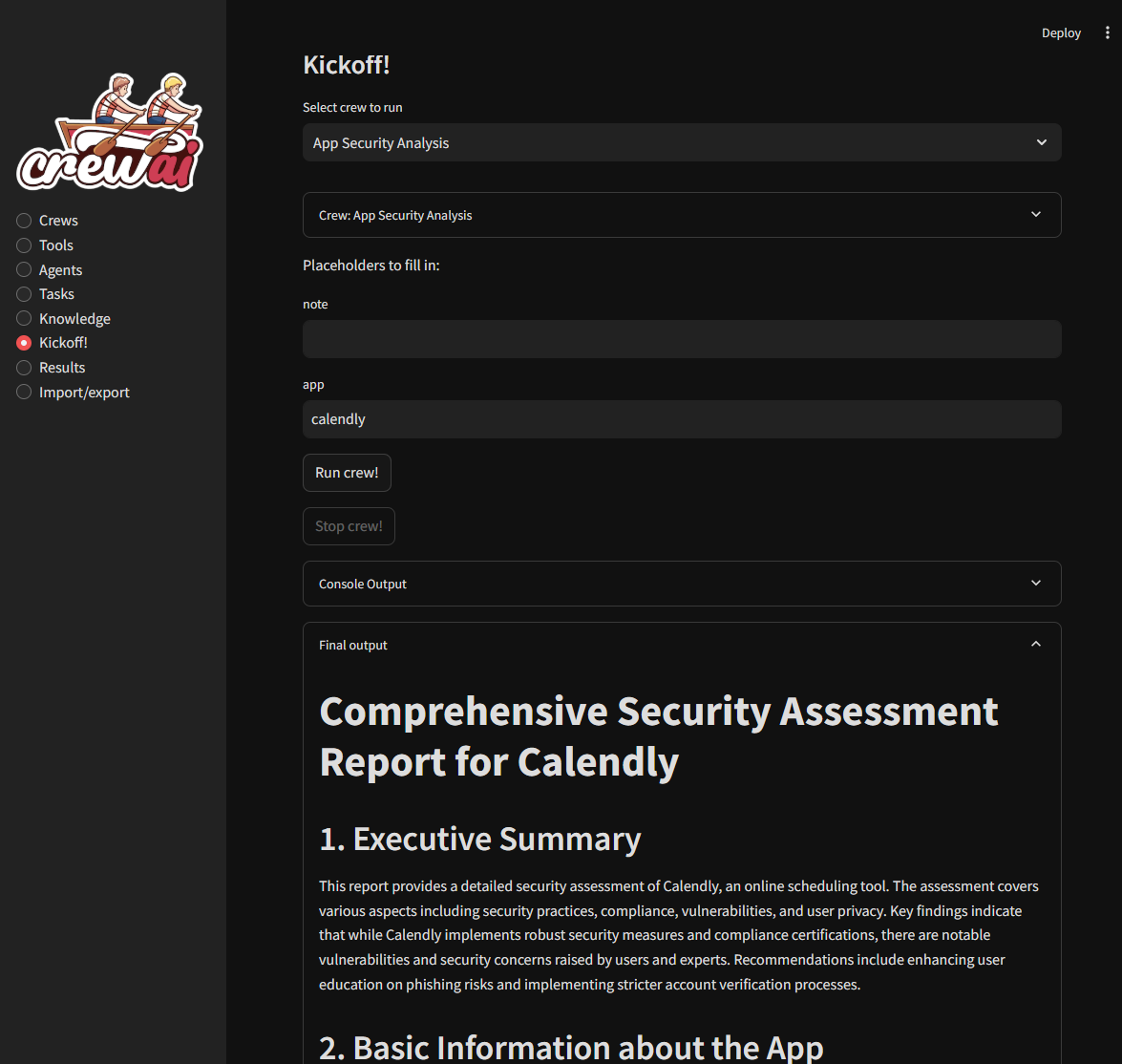
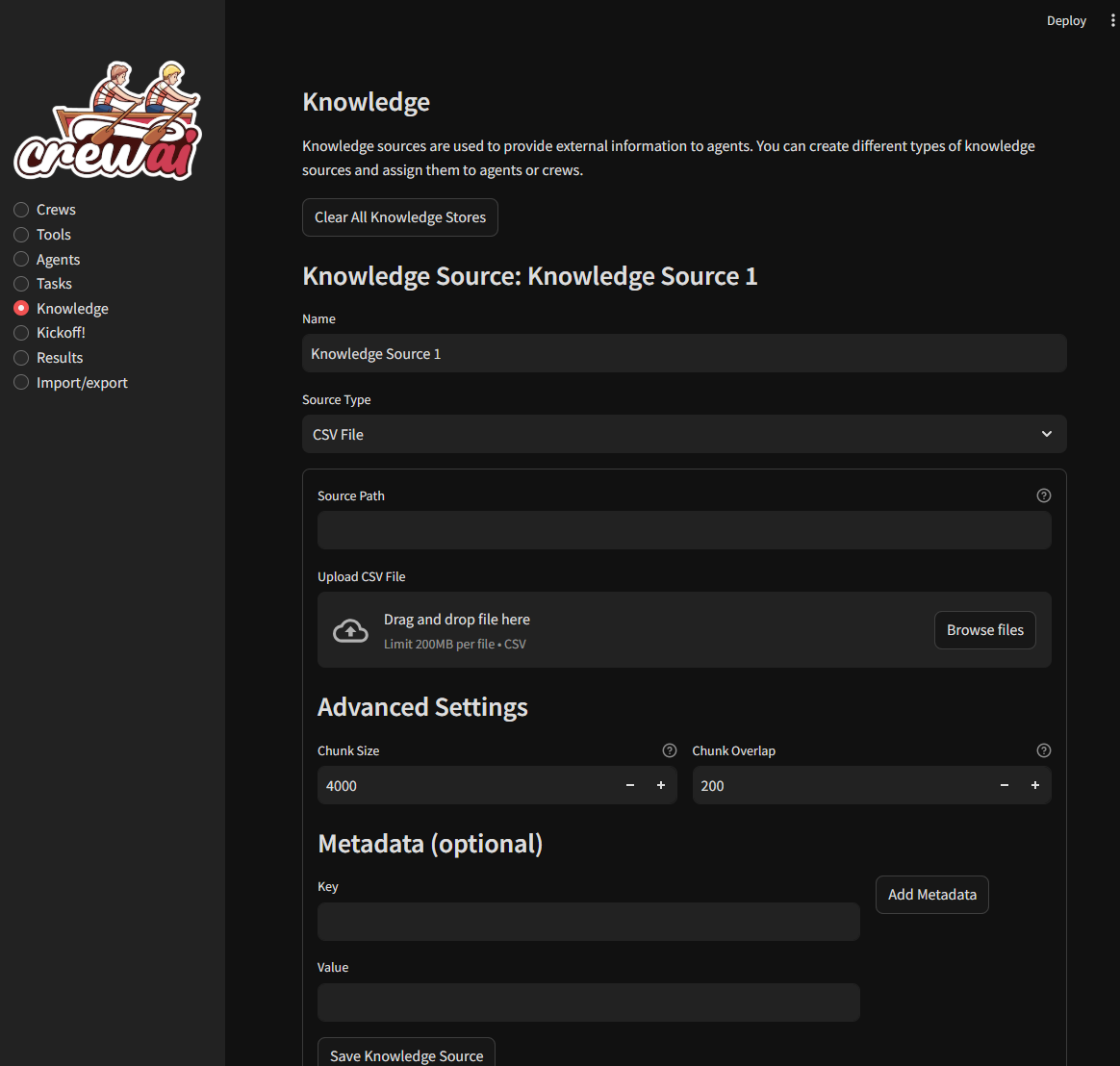
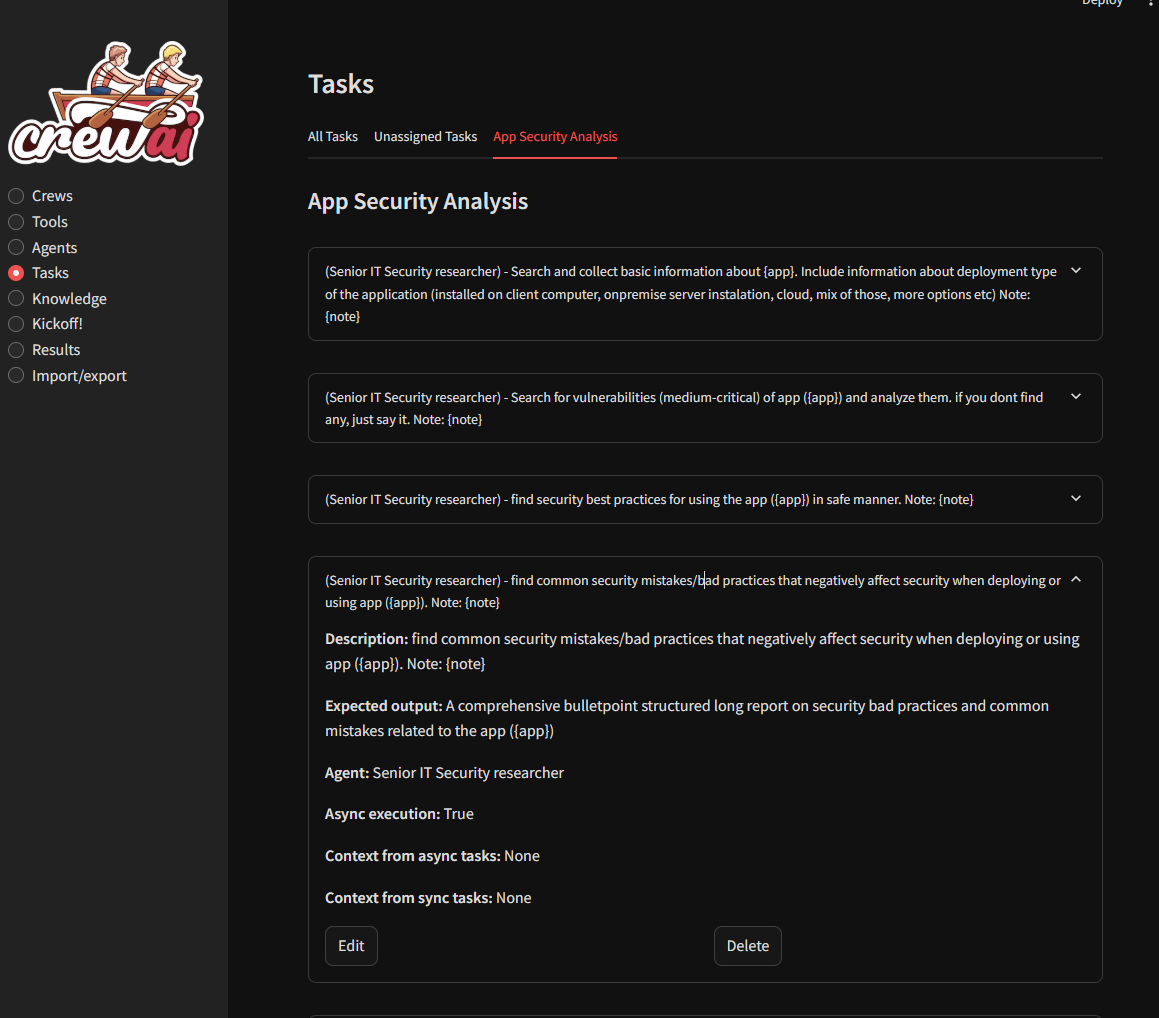
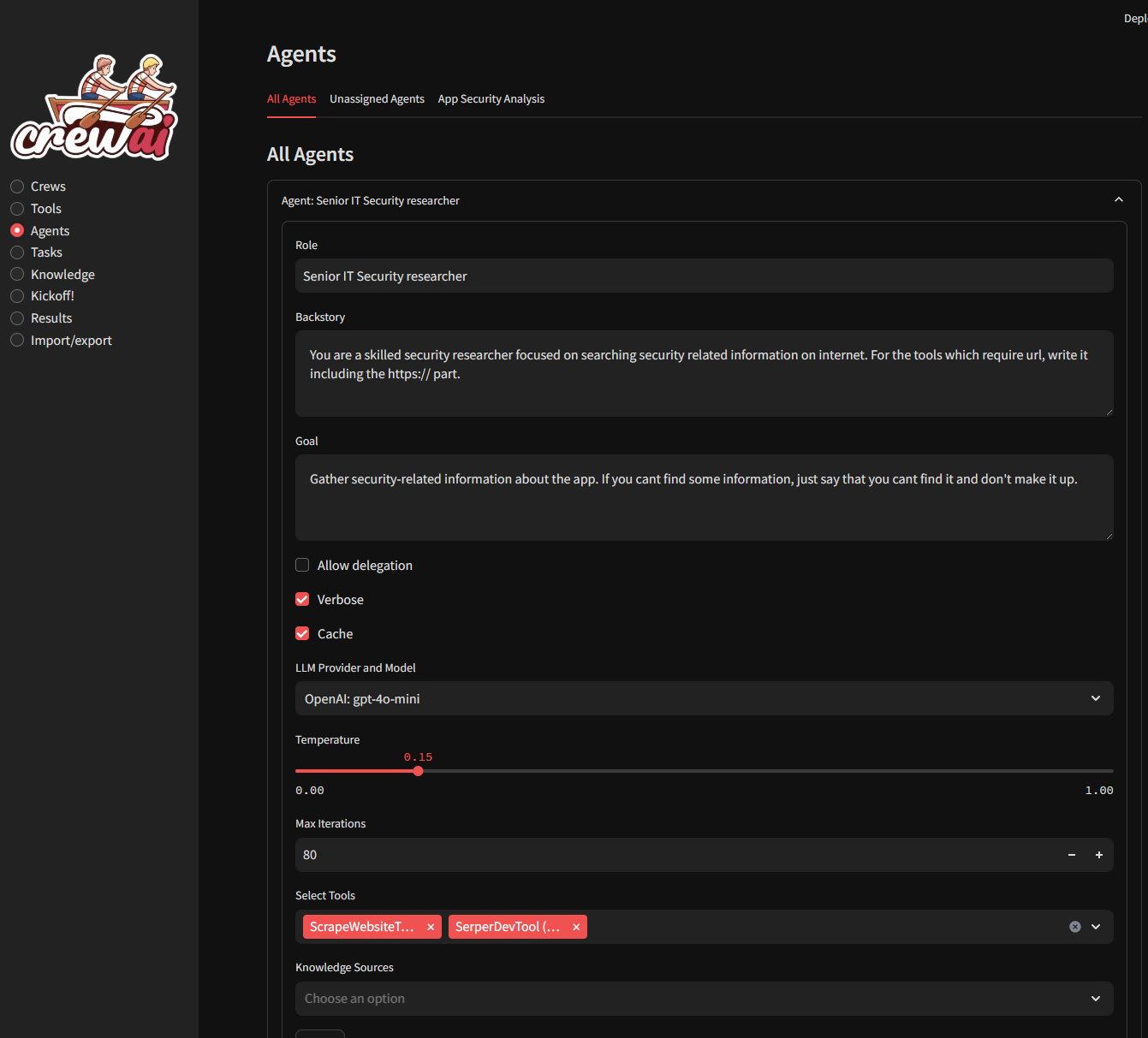
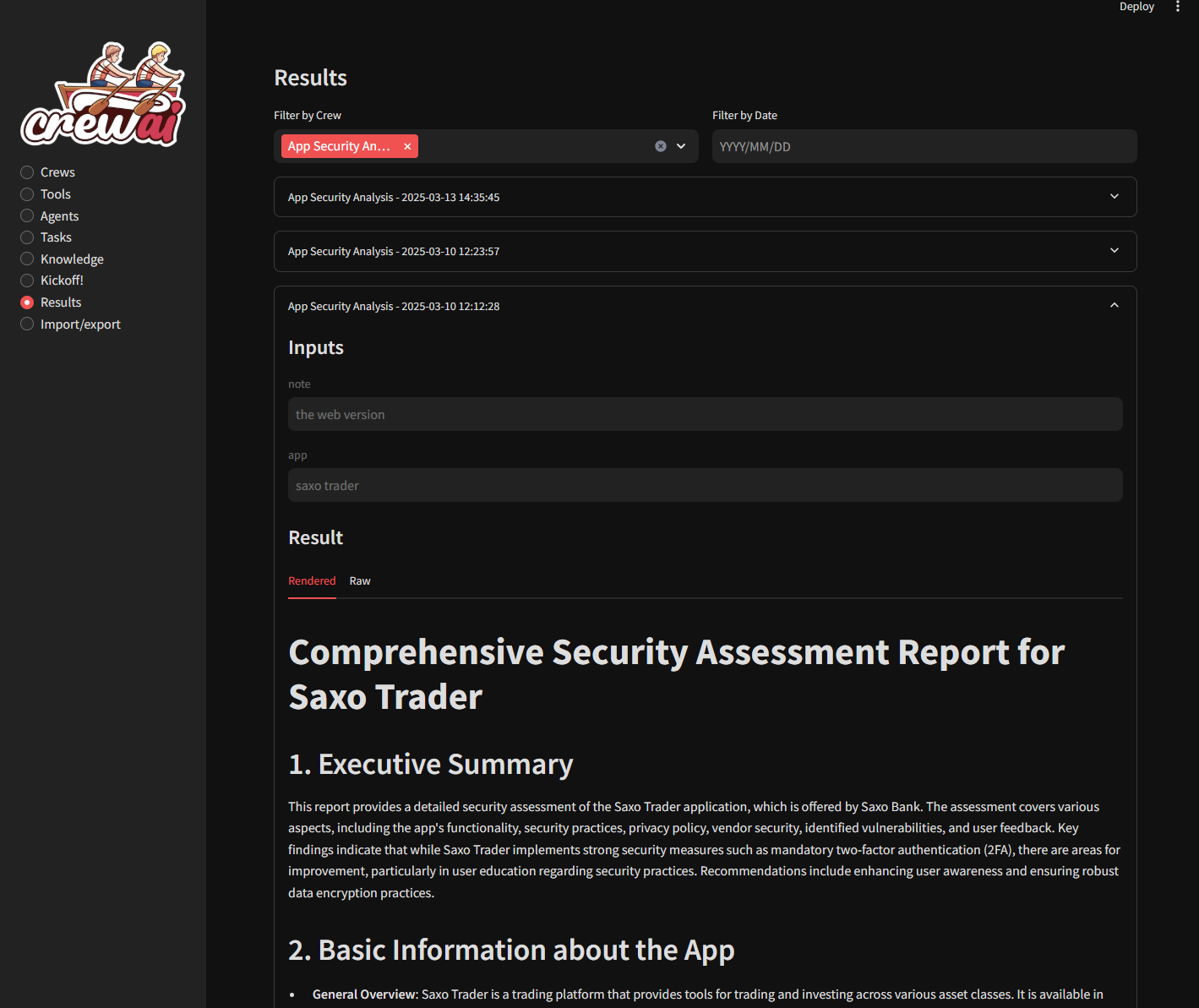
Deployment Instructions
Utilizing a Python Virtual Environment
Prerequisite for VENV: Ensure Python is installed on your system. If not, the Conda installer offers a simple path to Python setup.
For Linux or macOS Users
- Obtain Source Code (Clone or Unzip):
bash git clone https://github.com/strnad/CrewAI-Studio.git cd CrewAI-Studio
- Execute Setup Script:
bash ./install_venv.sh
- Launch Application: bash ./run_venv.sh
For Windows Users
- Obtain Source Code (Clone or Unzip):
powershell git clone https://github.com/strnad/CrewAI-Studio.git cd CrewAI-Studio
- Execute Setup Batch File:
powershell ./install_venv.bat
- Launch Application: powershell ./run_venv.bat
Utilizing Conda Environments
Conda installation is localized within the project directory, eliminating the requirement for a pre-existing Conda setup.
For Linux Users
- Obtain Source Code (Clone or Unzip):
bash git clone https://github.com/strnad/CrewAI-Studio.git cd CrewAI-Studio
- Execute Conda Setup Script:
bash ./install_conda.sh
- Launch Application: bash ./run_conda.sh
For Windows Users
- Obtain Source Code (Clone or Unzip):
powershell git clone https://github.com/strnad/CrewAI-Studio.git cd CrewAI-Studio
- Execute Conda Setup Batch File:
powershell ./install_conda.bat
- Launch Application: powershell ./run_conda.bat
Instant Deployment Option

Running via Docker Compose
To rapidly provision and initiate CrewAI-Studio using Docker Compose, adhere to the following sequence:
Necessary Prerequisites
- Verify that both Docker and Docker Compose utilities are operational on your host machine.
Execution Steps
- Retrieve Repository:
git clone https://github.com/strnad/CrewAI-Studio.git cd CrewAI-Studio
- Establish Configuration File: Generate the required environment file based on the template. Customize parameters as needed:
cp .env_example .env
- Initiate Deployment: Start the services using Docker Compose:
docker-compose up --build
- Access Point: The service will be available at http://localhost:8501
Configuration Management
Prior to execution, it is mandatory to populate the .env file with necessary credentials (e.g., API keys) and specific settings. A template file is supplied for reference.
Debugging Guidance
Should operational difficulties arise:
- Attempt a clean slate by purging the venv/miniconda directory and then re-running the installation procedure for crewai-studio.
- Consider renaming crewai.db (which stores crew definitions) if compatibility issues are suspected following an update.
- If issues persist, please submit a detailed report via the issue tracker for assistance.
Video Walkthrough
Review the instructional video detailing CrewAI Studio by Josh Poco

Repository Star Trajectory


 PNG Icons

