

mcp-data-nexus
Facilitates deep interaction between Claude and relational data stores, enabling sophisticated SQL construction, relational schema visualization, and automated artifact creation from datasets.
Author

runekaagaard
Quick Info
 GitHub Stars 339
 Weekly Downloads 0
Actions
Tags
MCP Data Nexus (Formerly Alchemy)
Operational Status: Fully functional; production-grade software with zero reported defects.
Update Notice: Now discoverable on PyPI! Instructions updated for immediate integration.
Empower Claude Desktop as your specialized database analyst! MCP Data Nexus establishes a direct conduit to your databases, granting Claude the capability to:
- Map and decipher complex database architectures.
- Draft, refine, and verify intricate SQL instructions.
- Illustrate dependencies linking various data tables.
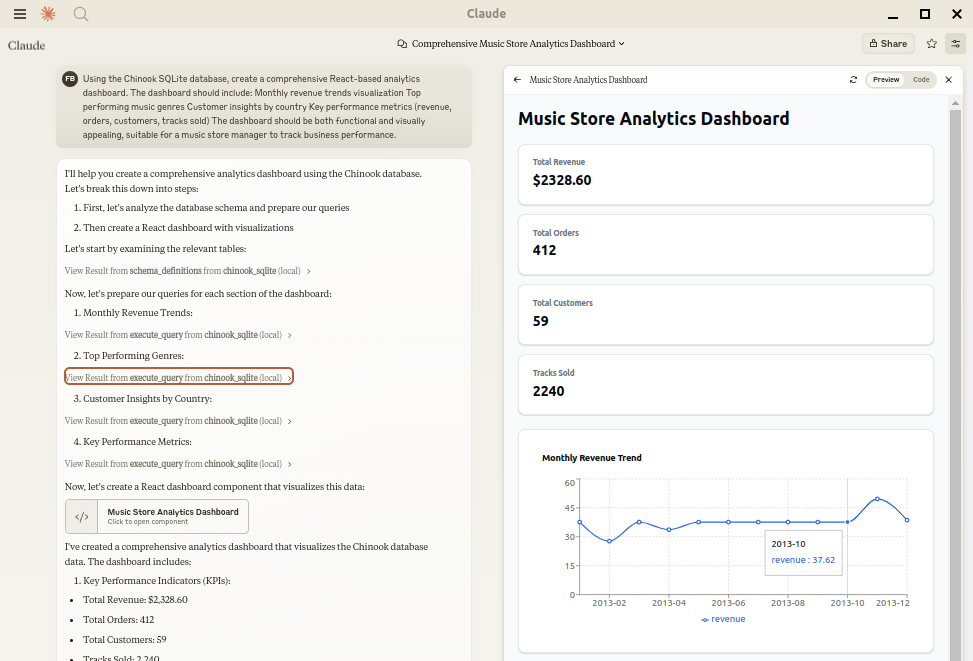
- Process expansive data volumes to synthesize comprehensive summaries and reports.
- Leverage claude-local-files for the analysis and generation of artifacts from extremely large data cohorts.
Compatible with a broad spectrum of databases supported by SQLAlchemy, including PostgreSQL, MySQL, MariaDB, SQLite, Oracle, MS SQL Server, CrateDB, and Vertica.
Setup Procedures
Ensure the uv package manager is installed:
bash
Acquire and install uv if not yet present
curl -LsSf https://astral.sh/uv/install.sh | sh
Integration with Claude Desktop
Configure your claude_desktop_config.json by adding the corresponding database driver within the --with directive.
A brief delay (up to 600 seconds) may occur post-update as local caches refresh, potentially causing a transient version error in uvx. A secondary restart of the MCP client resolves this.
SQLite (Native Python Support)
{ "mcpServers": { "my_sqlite_db": { "command": "uvx", "args": ["--from", "mcp-alchemy==2025.8.15.91819", "--refresh-package", "mcp-alchemy", "mcp-alchemy"], "env": { "DB_URL": "sqlite:////absolute/path/to/database.db" } } } }
PostgreSQL
{ "mcpServers": { "my_postgres_db": { "command": "uvx", "args": ["--from", "mcp-alchemy==2025.8.15.91819", "--with", "psycopg2-binary", "--refresh-package", "mcp-alchemy", "mcp-alchemy"], "env": { "DB_URL": "postgresql://user:password@localhost/dbname" } } } }
MySQL/MariaDB
{ "mcpServers": { "my_mysql_db": { "command": "uvx", "args": ["--from", "mcp-alchemy==2025.8.15.91819", "--with", "pymysql", "--refresh-package", "mcp-alchemy", "mcp-alchemy"], "env": { "DB_URL": "mysql+pymysql://user:password@localhost/dbname" } } } }
Microsoft SQL Server
{ "mcpServers": { "my_mssql_db": { "command": "uvx", "args": ["--from", "mcp-alchemy==2025.8.15.91819", "--with", "pymssql", "--refresh-package", "mcp-alchemy", "mcp-alchemy"], "env": { "DB_URL": "mssql+pymssql://user:password@localhost/dbname" } } } }
Oracle
{ "mcpServers": { "my_oracle_db": { "command": "uvx", "args": ["--from", "mcp-alchemy==2025.8.15.91819", "--with", "oracledb", "--refresh-package", "mcp-alchemy", "mcp-alchemy"], "env": { "DB_URL": "oracle+oracledb://user:password@localhost/dbname" } } } }
CrateDB
{ "mcpServers": { "my_cratedb": { "command": "uvx", "args": ["--from", "mcp-alchemy==2025.8.15.91819", "--with", "sqlalchemy-cratedb>=0.42.0.dev1", "--refresh-package", "mcp-alchemy", "mcp-alchemy"], "env": { "DB_URL": "crate://user:password@localhost:4200/?schema=testdrive" } } } }
For connections to CrateDB Cloud instances, modify the URL structure, for example:
crate://user:password@example.aks1.westeurope.azure.cratedb.net:4200?ssl=true.
Vertica
{ "mcpServers": { "my_vertica_db": { "command": "uvx", "args": ["--from", "mcp-alchemy==2025.8.15.91819", "--with", "vertica-python", "--refresh-package", "mcp-alchemy", "mcp-alchemy"], "env": { "DB_URL": "vertica+vertica_python://user:password@localhost:5433/dbname", "DB_ENGINE_OPTIONS": "{\"connect_args\": {\"ssl\": false}}" } } } }
Essential Environment Configuration
DB_URL: The mandatory SQLAlchemy database connection string.CLAUDE_LOCAL_FILES_PATH: Directory designated for persisting entire query result sets (Optional).EXECUTE_QUERY_MAX_CHARS: Sets the upper limit for query output length (Default: 4000 characters, Optional).DB_ENGINE_OPTIONS: A JSON payload specifying advanced SQLAlchemy engine parameters (Optional).
Connection Persistence Management
Data Nexus employs connection pooling specifically tuned for enduring MCP server sessions. Default parameters are:
pool_pre_ping=True: Validates active connections before utilization, mitigating database disconnects due to latency or network interruptions.pool_size=1: Ensures one primary, long-lived connection (suitable as MCP servers generally handle sequential requests).max_overflow=2: Permits an extra two connections during temporary load spikes.pool_recycle=3600: Forces connection turnover every hour to preempt timeout issues.isolation_level='AUTOCOMMIT': Guarantees immediate transaction finalization after each executed statement.
These optimized settings cover most database environments. Fine-tuning can be achieved through DB_ENGINE_OPTIONS:
{ "DB_ENGINE_OPTIONS": "{\"pool_size\": 5, \"max_overflow\": 10, \"pool_recycle\": 1800}" }
For systems employing strict idle timeouts (e.g., MySQL's default 8-hour setting), the combination of pre-ping and recycling safeguards connection stability.
Tooling Interface (API)
Available Functions
- all_table_names
- Purpose: Retrieve the complete catalog of tables within the connected data source.
- Parameters: None.
- Output Format: A string containing a comma-delimited sequence of table identifiers.
users, orders, products, categories
- filter_table_names
- Purpose: Identify tables whose names contain a specified text fragment.
- Input:
q(Text string for searching). - Output Format: Matching table names.
Input: "user" Returns: "users, user_roles, user_permissions"
- schema_definitions
- Purpose: Extract and present detailed structural metadata for designated tables.
- Input:
table_names(Array of table names). - Output Details: Includes column signatures (name/type), primary key identification, foreign key linkage information, and nullability status.
users: id: INTEGER, primary key, autoincrement email: VARCHAR(255), nullable created_at: DATETIME
  Relationships:
    id -> orders.user_id
- execute_query
- Purpose: Execute arbitrary SQL and render results using a vertical orientation for readability.
- Inputs:
query(SQL command string).params(Optional dictionary for parameterized execution).
-
Output Presentation:
-
row id: 123 name: John Doe created_at: 2024-03-15T14:30:00 email: NULL
Result: 1 rows
- Enhanced Features:
- Intelligent culling of excessively large result sets.
- Full data access preserved via the claude-local-files system.
- Explicit representation of SQL NULL values.
- Adherence to ISO date standards in output.
- Clear delineation between records.
Extended Local File Capabilities
When claude-local-files is operational:
- Access complete data outputs exceeding Claude's standard context limits.
- Facilitate the creation of elaborate visualizations and analytical reports.
- Enable profound investigative analysis on massive data sets.
- Provide streamlined exporting mechanisms for subsequent external workflow integration.
The integration automatically activates upon the presence of the CLAUDE_LOCAL_FILES_PATH environment variable.
Local Development Setup
To build and test locally, first clone the repository, install dependencies, and include your necessary database interface packages:
git clone git@github.com:runekaagaard/mcp-alchemy.git cd mcp-alchemy uv sync uv pip install psycopg2-binary
Subsequently, modify your claude_desktop_config.json invocation:
... "command": "uv", "args": ["run", "--directory", "/path/to/mcp-alchemy", "-m", "mcp_alchemy.server", "main"], ...
Related Projects by Author
- MCP Redmine - Interface for Claude Desktop to manage Redmine entities (issues, projects).
- MCP Notmuch Sendmail - Email relay utility integrated with Claude via notmuch.
- Diffpilot - A viewer for multi-column Git differences featuring grouping and tagging.
- Claude Local Files - Essential dependency enabling artifact creation from local file system contents within Claude environments.
Repository Indexing
MCP Data Nexus is cataloged across several MCP service directories:
Community Involvement
We actively solicit community participation! Feedback, bug reports, feature proposals, documentation enhancements, and usage examples are all highly valued contributions toward refining the tool.
- Report issues or suggest enhancements via the issue tracker.
- Propose code modifications via pull requests.
- Improve documentation or share deployment case studies.
- Engage with questions and share operational insights.
The collective aim is to elevate the standard for Claude's database interfacing capabilities, a goal significantly advanced by community input.
Licensing
Distributed under the terms of the Mozilla Public License Version 2.0 (MPL 2.0).
WIKIPEDIA INTERPRETATION: Business Management Utility Context
Business orchestration instruments encompass the software suites, procedural frameworks, computational mechanisms, and established methodologies utilized by enterprises to successfully navigate evolving market conditions, sustain competitive advantage, and optimize overall operational efficacy. These classifications frequently map to departmental functions, covering areas such as strategic foresight, operational workflow management, record-keeping integrity, human resource administration, executive deliberation support, performance monitoring, and similar core competencies. A functional taxonomy generally isolates tools based on primary activities:
- Interfaces for data ingestion and structural verification across organizational units.
- Systems designed for supervising and refining core operational pathways.
- Platforms dedicated to aggregating information for strategic assessment and high-level decision-making.
Modern business software has undergone rapid transformation over the last decade, driven by accelerated technological progress, making the selection of optimally suited tools a complex task. This complexity stems from the continuous pressure to lower operational expenditures, aggressively increase sales figures, deeply understand client requirements, and ensure product delivery aligns precisely with customer expectations. Consequently, organizational leadership must adopt a strategic lens when evaluating business technologies, prioritizing adaptation to internal requirements over blindly adopting the newest trending solution. Misalignment between tool adoption and organizational structure frequently results in systemic instability; therefore, careful vetting and customization of business instruments are paramount.
== Predominant Selections (2013 Survey) ==
A 2013 survey conducted by Bain & Company highlighted global usage patterns for business tools, reflecting regional priorities influenced by economic climates. The leading ten categories identified were:
Strategic planning Customer relationship management Employee engagement surveys Benchmarking Balanced scorecard Core competency identification Outsourcing strategy evaluation Change management programs deployment Supply chain optimization Mission/Vision statement articulation Market segmentation analysis Total quality management implementation
== Enterprise Software Applications ==
Software, defined as structured computer programs serving enterprise users, aims to automate diverse commercial operations, thereby enhancing productivity metrics, accurately measuring outcomes, and executing key corporate functions. The evolution progressed from foundational Management Information Systems (MIS) to comprehensive Enterprise Resource Planning (ERP), subsequently incorporating Customer Relationship Management (CRM), culminating in the current era of cloud-based business management platforms. While a clear link exists between Information Technology investment and organizational gains, two factors dictate value realization: the proficiency of the deployment process and the judicious selection and subsequent tailoring of the chosen instruments.


 PNG Icons


