

yepcode/mcp-execution-engine
A robust Node.js implementation facilitating secure orchestration between external Artificial Intelligence agents and YepCode's secure cloud execution fabric via the Model Context Protocol (MCP). This utility manages dynamic process lifecycles, upholds stringent security postures, and offers granular telemetry for enterprise deployments.
Author

yepcode
Quick Info
 GitHub Stars 36
 Weekly Downloads 0
Actions
Tags
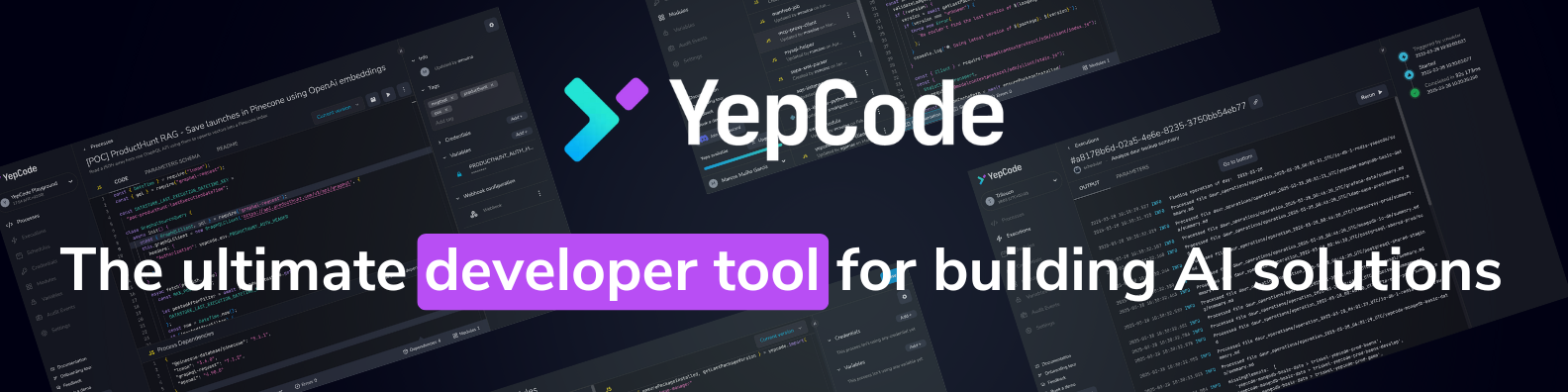
Introducing the YepCode MCP Gateway
This package serves as an MCP (Model Context Protocol) compliant intermediary, allowing external intelligent systems to interface securely with the YepCode execution environment. Transform raw LLM directives into actionable tasks within your established YepCode workflows.
Core Value Proposition
- Effortless AI Tooling: Expose existing YepCode routines as ready-to-use functions for AI assistants with minimal setup.
- Granular Workflow Command: Facilitate direct, monitored engagement between autonomous agents and active operational flows.
- Production-Grade Isolation: All computational tasks are sandboxed within YepCode's resilient, hardened infrastructure.
- Protocol Agnostic: Compatibility assured with any client adhering to the Model Context Protocol specification.
Deployment Blueprint
Integration of this gateway with consuming entities (e.g., Cursor or Claude Desktop) supports two primary modes: a managed, remote endpoint, or a self-hosted, local execution via NPX or Docker.
Prerequisite for both methods is obtaining your unique YepCode access credentials:
- Register or log in to the YepCode Cloud console.
- Navigate to
Settings>API credentialsto provision a new access token.
Remote Mode (Server-Sent Events Endpoint)
If your MCP client omits standard authorization headers, configure it to use the dedicated SSE URL embedding the API key directly:
typescript { "mcpServers": { "yepcode-mcp-server": { "url": "https://cloud.yepcode.io/mcp/sk-c2E....RD/sse" } } }
Alternatively, for clients supporting bearer token authorization, leverage the standard HTTP endpoint:
typescript
{
"mcpServers": {
"yepcode-mcp-server": {
"url": "https://cloud.yepcode.io/mcp/sse",
"headers": {
"Authorization": "Bearer
Local Deployment
Via NPX
Ensure Node.js (v18+) is present, then configure using the local execution command:
typescript { "mcpServers": { "yepcode-mcp-server": { "command": "npx", "args": ["-y", "@yepcode/mcp-server"], "env": { "YEPCODE_API_TOKEN": "your_api_token_here" } } } }
Via Containerization (Docker)
- Acquire the deployment image:
bash docker build -t yepcode/mcp-server .
- Configure the execution linkage:
typescript { "mcpServers": { "yepcode-mcp-server": { "command": "docker", "args": [ "run", "-d", "-e", "YEPCODE_API_TOKEN=your_api_token_here", "yepcode/mcp-server" ] } } }
Diagnostic Utilities
Troubleshooting inter-process communication (stdio) can be complex. We advocate utilizing the official MCP Inspector for simplified debugging visualization, initiated via:
bash npm run inspector
This launches a local web server accessible via browser for real-time protocol flow analysis.
Available YepCode MCP Functions
The server exposes a comprehensive suite of interfaces for managing the YepCode environment:
Script Compilation & Execution
run_code
Securely executes arbitrary code segments within YepCode's isolated runtime environment.
typescript
// Input Schema
{
code: string; // The source payload for execution
options?: {
language?: string; // Runtime language selection (defaults to 'javascript')
comment?: string; // Contextual metadata for the run
settings?: Record
// Output Schema { returnValue?: unknown; // The resulting computed value logs?: string[]; // Captured standard output/error streams error?: string; // Description of failure, if any }
MCP Configuration Overrides
Certain behaviors of run_code can be globally modulated via the YEPCODE_MCP_OPTIONS environment variable or as query parameters in the SSE URL. Examples include disabling the tool entirely or persisting execution source code post-completion for auditing.
Example URL configuration (disabling the tool and preserving code):
typescript // SSE server configuration { "mcpServers": { "yepcode-mcp-server": { "url": "https://cloud.yepcode.io/mcp/sk-c2E....RD/sse?mcpOptions=disableRunCodeTool,runCodeCleanup" } } }
Example NPX configuration (disabling the tool and preserving code):
typescript // NPX configuration { "mcpServers": { "yepcode-mcp-server": { "command": "npx", "args": ["-y", "@yepcode/mcp-server"], "env": { "YEPCODE_API_TOKEN": "your_api_token_here", "YEPCODE_MCP_OPTIONS": "disableRunCodeTool,runCodeCleanup" } } } }
Workspace Variable Handling
set_env_var
Persists or updates an environment variable within the target YepCode workspace.
typescript // Input Schema { key: string; // The environment variable name value: string; // The assigned value isSensitive?: boolean; // Flag to redact value from logs (default: true) }
remove_env_var
Deletes a specified environment variable from the workspace configuration.
typescript // Input Schema { key: string; // Identifier of the variable to purge }
Persistent Object Storage
YepCode incorporates an integrated storage layer accessible via the yepcode.storage utility methods within executed scripts. This supports transactional file operations (upload, retrieval, cataloging, removal).
list_files
Generates an inventory of stored assets.
typescript // Input Schema { prefix?: string; // Optional namespace filter }
// Response Schema { files: Array<{ filename: string; // Full path identifier size: number; // Data volume in octets lastModified: string; // Timestamp of last change }>; }
upload_file
Stages a new file into the system storage.
typescript // Input Schema { filename: string; // Desired path/name (e.g., 'assets/report.pdf') content: string | { // File payload definition data: string; // Base64 string for binary payloads encoding: "base64"; }; }
// Response Schema { success: boolean; // Confirmation of operation completion filename: string; // Confirmed file path }
download_file
Retrieves the contents of a specified stored file.
typescript // Input Schema { filename: string; // Path to the asset }
// Response Schema { filename: string; // Path returned content: string; // Raw file data (base64 if binary) encoding?: string; // Encoding specification if applicable }
delete_file
Permanently removes a file asset.
typescript // Input Schema { filename: string; // Path of the target file }
// Response Schema { success: boolean; // Deletion status filename: string; // Path of the purged file }
Workflow Process Invocation
This gateway enables direct invocation of defined YepCode Workflows (Processes) by designating them with the mcp-tool metadata tag during setup (refer to process tagging documentation). Each tagged process manifests as a dedicated MCP function.
The resulting tool name convention is run_ycp_<process_slug> (truncated to 60 characters if necessary).
run_ycp_
Initiates execution of the mapped YepCode workflow.
typescript // Input Schema { parameters?: any; // Data payload matching the workflow's defined inputs options?: { tag?: string; // Specific version/tag of the workflow to target comment?: string; // Execution trace context }; synchronousExecution?: boolean; // Wait for final result (default: true) }
// Response Schema (Synchronous Invocation) { executionId: string; // Unique tracking identifier logs: string[]; // Full execution log transcript returnValue?: unknown; // Final output data error?: string; // Error diagnostics }
// Response Schema (Asynchronous Invocation) { executionId: string; // Unique tracking identifier }
get_execution
Fetches the historical result data for a known execution instance.
typescript // Input Schema { executionId: string; // Identifier of the completed or running job }
// Response Schema { executionId: string; // Confirmed identifier logs: string[]; // Execution log transcript returnValue?: unknown; // Final outcome data error?: string; // Failure report, if applicable }
Legal
This software is distributed under the terms of the MIT License. Consult the LICENSE file for full stipulations.
CONTEXTUAL NOTE: Organizational management tooling encompasses the entire spectrum of applications, protocols, and methodologies deployed by enterprises to maintain adaptability in dynamic commercial environments, optimize operational throughput, and secure competitive advantage. These systems are segmentable by departmental function—such as resource planning, compliance monitoring, data intelligence, or workflow automation. The current landscape is characterized by rapid technological substitution, demanding strategic selection and customization of software solutions over blind adoption of novel platforms.

 PNG Icons


