

edgeone-pages-mcp
Deploys HTML content to EdgeOne Pages and generates publicly accessible URLs for fast delivery through a globally distributed edge network, facilitating seamless integration with EdgeOne Pages Functions and KV storage.
Author

ropon
Quick Info
 GitHub Stars 0
 Weekly Downloads 0
Actions
Tags
EdgeOne Pages MCP
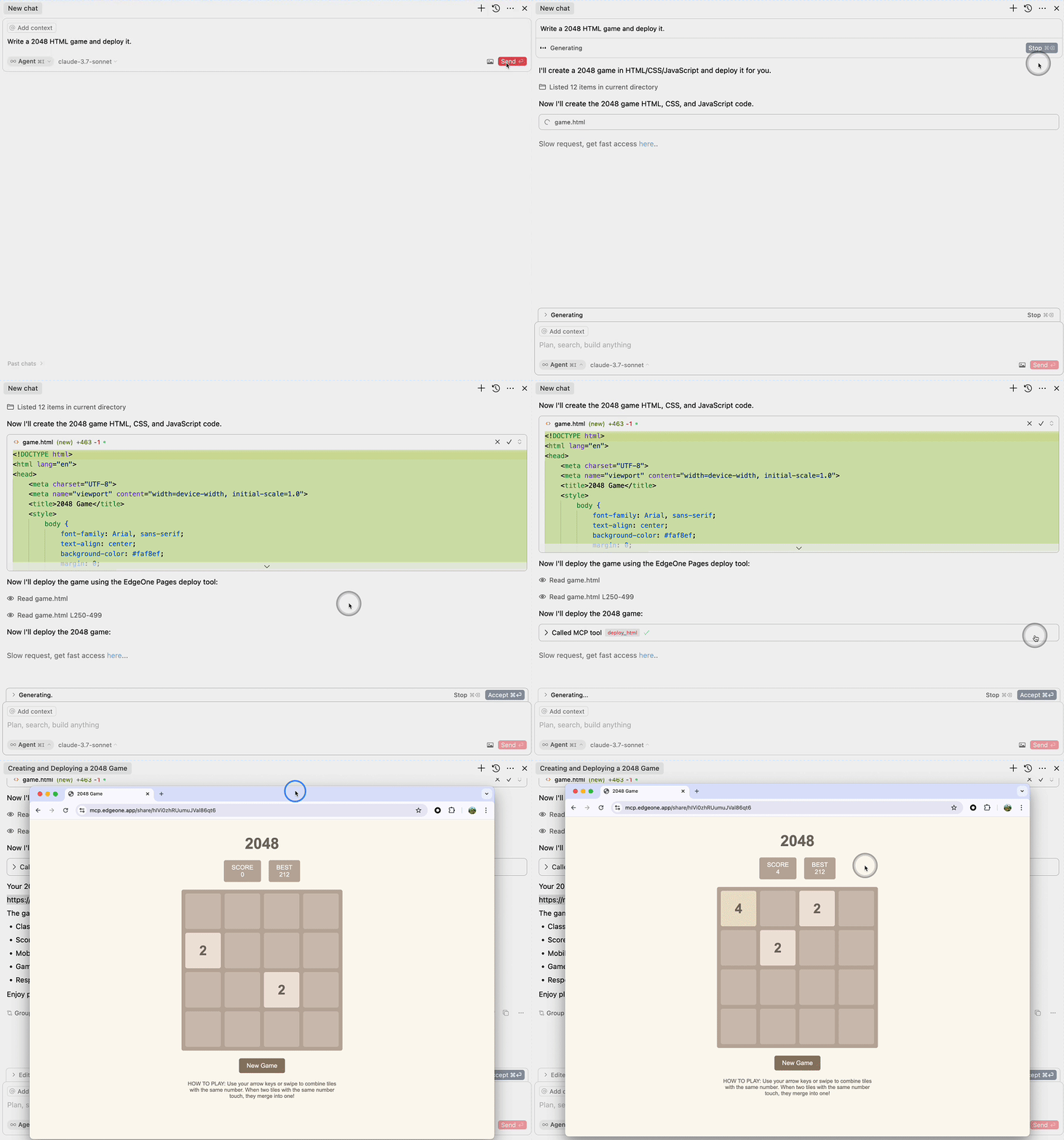
An MCP service for deploying HTML content to EdgeOne Pages and obtaining a publicly accessible URL.
Demo
Requirements
- Node.js 18 or higher
Configure MCP
{
  "mcpServers": {
    "edgeone-pages-mcp-server": {
      "command": "npx",
      "args": ["edgeone-pages-mcp"]
    }
  }
}
Architecture
The architecture diagram illustrates the workflow: 1. Large Language Model generates HTML content 2. Content is sent to the EdgeOne Pages MCP Server 3. MCP Server deploys the content to EdgeOne Pages Edge Functions 4. Content is stored in EdgeOne KV Store for fast edge access 5. MCP Server returns a public URL 6. Users can access the deployed content via browser with fast edge delivery
Features
- MCP protocol for rapid deployment of HTML content to EdgeOne Pages
- Automatic generation of publicly accessible URLs
Implementation
This MCP service integrates with EdgeOne Pages Functions to deploy static HTML content. The implementation uses:
-
EdgeOne Pages Functions - A serverless computing platform that allows execution of JavaScript/TypeScript code at the edge.
-
Key Implementation Details :
- Uses EdgeOne Pages KV store to store and serve the HTML content
- Automatically generates a public URL for each deployment
-
Handles API errors with appropriate error messages
-
How it works :
- The MCP server accepts HTML content through the
deploy-htmltool - It connects to EdgeOne Pages API to get the base URL
- Deploys the HTML content using the EdgeOne Pages KV API
-
Returns a publicly accessible URL to the deployed content
-
Usage Example :
- Provide HTML content to the MCP service
- Receive a public URL that can be accessed immediately
For more information, see the EdgeOne Pages Functions documentation and EdgeOne Pages KV Storage Guide.
License
MIT


 PNG Icons


