

zapcap-mcp-server
MCP server for ZapCap API providing video caption and B-roll generation via natural language
Author

bogdan01m
Quick Info
 GitHub Stars 0
 Weekly Downloads 0
Actions
Tags
ZapCap MCP Server



NOTE: This is an unofficial implementation of MCP Server for ZapCap.
An MCP (Model Context Protocol) server that provides tools for uploading videos, creating processing tasks, and monitoring their progress through the ZapCap API.
Requirements
- uv
- ZapCap API key
You can install uv from here: https://docs.astral.sh/uv/
You can get api key from ZapCap API after registation at https://zapcap.ai/ in their platform here: https://platform.zapcap.ai/dashboard/api-key
Installation in MCP-client
Add to your MCP client mcp.json configuration (e.g., Claude Desktop, Cursor and etc.):
{
  "mcpServers": {
    "zapcap": {
      "command": "uvx",
      "args": ["zapcap-mcp-server"],
      "env": {
        "ZAPCAP_API_KEY": "your_api_key_here"
      }
    }
  }
}
Alternative Installation
uv tool install zapcap-mcp-server
Docker Installation
You can also run the MCP server in a Docker container using the pre-built image from Docker Hub:
Using pre-built image from Docker Hub:
{
  "mcpServers": {
    "zapcap": {
      "command": "docker",
      "args": [
        "run",
        "--rm",
        "--init",
        "-i",
        "--net=host",
        "-v", "/home/$USER:/host/home/$USER",
        "-e", "ZAPCAP_API_KEY=your_api_key_here",
        "bogdan01m/zapcap-mcp-server:latest"
      ],
      "env": {
        "DOCKER_CLI_HINTS": "false"
      }
    }
  }
}
Configuration
Set your ZapCap API key as an environment variable:
export ZAPCAP_API_KEY="your_api_key_here"
Usage
Demo Videos
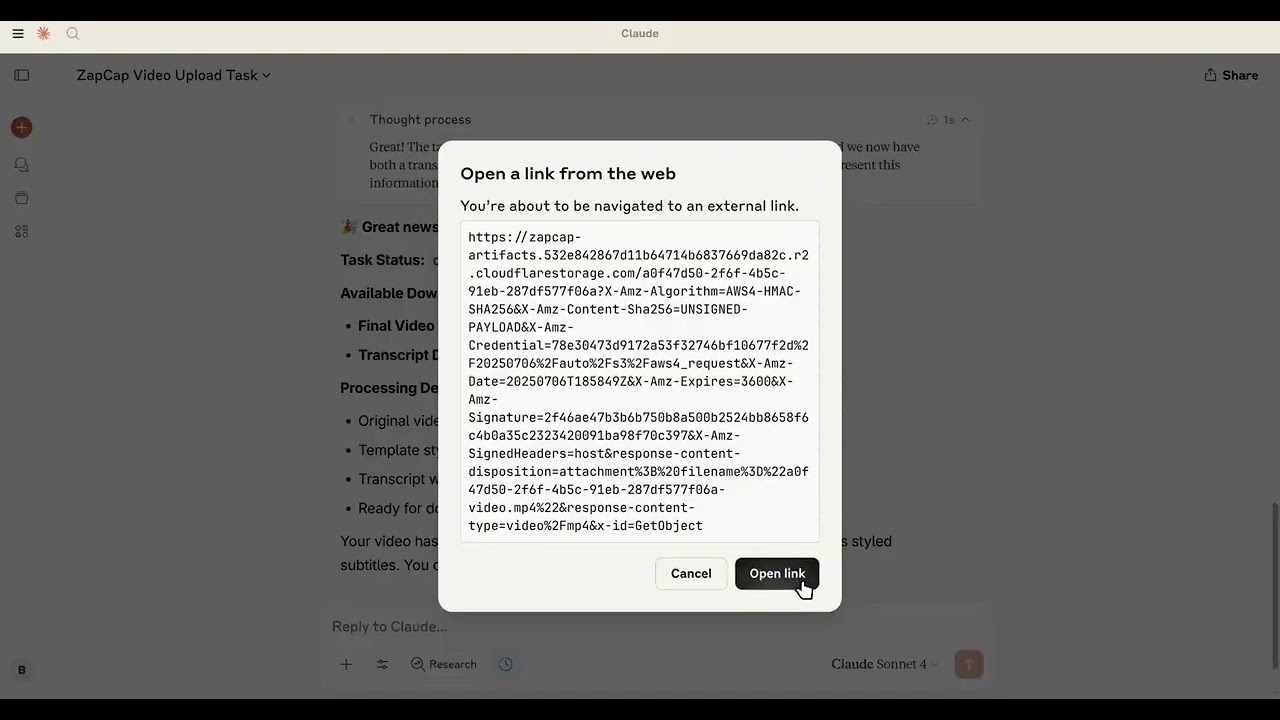
How to use:
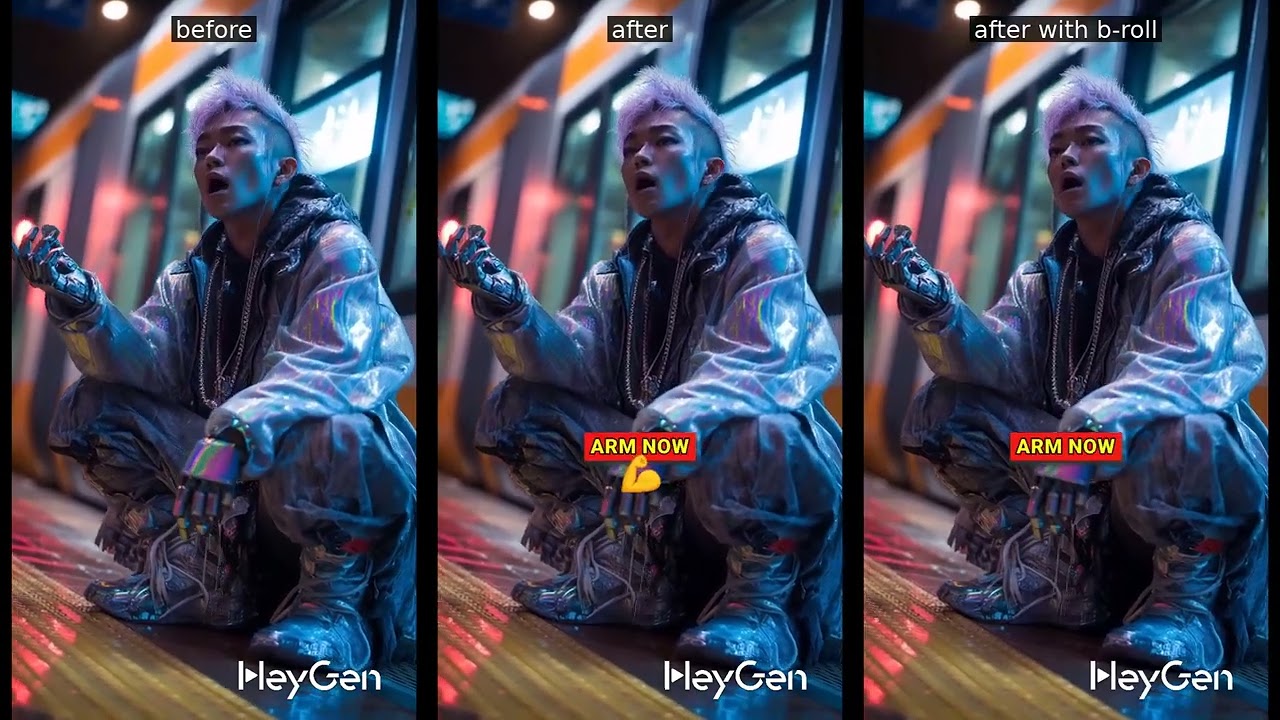
Results:
Available Tools
The server provides the following tools:
zapcap_mcp_upload_video
Upload a video file to ZapCap.
Parameters:
- file_path: Path to the video file
zapcap_mcp_upload_video_by_url
Upload a video by URL to ZapCap.
Parameters:
- url: URL to the video file
zapcap_mcp_get_templates
Get available processing templates from ZapCap.
zapcap_mcp_create_task
Create a video processing task with full customization options.
Parameters:
- video_id: Video ID from upload
- template_id: Template ID
- auto_approve: Auto approve the task (default: true)
- language: Language code (default: "en")
- enable_broll: Enable B-roll (default: false)
- broll_percent: B-roll percentage 0-100 (default: 30)
Subtitle options:
- emoji: Enable emoji in subtitles (default: true)
- emoji_animation: Enable emoji animation (default: true)
- emphasize_keywords: Emphasize keywords (default: true)
- animation: Enable subtitle animation (default: true)
- punctuation: Include punctuation (default: true)
- display_words: Number of words to display (default: 1)
Style options:
- position_top: Subtitle position from top (default: 60)
- font_uppercase: Use uppercase font (default: true)
- font_size: Font size (default: 30)
- font_weight: Font weight (default: 900)
- font_color: Font color (default: "#ffffff")
- font_shadow: Font shadow s/m/l (default: "l")
- stroke: Stroke style (default: "s")
- stroke_color: Stroke color (default: "#000000")
- highlight_color_1: First highlight color (default: "#2bf82a")
- highlight_color_2: Second highlight color (default: "#fdfa14")
- highlight_color_3: Third highlight color (default: "#f01916")
zapcap_mcp_monitor_task
Monitor task progress.
Parameters:
- video_id: Video ID
- task_id: Task ID
Benefits Over Direct API Usage
Token Management
Unlike using curl or direct API calls where you need to manually include your API key in every request:
# Traditional curl approach - token needed every time
curl -X POST "https://api.zapcap.ai/upload" \
  -H "Authorization: Bearer your_token_here" \
  -F "file=@video.mp4"
With this MCP server, your API key is configured once in the environment and automatically used for all operations:
{
  "env": {
    "ZAPCAP_API_KEY": "your_api_key_here"
  }
}
Natural Language Interface
Instead of constructing complex API requests with parameters, you can describe what you want:
Traditional API:
curl -X POST "https://api.zapcap.ai/tasks" \
  -H "Authorization: Bearer token" \
  -d '{
    "video_id": "abc123",
    "template_id": "viral",
    "font_size": 30,
    "highlight_color_1": "#00ff00",
    "enable_broll": true,
    "broll_percent": 40
  }'
MCP Server:
"Add green highlighted subtitles with 40% B-roll using viral template"
Type Safety & Validation
- Pydantic Integration: All parameters are validated automatically with type checking
Future Plans
Testing Integration
We're planning to add basic testing capabilities:
- API Integration Tests: Verify that ZapCap API calls work correctly
- MCP Tool Tests: Ensure all MCP tools respond properly to requests
Planned Features
- Named configurations: Save frequently used parameter combinations ("my_brand", "youtube_style")
- Template enhancement: Override template defaults with consistent brand colors/fonts
License
MIT licence



 PNG Icons


