

trendFinder
Collects and analyzes social media posts from key influencers to identify trending topics and sends notifications via Slack or Discord when new trends emerge.
Author

martianbandit
Quick Info
 GitHub Stars 1
 Weekly Downloads 0
Actions
Tags
Trend Finder 🔦
Stay on top of trending topics on social media — all in one place.
Trend Finder collects and analyzes posts from key influencers, then sends a Slack or Discord notification when it detects new trends or product launches. This has been a complete game-changer for the Firecrawl marketing team by:
- Saving time normally spent manually searching social channels
- Keeping you informed of relevant, real-time conversations
- Enabling rapid response to new opportunities or emerging industry shifts
Spend less time hunting for trends and more time creating impactful campaigns.
Watch the Demo & Tutorial video
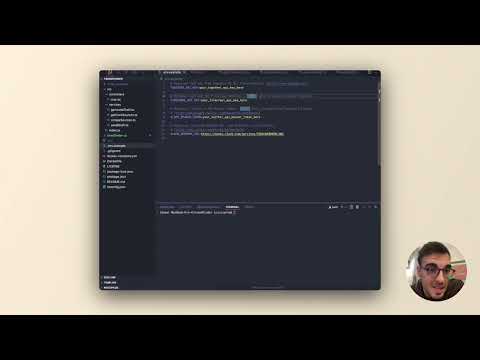
Learn how to set up Trend Finder and start monitoring trends in this video!
How it Works
- Data Collection 📥
- Monitors selected influencers' posts on Twitter/X using the X API (Warning: the X API free plan is rate limited to only monitor 1 X account every 15 min)
- Monitors websites for new releases and news with Firecrawl's /extract
-
Runs on a scheduled basis using cron jobs
-
AI Analysis 🧠
- Processes collected content through Together AI
- Identifies emerging trends, releases, and news.
-
Analyzes sentiment and relevance
-
Notification System 📢
- When significant trends are detected, sends Slack or Discord notifications based on cron job setup
- Provides context about the trend and its sources
- Enables quick response to emerging opportunities
Features
- 🤖 AI-powered trend analysis using Together AI
- 📱 Social media monitoring (Twitter/X integration)
- 🔍 Website monitoring with Firecrawl
- 💬 Instant Slack or Discord notifications
- ⏱️ Scheduled monitoring using cron jobs
Prerequisites
- Node.js (v14 or higher)
- npm or yarn
- Docker
- Docker Compose
- Slack workspace with webhook permissions
- API keys for required services
Environment Variables
Copy .env.example to .env and configure the following variables:
# Optional: API key from Together AI for trend analysis (https://www.together.ai/)
TOGETHER_API_KEY=your_together_api_key_here

# Optional: API key from DeepSeek for trend analysis (https://deepseek.com/)
DEEPSEEK_API_KEY=

# Optional: API key from OpenAI for trend analysis (https://openai.com/)
OPENAI_API_KEY=

# Required if monitoring web pages (https://www.firecrawl.dev/)
FIRECRAWL_API_KEY=your_firecrawl_api_key_here

# Required if monitoring Twitter/X trends (https://developer.x.com/)
X_API_BEARER_TOKEN=your_twitter_api_bearer_token_here

# Notification driver. Supported drivers: "slack", "discord"
NOTIFICATION_DRIVER=discord

# Required (if NOTIFICATION_DRIVER is "slack"): Incoming Webhook URL from Slack for notifications
SLACK_WEBHOOK_URL=https://hooks.slack.com/services/YOUR/WEBHOOK/URL

# Required (if NOTIFICATION_DRIVER is "discord"): Incoming Webhook URL from Discord for notifications
DISCORD_WEBHOOK_URL=https://discord.com/api/webhooks/WEBHOOK/URL
Getting Started
-
Clone the repository:
bash git clone [repository-url] cd trend-finder -
Install dependencies:
bash npm install -
Configure environment variables:
bash cp .env.example .env # Edit .env with your configuration -
Run the application: ```bash # Development mode with hot reloading npm run start
# Build for production npm run build ```
Using Docker
-
Build the Docker image:
bash docker build -t trend-finder . -
Run the Docker container:
bash
   docker run -d -p 3000:3000 --env-file .env trend-finder
Using Docker Compose
-
Start the application with Docker Compose:
bash docker-compose up --build -d -
Stop the application with Docker Compose:
bash
   docker-compose down
Project Structure
trend-finder/
├── src/
│   ├── controllers/    # Request handlers
│   ├── services/       # Business logic
│   └── index.ts        # Application entry point
├── .env.example        # Environment variables template
├── package.json        # Dependencies and scripts
└── tsconfig.json       # TypeScript configuration
Contributing
- Fork the repository
- Create your feature branch (
git checkout -b feature/amazing-feature) - Commit your changes (
git commit -m 'Add some amazing feature') - Push to the branch (
git push origin feature/amazing-feature) - Open a Pull Request


 PNG Icons


