10 Best Swagger Alternatives for API Documentation

As time has gone by, the API ecosystem has become more and more important to any organization with a digital presence.
Evolving any service, sophisticating it involves, adding new APIs or modifying and enhancing existing ones.
One can imagine the sheer number of APIs that exist in a large organization, and the complexity that comes with them.
Naturally, to address this complexity, many tools have emerged over the years to help manage and document these APIs.
There are many types of tools out there as well:
- Interactive API clients
- Documentation Generator
- API Designers
- API Linting/Validating
- Integrated environments
- CLI- only tools
Overall, Swagger has been a popular choice for a long time, which is closely tied to the OpenAPI initiative.
Another tool has been Redocly, which provides some extras and a more modern take on the same concept.
In this article, we'll take a look at some of the top Swagger alternatives and Redocly alternatives.
This is important because, it is our conviction that some of these alternatives offer the potential to entirely transform the efficiency and simplicity with which APIs can be managed and documented.
1. Slate
Slate is a popular toolkit for creating static API documentation. At the time of writing, they have around 36 thousand stars on Github.
With Slate, you write your documentation in markdown, and the toolkit produces a beautiful static site with following benefits:
- Automatic Table Of Contents
- Single-Page Design
- Explanation on the left, and code on the right
- Automatic code highlighting
Strengths
- Slate is Open Source
- Highly refined template and formatting
- Plain-Text Markdown
Weaknesses
- Static site generation means no live updates
- Limited automation
- Lacks many of the features an integrated environment offers
2. Postman
Postman is one of the most well-known tools for any API related activity.
Postman is primarily an interactive API client, but it also offers some documentation capabilities.
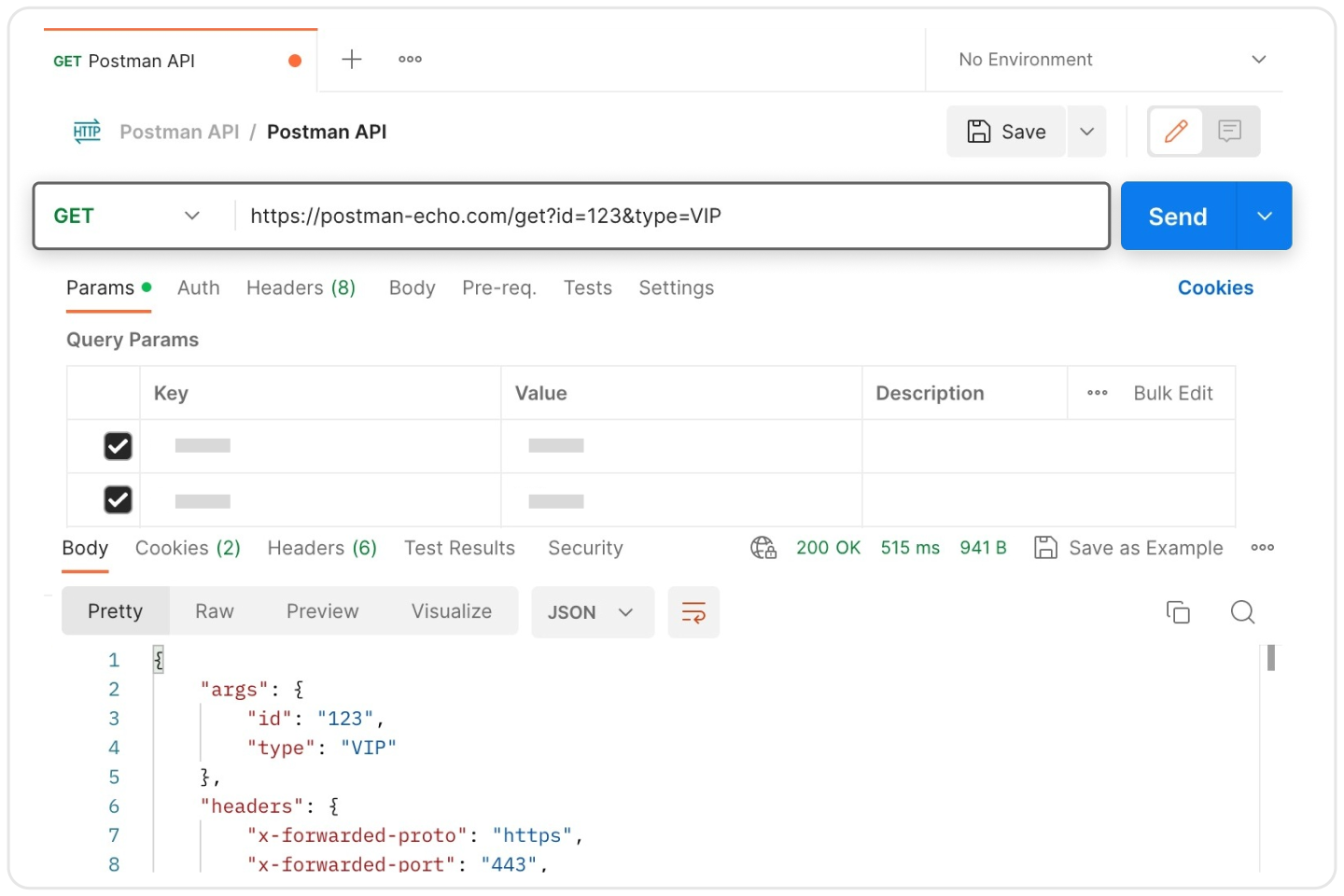
Postman provides the following features:
- Interactive API client
- Collections
- Workspaces
- Basic API docs publishing
- Basic API testing and mocking
Strengths
- Interactivity
- Integrated environment
Weaknesses
- Not Open Source, and not free
- Not built on open standards like OpenAPI
- Lacking in automation for docs updates
3. Redocly
Redocly is a collection of tools for making working with APIs easier and better for organizations.
Redocly as a whole provides tools for:
- Design, Edit and Review API designs Collaboratively
- Make beautiful API documentation from OpenAPI specs
- API linting and validation
- API Discovery and Governance
Strengths
- Open Core Model - so there are many features available for Free (while cloud is available as well)
- Design refined over a long time
Weaknesses
- Cloud is not free, and can be expensive for some orgs
- Limited automation for docs updates, which tools such as LiveAPI offer
4. DapperDox
DapperDox is a toolkit for stitching together various API related artifacts into a single, cohesive, and usable experience.
DapperDox is capable of seamlessly stitching together:
- OpenAPI Specs
- Markdown files
- API Explorer
- Reverse Proxy
- Theming
How It Stands Out:
- Nicely combines automation and customization
- Open Source and Free
Weaknesses
- Not as mature as some of the other tools
- No integrated API client
- Limited automation for docs updates
5. LiveAPI: Embracing Automation and Real-Time Updates

LiveAPI brings a fresh approach to API documentation, and of the options listed here, provides the highest level of automation for generating API documentation.
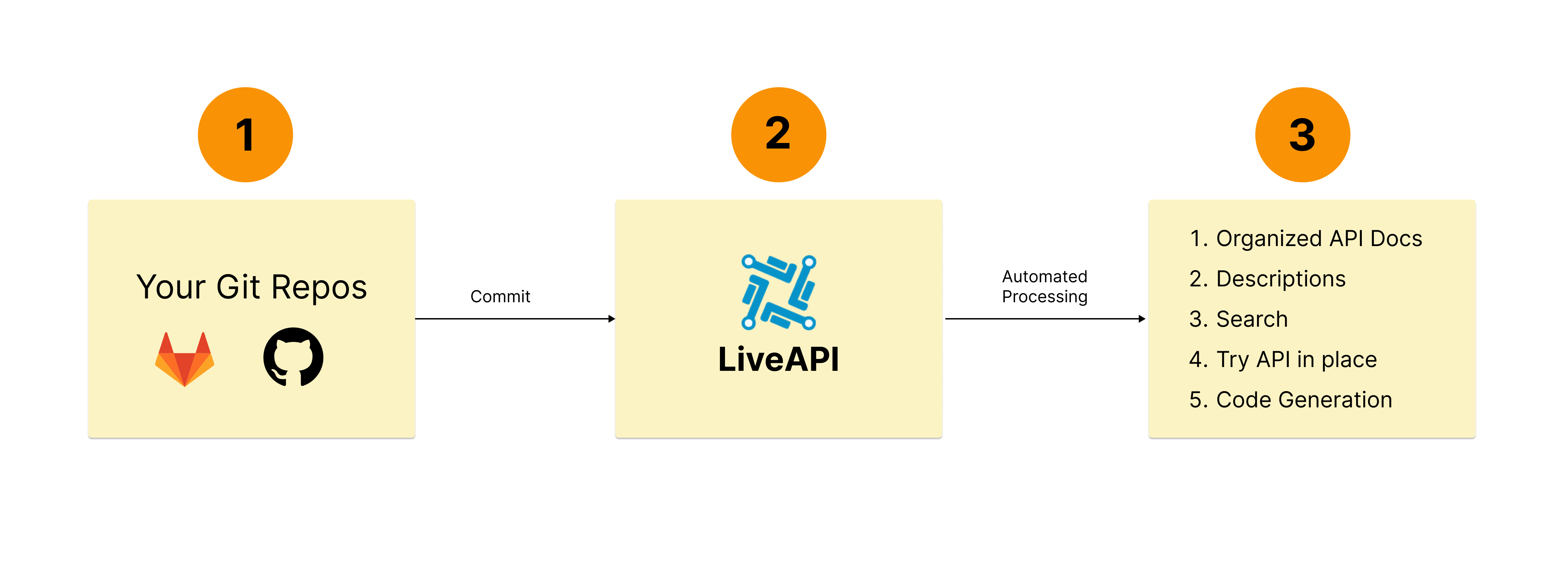
LiveAPI works in the following way:
- Developers connect their repository to LiveAPI with 1 click
- LiveAPI triggers a documentation generation task for every commit
- LiveAPI automatically analyses the code and keeps the documentation up to date
Benefits
LiveAPI offers a good number of features to improve customer experience:
- Automatic Real-time updates to API Documentation
- Automatically organized the various API endpoints into groups using AI
- Support for any language, any framework
- No maintainance effort needed from the developer
- LiveAPI Runners for enhancing privacy and protecting private repository data (robust Privacy Policy)
- Search APIs
- Try APIs right within API documentation
- Automated Code Generation for any API end point
Strengths
- Highest level of automation for API documentation. The only effort needed from the developer is to connect their repository.
- Many features and benefits provided - with minimal effort required from the developer
Weaknesses
- Not as mature as some of the older tools
- No integrated API client
6. API Blueprint
API Blueprint takes a different approach to various challenges that API developers face: it defines a new syntax for defining APIs.
At Hexmos, we built Lama2, which is a similar solution, where we define a markdown-like syntax for defining APIs.
With API Blueprint you can:
- Define APIs using a simple syntax
- Generate documentation
- Generate client libraries
- Generate Mock Servers
- And more: you can find various plugins for API Blueprint on their website
Strengths:
- Open Source and Free
- Git-friendly since it is plain-text
Weakness:
- Lacks many of the enterprise features that some of the other tools offer
- The documentation still must be done manually
7. OpenAPI Generator
OpenAPI Generator is a tool that does one thing, and does it well: it generates client libraries, SDKs, and documentation from OpenAPI specifications.
So, the generator is less about the documentation itself, but rather of helping people use endpoints faster & with less friction.
Features:
- Read OpenAPI specs and generate code
- Support for many languages and frameworks
- Customizable templates
Weaknesses:
- Focuses on code generation only - and leaves out many of the features that could be important for teams to other tools
8. Stoplight
Stoplight is an integrated API platform - which offers a large number of features and capabilities to many types of stakeholders in an organization.
Features
- Engineers can collaborate on designing, documenting and building APIs
- An API Catalog to discover APIs
- Mock Servers
- Tools to encourage consistency and best practices
Trade-Off:
- Not Open Source, and not free
- Still requires manual documentation updates
9. Readme.io
Readme.io is an integrated API documentation platform focused more on the customer facing side.
Unlike the other tools, which focus on API generation, automation and so on, which is maybe more useful for internal engineering teams, etc, Readme.io is focused on providing a good customer experience.
For public facting docs, Readme provides a carefully selected set of features:
Features:
- API guides, how-tos, recipes, references
- Changelogs
- Discussions
- Both WYSIWYG and Markdown editors
- Edits, Feedback, Versioning
Trade-off:
- Not Open Source, and not free
- Doesn't focus on internal documentation automation
10. Bump.sh
Bump.sh is an API platform catering to tech writers and engineers, with a focus on higher automation.
The key thing with Bump.sh is, it integrates with Git workflows, chat platforms and so on to handle change management in APIs.
This is important to avoid code and docs drift.
Bump.sh offers the following features:
Features:
- Read OpenAPI specs and generate documentation
- CI/CD integrations
- Automatic example generation
- Change notifications, git integrations
- API Hub/Catalog
Strengths:
- Provides some level of automation for docs updates, but not as complete as LiveAPI
- Provides a unified platform for common API activities
Weaknesses:
- Still depends on OpenAPI specs provided by the customer - which requires manual effort
Conclusion
Choosing the right tool for API documentation depends on your team's needs.
Swagger is reliable but often requires manual upkeep.
Tools like LiveAPI stand out by prioritizing automation, reducing maintenance efforts, and enhancing accuracy.