

anyquery
Query more than 40 apps with one binary using SQL. It can also connect to your PostgreSQL, MySQL, or SQLite compatible database. Local-first and private by design.
Author

julien040
Quick Info
 GitHub Stars 1360
 Weekly Downloads 0
Actions
Tags
Anyquery








Anyquery is a SQL query engine that allows you to run SQL queries on pretty much anything. It supports querying files, databases, and apps (e.g. Apple Notes, Notion, Chrome, Todoist, etc.). It's built on top of SQLite and uses plugins to extend its functionality.
It can also connect to LLMs (e.g. ChatGPT, Claude, Cursor, TypingMind, etc.) to allow them to access your data.
Finally, it can act as a MySQL server, allowing you to run SQL queries from your favorite MySQL-compatible client (e.g. TablePlus, Metabase, etc.).
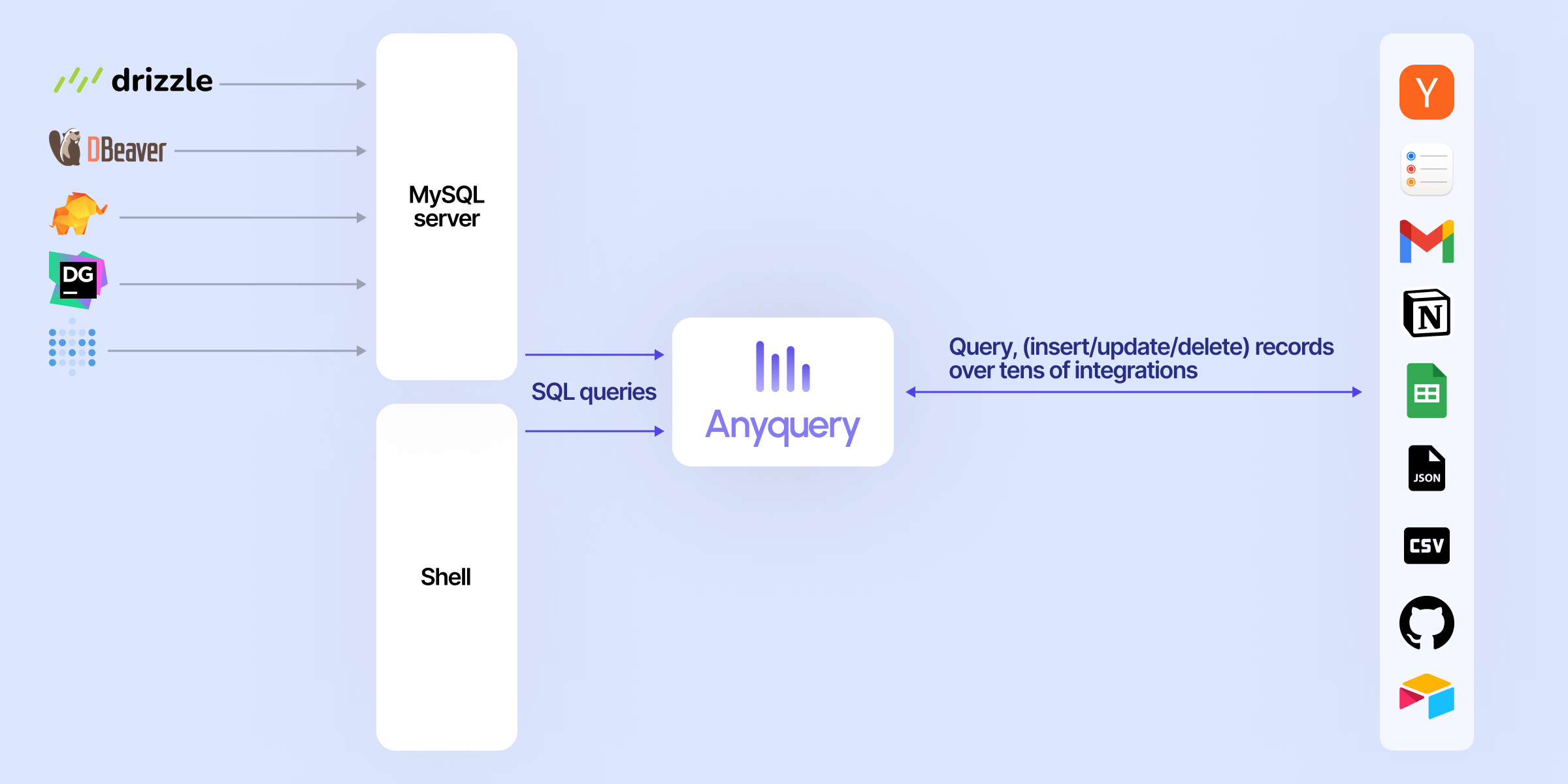
Usage
Connecting LLM
LLMs can connect to Anyquery using the Model Context Protocol (MCP). This protocol provides context for LLMs that support it. You can start the MCP server with the following command:
# To be started by the LLM client
anyquery mcp --stdio
# To connect using an HTTP and SSE tunnel
anyquery mcp --host 127.0.0.1 --port 8070
You can also connect to clients that supports function calling (e.g. ChatGPT, TypingMind). Refer to each connection guide in the documentation for more information.
# Copy the ID returned by the command, and paste it in the LLM client (e.g. ChatGPT, TypingMind)
anyquery gpt

Running SQL queries
The documentation provides detailed instructions on how to run queries with Anyquery.
But let's see a quick example. Type anyquery in your terminal to open the shell mode. Then, run the following query:
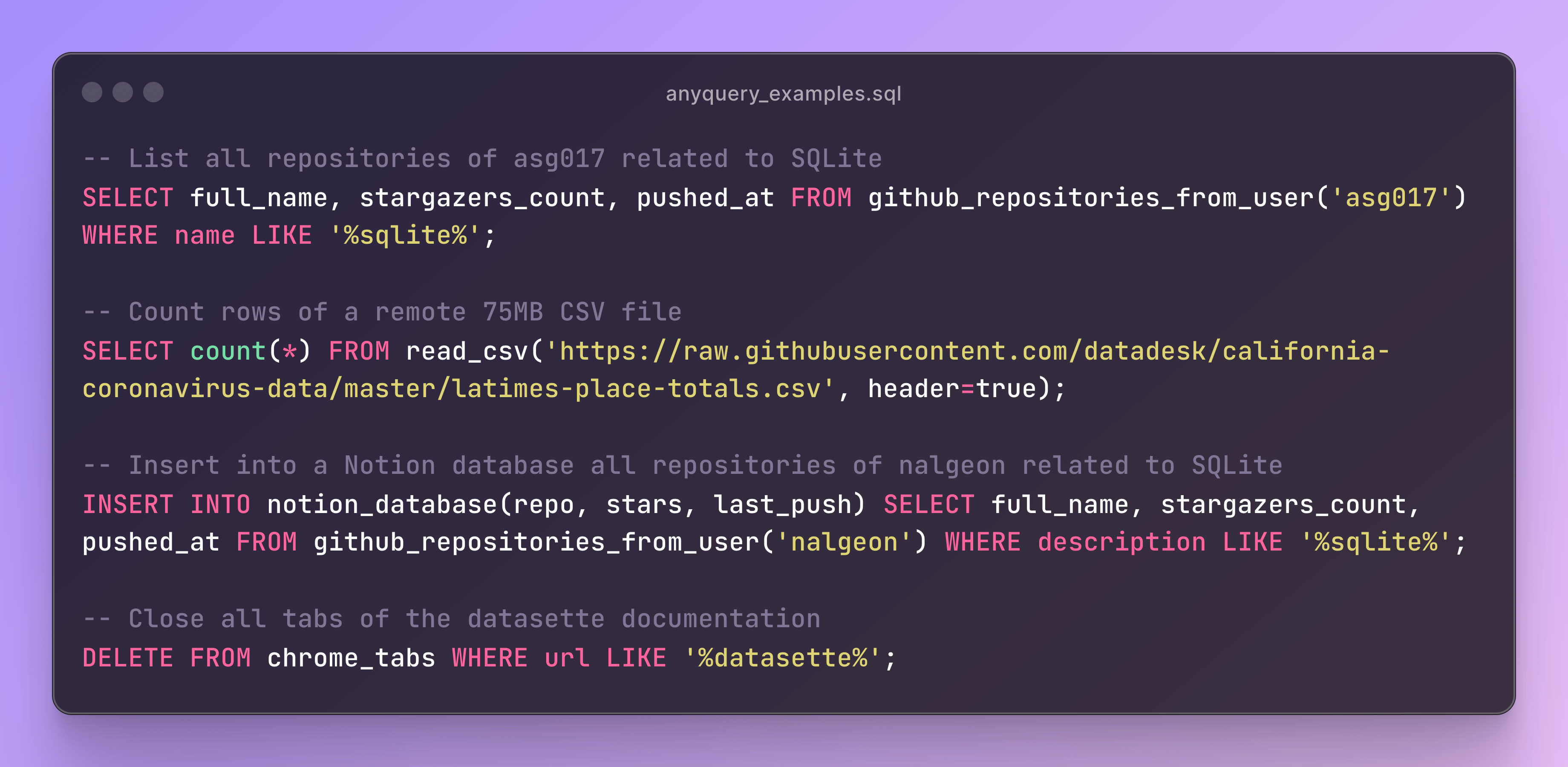
You can also launch the MySQL server with anyquery server and connect to it with your favorite MySQL-compatible client.
anyquery server &
mysql -u root -h 127.0.0.1 -P 8070
Installation
The documentation provides detailed instructions on how to install Anyquery on your system. You can install anyquery from Homebrew, APT, YUM/DNF, Scoop, Winget and Chocolatey. You can also download the binary from the releases page.
Homebrew
brew install anyquery


 PNG Icons


 Emojis