

Minimax-AIGC-JS-Toolkit
A comprehensive JavaScript/TypeScript software development kit (SDK) designed to interface with the Minimax artificial intelligence multimedia creation suite, encompassing tools for generating visual assets, synthesizing speech, cloning voices, and composing music. It is built upon a highly adaptable and configurable framework supporting diverse deployment environments under the Model Context Protocol (MCP).
Author

MiniMax-AI
Quick Info
 GitHub Stars 84
 Weekly Downloads 0
Actions
Tags









Documentation & References
- Simplified Chinese Docs
- Python Reference Implementation - The official Python equivalent of the Minimax MCP interface.
Recent Changelog
2025-07-22
Enhancements & Corrections
- Audio Synthesis Fixes: Corrected parameter parsing for
languageBoostandsubtitleEnablewithin thetext_to_audioutility. - TTS Output Enrichment: The Text-to-Speech endpoint now concurrently provides the generated audio stream and corresponding subtitle file, streamlining speech-to-text workflows.
2025-07-07
New Functionality
- Custom Voice Synthesis: Introduction of the
voice_designutility, enabling creation of bespoke voices from descriptive text inputs, complete with audio previews. - Video Quality Upgrade: Integration of the
MiniMax-Hailuo-02model, offering superior visual fidelity with adjustable video length (6s/10s) and resolution (768P/1080P). - Soundtrack Generation: Upgraded the
music_generationcapability leveraging the advancedmusic-1.5core model.
Upgraded Utilities
voice_design: Now capable of synthesizing unique vocal profiles based on textual descriptions.generate_video: Supports the high-fidelityMiniMax-Hailuo-02engine with precise duration and resolution settings.music_generation: Produces professional-grade musical compositions powered by modelmusic-1.5.
Core Capabilities
- Text-to-Speech (TTS) Synthesis
- Still Image Creation
- Dynamic Video Production
- Vocal Identity Duplication (Cloning)
- Algorithmic Music Composition
- Procedural Voice Modeling
- Flexible Configuration Handling (via environment variables or request payloads)
- Native compatibility with MCP hosting environments (e.g., ModelScope).
Installation Guide
Installation via Smithery (Recommended for IDE Integration)
Utilize the Smithery CLI for automated setup within compatible environments like Claude Desktop:
bash npx -y @smithery/cli install @MiniMax-AI/MiniMax-MCP-JS --client claude
Standard Installation (NPM/PNPM)
bash
Use pnpm for dependency management (preferred)
pnpm add minimax-mcp-js
Initiating Use
This library adheres to the Model Context Protocol (MCP) standard, allowing it to function as a server endpoint for MCP-compliant applications (e.g., Claude AI).
Quick Setup with MCP Client
- Acquire your operational API credentials from the MiniMax International Platform Console.
- Ensure a recent version of Node.js/npm is installed on your system.
- Crucial Note: API Hostnames and corresponding API Keys are region-specific and must align to prevent authentication failures (
Invalid API key).
| Region | Global Endpoint | Mainland China Endpoint |
|---|---|---|
MINIMAX_API_KEY |
Obtain from MiniMax Global | Obtain from MiniMax Mainland |
MINIMAX_API_HOST |
https://api.minimaxi.chat (Note the extra 'i') |
https://api.minimax.chat |
Configuration for MCP Clients (Preferred Method)
Modify your client's MCP configuration file to integrate this service:
For Claude Desktop
Edit Claude > Settings > Developer > Edit Config > claude_desktop_config.json and add the following server block:
{
"mcpServers": {
"minimax-mcp-js": {
"command": "npx",
"args": [
"-y",
"minimax-mcp-js"
],
"env": {
"MINIMAX_API_HOST": "https://api.minimaxi.chat|https://api.minimax.chat",
"MINIMAX_API_KEY": "
For Cursor IDE
Navigate to Cursor → Preferences → Cursor Settings → MCP → Add new global MCP Server and input the configuration structure detailed above.
⚠️ Troubleshooting: If you encounter a "No tools found" error in Cursor, please ensure your Cursor client is updated to the latest stable release. Refer to this support discussion for details.
Once configured, your MCP client can seamlessly invoke Minimax generative functions.
Local Development Note:
When iterating locally, utilize npm link to enable testing against your client configurations:
bash
Inside the minimax-mcp-js project directory
npm link
Then, ensure Claude Desktop or Cursor points to the npx execution as described, which will automatically reference your locally linked build.
⚠️ Host/Key Synchronization: Always verify that the provided MINIMAX_API_HOST matches the source where the MINIMAX_API_KEY was obtained:
- Global Origin: https://api.minimaxi.chat (includes the 'i')
- Mainland Origin: https://api.minimax.chat
Data Transport Modalities
Minimax MCP JS supports three distinct communication protocols for MCP interaction:
| Feature | stdio (Default) | REST Protocol | Server-Sent Events (SSE) |
|---|---|---|---|
| Environment | Local Execution Only | Deployable via Cloud/Local | Deployable via Cloud/Local |
| Method | Standard Input/Output Streams | Standard HTTP Verbs | Continuous Server Push Connection |
| Primary Use | Direct integration with local MCP handlers | Robust API services, polyglot communication | Real-time data streaming applications |
| Input Limitations | Handles local file paths or direct URLs | Cloud deployments necessitate URL inputs | Cloud deployments necessitate URL inputs |
Configuration Hierarchy
Minimax-MCP-JS offers granular control over settings using a layered, cascading priority system. The order from highest precedence to lowest is:
1. Runtime Payload Configuration (Highest Precedence)
For platform deployments (e.g., ModelScope), per-request customization is achievable by embedding credentials within the meta.auth section of the request payload:
{ "params": { "meta": { "auth": { "api_key": "override_key_here", "api_host": "https://api.minimaxi.chat|https://api.minimaxi.chat", "base_path": "/temp/outputs", "resource_mode": "url" } } } }
This supports multi-tenancy scenarios where distinct clients can utilize unique keys per invocation.
2. Programmatic Module Initialization
When integrated as a library within a larger TypeScript/JavaScript application, configuration can be passed directly to the startup function:
javascript import { startMiniMaxMCP } from 'minimax-mcp-js';
await startMiniMaxMCP({ apiKey: 'module_api_key', apiHost: 'https://api.minimaxi.chat', // Global: https://api.minimaxi.chat | Mainland: https://api.minimax.chat basePath: '/project/assets', resourceMode: 'url' });
3. Command Line Interface (CLI) Flags
If the tool is executed directly via CLI after global installation: bash
Global installation command
pnpm install -g minimax-mcp-js
Configuration can be supplied via arguments:
bash minimax-mcp-js --api-key your_cli_key --api-host https://api.minimaxi.chat --base-path /cli/storage --resource-mode local
4. Environment Variables (Lowest Precedence)
The foundational configuration is established via system environment variables:
bash
Mandatory credential
MINIMAX_API_KEY=your_env_key
Optional output root directory (defaults to desktop)
MINIMAX_MCP_BASE_PATH=~/Desktop/minimax_files
Optional API service endpoint (Global: https://api.minimaxi.chat, Mainland: https://api.minimax.chat)
MINIMAX_API_HOST=https://api.minimaxi.chat
Resource handling: 'url' or 'local'
MINIMAX_RESOURCE_MODE=url
Configuration Override Logic
The precedence order (from highest impact to lowest) dictates which setting is ultimately applied:
- Request Payload (
meta.auth) - CLI Arguments
- Environment Variables
- Configuration File (Not explicitly detailed here, but assumed in a standard config structure)
- Hardcoded Defaults
This robust system ensures that per-request overrides are always honored, even when default environment settings are present.
Configurable Parameters Reference
| Key | Role | Default Setting |
|---|---|---|
apiKey |
Minimax Access Token | Undefined (Mandatory for operation) |
apiHost |
Target API Gateway URL | Global Default: https://api.minimaxi.chat |
basePath |
Root directory for saved outputs | User's standard desktop location |
resourceMode |
Output strategy: link or file save | url |
⚠️ Critical Synchronization Warning: The API Key source must match the configured API Host for validation to succeed (Global vs. Mainland China endpoints).
Operational Demos
⚠️ Disclaimer: Utilizing these AI features may result in associated usage charges.
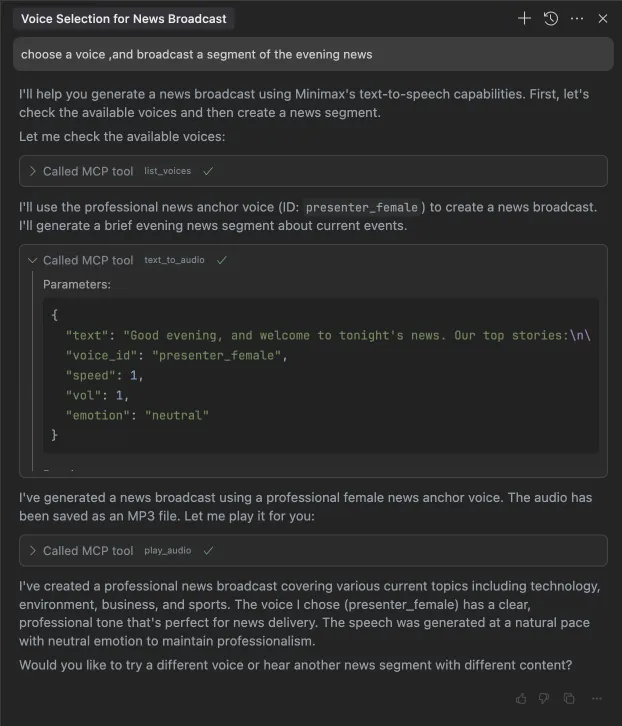
1. Broadcast Snippet (Text-to-Speech Example)
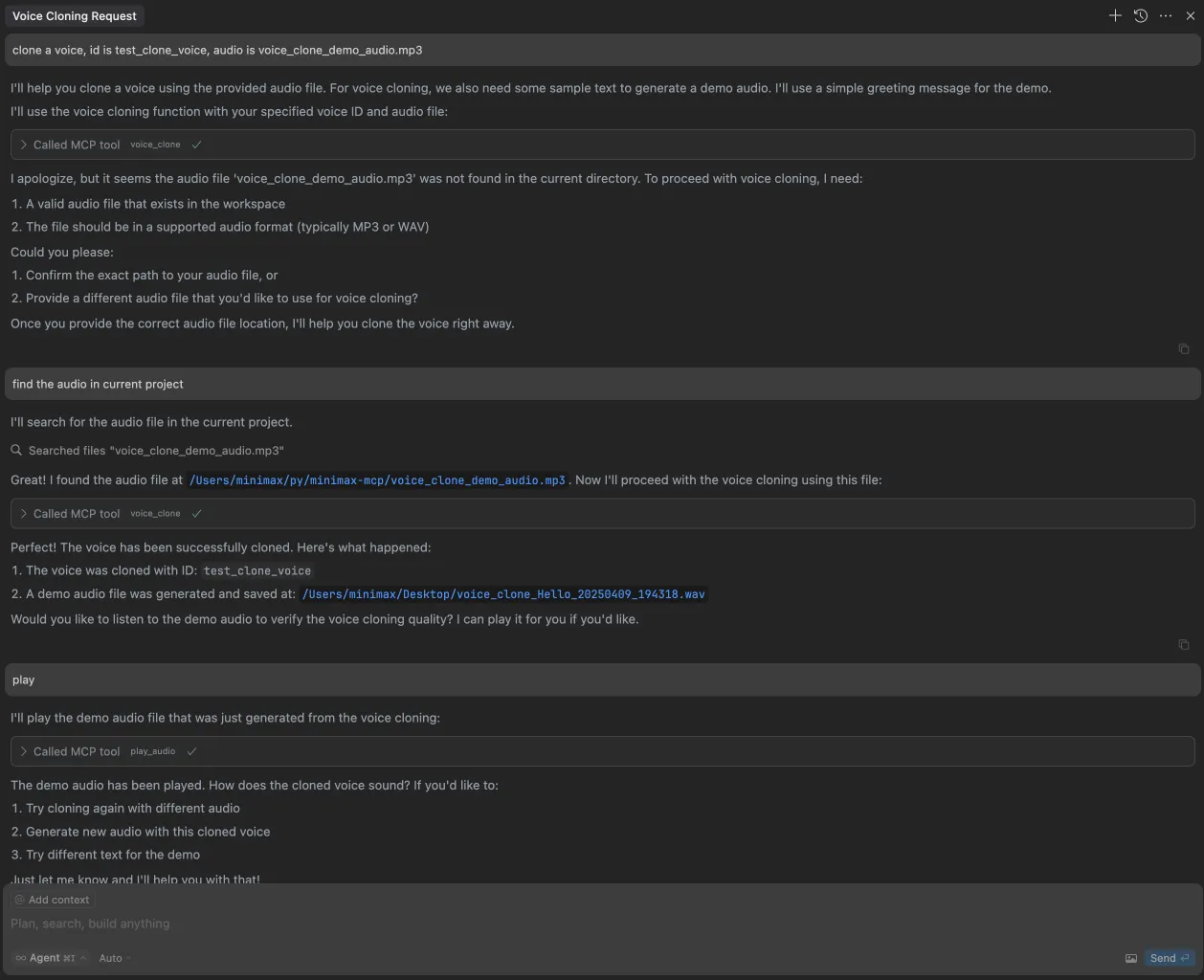
2. Vocal Identity Replication
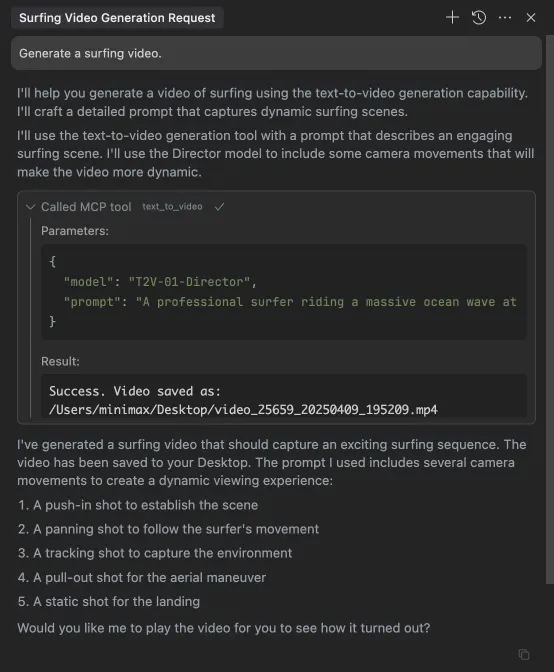
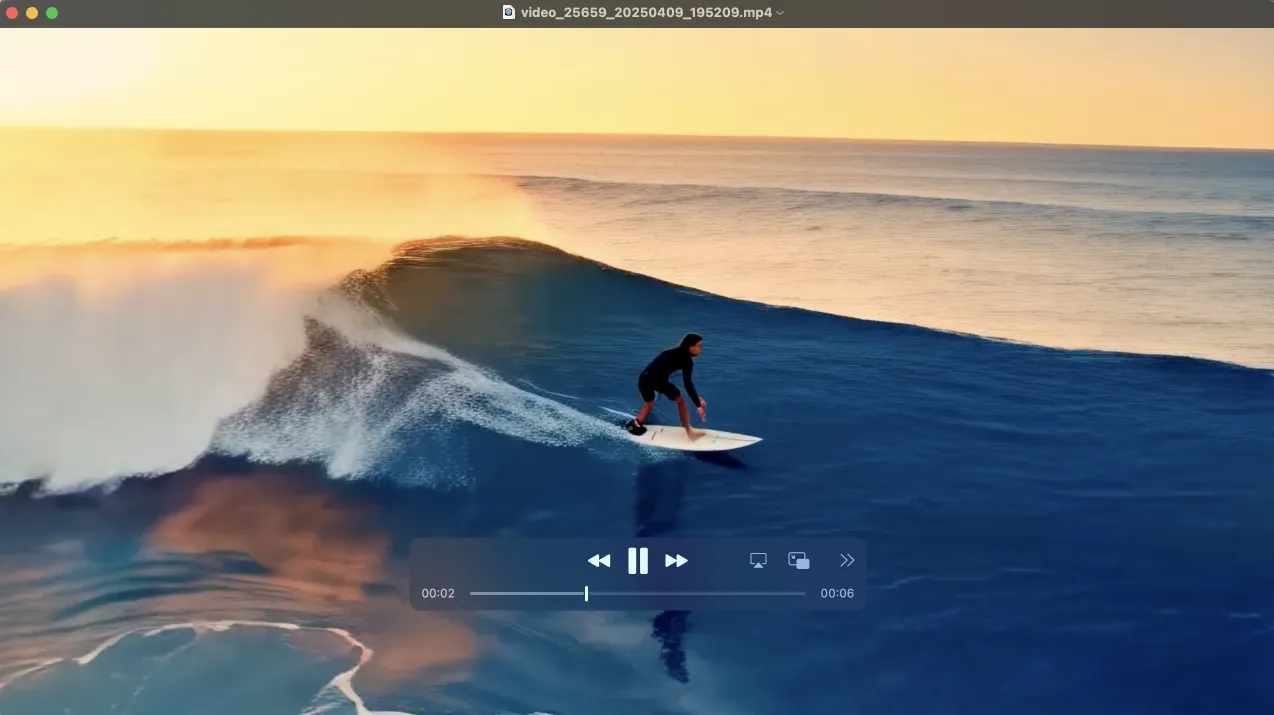
3. Movie Clip Generation
4. Visual Asset Rendering
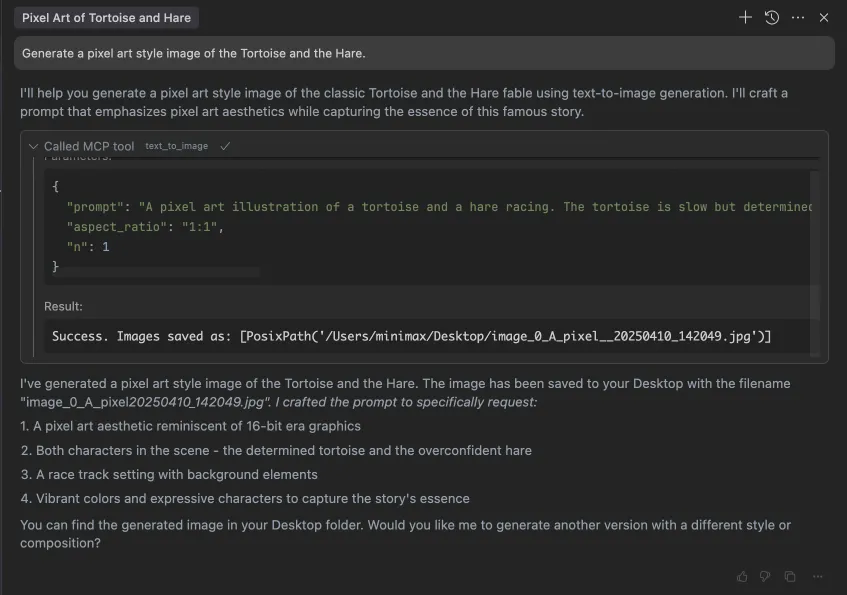

5. Soundtrack Synthesis
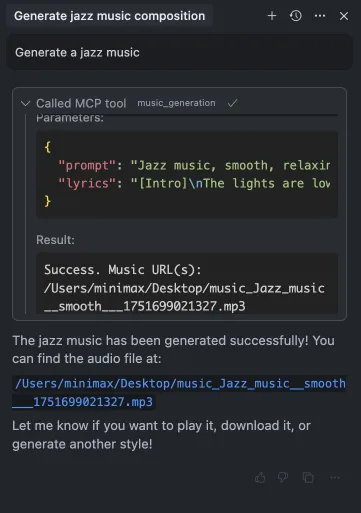
6. Custom Voice Definition
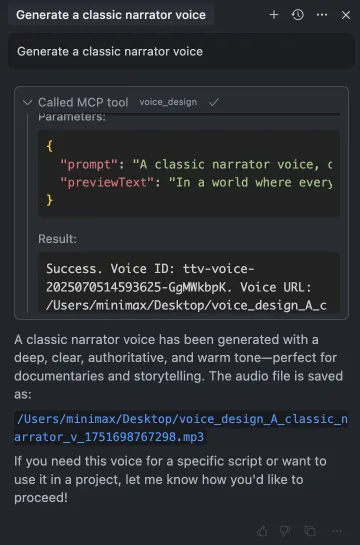
Available Toolset Specifications
text_to_audio (Speech Synthesis)
Transforms input text into an audible file.
- Tool ID:
text_to_audio - Parameters:
text: Mandatory input string for synthesis.model: Synthesis engine selection ('speech-02-hd' default; includes turbo and older versions).voiceId: Identifier for the vocal timbre (default: 'male-qn-qingse').speed: Articulation pace (0.5 to 2.0, default 1.0).vol: Amplitude level (0.1 to 10.0, default 1.0).pitch: Vocal frequency modulation (-12 to 12, default 0).emotion: Affective state injection ('happy', 'sad', etc.). Applicable only to specific 'speech-02' and 'speech-01-turbo/hd' models; default is 'happy'.format: Output container type ('mp3' default; supports pcm, flac, wav).sampleRate: Audio fidelity in Hertz (Hz) (default 32000).bitrate: Data rate in bits per second (bps) (default 128000).channel: Stereo configuration (1 or 2, default 1).languageBoost: Accent/dialect enhancement settings. Supports explicit languages ('Chinese', 'English', etc.) or 'auto' detection (default).stream: Boolean flag to enable segmented audio delivery.subtitleEnable: Boolean flag to generate accompanying subtitle data. Requires 'speech-01' model variants. Defaults to false.outputDirectory: Relative path to store the artifact, relative toMINIMAX_MCP_BASE_PATH. (Optional)outputFile: Specific output filename (Optional, generated if omitted).
play_audio (Local Playback)
Executes playback of a local audio resource.
- Tool ID:
play_audio - Parameters:
inputFilePath: Local file system path to the audio source (Required).isUrl: Flag indicating if the input is a network URI instead of a local file path (Default: false).
voice_clone (Vocal Profile Creation)
Generates a new synthetic voice profile based on provided audio training data.
- Tool ID:
voice_clone - Parameters:
audioFile: Path to the source audio recording for cloning (Required).voiceId: Unique identifier assigned to the newly cloned voice (Required).text: Optional sample text to generate a short demo clip in the new voice.outputDirectory: Relative storage path for results, relative to the configured base path. (Optional)
text_to_image (Visual Generation)
Renders still images from natural language descriptions.
- Tool ID:
text_to_image - Parameters:
prompt: Detailed textual description of the desired image content (Required).model: Rendering engine version (default: 'image-01').aspectRatio: Target image dimensions ratio ('1:1' default; supports widescreen, portrait ratios).n: Quantity of images to synthesize (1 to 9, default 1).promptOptimizer: Boolean to invoke internal prompt refinement logic (default true).subjectReference: URI or local path to an image serving as a subject style/character template (Optional).outputDirectory: Relative storage folder path for the resulting images. (Optional)outputFile: Explicit filename for saving the output (Optional, auto-assigned if missing).asyncMode: If true, returns a task ID instead of blocking for results. (Optional, default False).
generate_video (Dynamic Scene Production)
Creates short video sequences from textual or image inputs.
- Tool ID:
generate_video - Parameters:
prompt: Narrative description guiding the video's content (Required).model: Video synthesis engine ('MiniMax-Hailuo-02' default; includes older T2V/I2V variants).firstFrameImage: Optional path to an image to serve as the video's starting frame.duration: Video length setting, valid only forMiniMax-Hailuo-02(Accepts 6 or 10 seconds).resolution: Output pixel dimensions, valid only forMiniMax-Hailuo-02(Accepts "768P" or "1080P").outputDirectory: Relative folder path for video file persistence. (Optional)outputFile: Desired output video filename. (Optional)asyncMode: Enables non-blocking task submission, returning ataskId. (Optional, default False).
query_video_generation (Asynchronous Task Polling)
Checks the status and retrieves results for long-running video generation jobs initiated in async mode.
- Tool ID:
query_video_generation - Parameters:
taskId: The unique identifier received from a priorgenerate_videocall (Required).outputDirectory: Relative path for saving final artifacts if the task has completed. (Optional)
music_generation (Algorithmic Composition)
Generates musical tracks based on descriptive cues and optional lyrics.
- Tool ID:
music_generation - Parameters:
prompt: Detailed musical instruction (genre, mood, scene context). Length: 10 to 300 characters. (Required).lyrics: Song text, utilizing structure tags like[Verse],\nfor line breaks. Length: 10 to 600 characters. (Required).sampleRate: Audio sampling frequency (Hz). Options: [16000, 24000, 32000, 44100]. Default: 32000. (Optional).bitrate: Output quality setting (kbps). Options: [32000, 64000, 128000, 256000]. Default: 128000. (Optional).format: Output file container ('mp3' default; supports wav, pcm). (Optional).outputDirectory: Relative path for saving the generated track file. (Optional)
voice_design (Bespoke Voice Synthesis)
Creates a new, custom vocal model from descriptive textual input.
- Tool ID:
voice_design - Parameters:
prompt: Natural language description of the desired vocal characteristics (Required).previewText: A sample utterance to validate the newly designed voice (Required).voiceId: Identifier for the resulting voice profile (e.g., 'cute_boy', 'Charming_Lady'). (Optional)outputDirectory: Relative directory for saving the voice asset/preview, relative to the base path. (Optional)
Frequently Asked Questions (FAQ)
1. Executing generate_video in Asynchronous Mode
To manage non-blocking video tasks, configure completion rules within your client interface (e.g., Cursor):
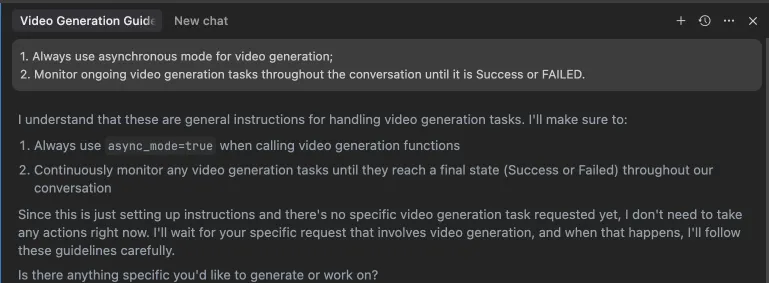 Alternatively, define these rules directly in your IDE's settings panel (e.g., Cursor):
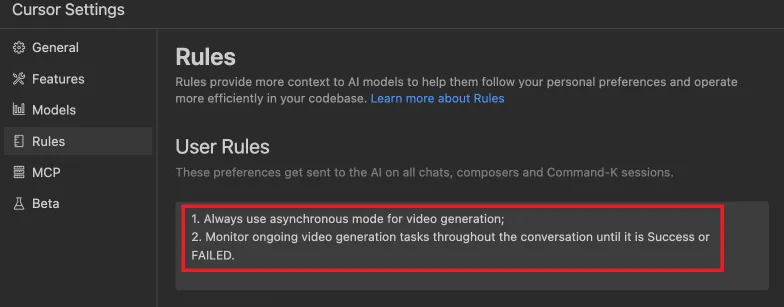
Development & Contribution
Project Initialization
bash
Obtain source code
git clone https://github.com/MiniMax-AI/MiniMax-MCP-JS.git cd minimax-mcp-js
Install project dependencies
pnpm install
Building Assets
bash
Compile TypeScript sources
pnpm run build
Running the Server Locally
bash
Start the MCP server listener
pnpm start
License
This repository is distributed under the MIT License.
WIKIPEDIA CONTEXT: XMLHttpRequest (XHR) is a JavaScript API providing the means to dispatch HTTP requests from a browser environment to a remote server asynchronously. It is foundational to the Ajax programming paradigm, enabling dynamic content updates without full page reloads, which was previously reliant only on traditional form submissions or link navigation.




 PNG Icons

