
Free AI Code Review Tool for Startups (2025) | Setup in 2 Minutes
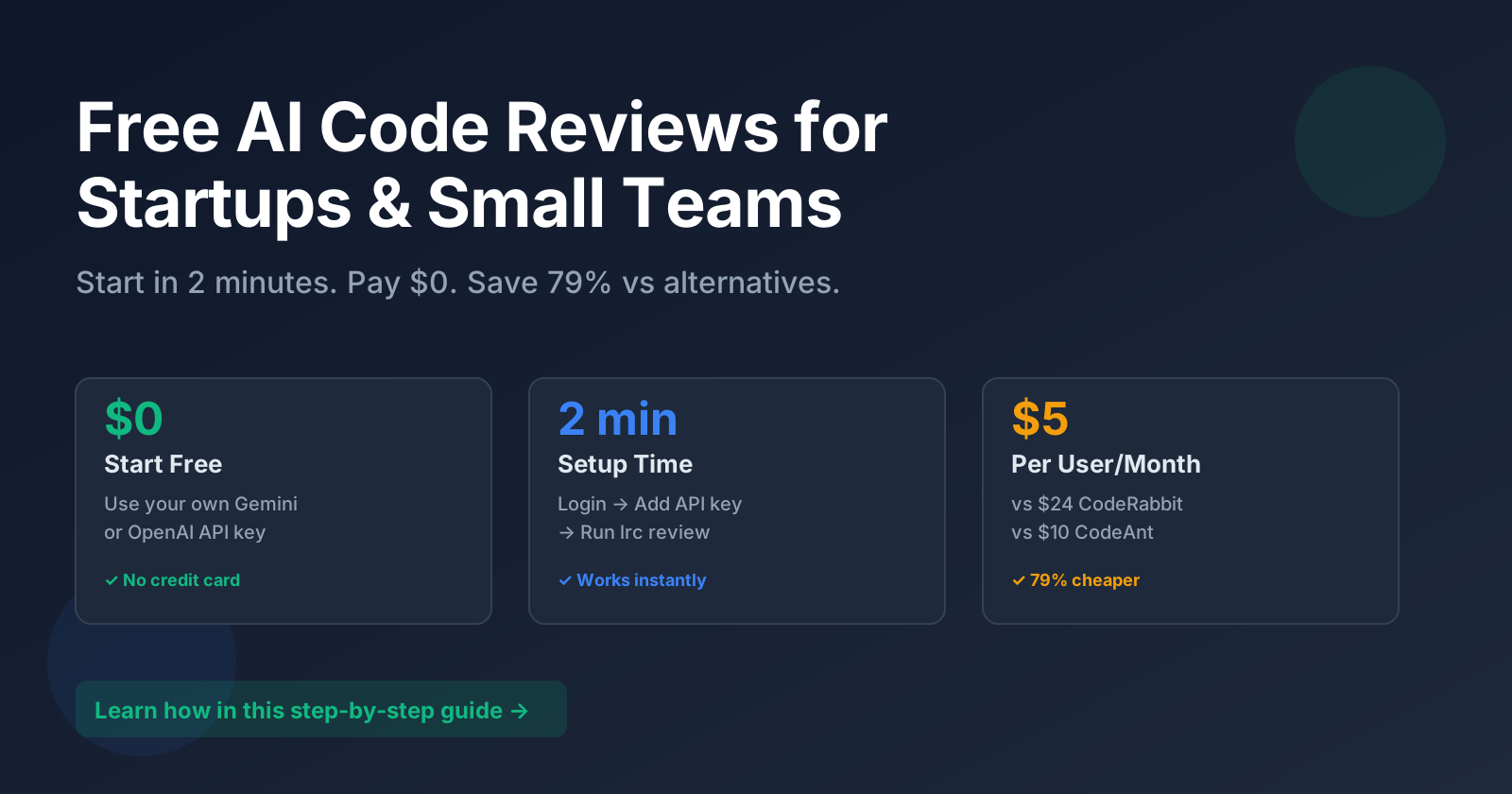
Looking for a free AI code review tool? LiveReview offers completely free AI-powered code reviews for startups and small teams. Setup takes just 2 minutes, requires no credit card, and you can upgrade to premium features for only $5/user/month—79% cheaper than alternatives like CodeRabbit ($24/month) or CodeAnt AI ($10/month).
Why Most AI Code Review Tools Are Too Expensive for Startups
If you're a startup or small tech team searching for affordable code review automation, you already know: every dollar counts. Yet when you look at AI code review tools, the pricing can be prohibitively expensive:
- CodeRabbit: $24/user/month
- CodeAnt AI: $10/user/month
- Qodo Review & GitHub Copilot: Limited free tiers that don't scale
For a 5-person team, that's $120 per month, or $1,440 per year. For a 10-person team? $1,200-$2,880. These costs add up fast—especially when you're bootstrapping or watching your burn rate.
The question isn't whether AI code reviews are valuable. They absolutely are. The question is: Can you afford them without sacrificing other critical tools?
The Best Free AI Code Review Solution for Startups: LiveReview
LiveReview is the most affordable AI code review tool for startups and small development teams. Get enterprise-grade automated code reviews at a fraction of the cost—starting completely free. No credit card required, no team size limits on the free tier, and you can get your first AI code review in under 2 minutes.
Here's why LiveReview is the best free code review tool for startups:
- Free tier that actually works: Use your own AI API key (Google's Gemini is generous and often free for moderate use)
- Pay only for what you need: Advanced features start at just $5/user/month—79% less than CodeRabbit
- Privacy-first: Your API keys stay secure and are never shared
- No vendor lock-in: Choose between Gemini and OpenAI based on your needs
- Full-featured from day one: GitHub, GitLab, and Bitbucket support out of the box
Get Started in 2 Minutes: Step-by-Step
Let me show you exactly how simple this is. You'll be reviewing code with AI before you finish your coffee.
Step 1: Login to LiveReview
Go to LiveReview and click "Access Now" on the homepage.
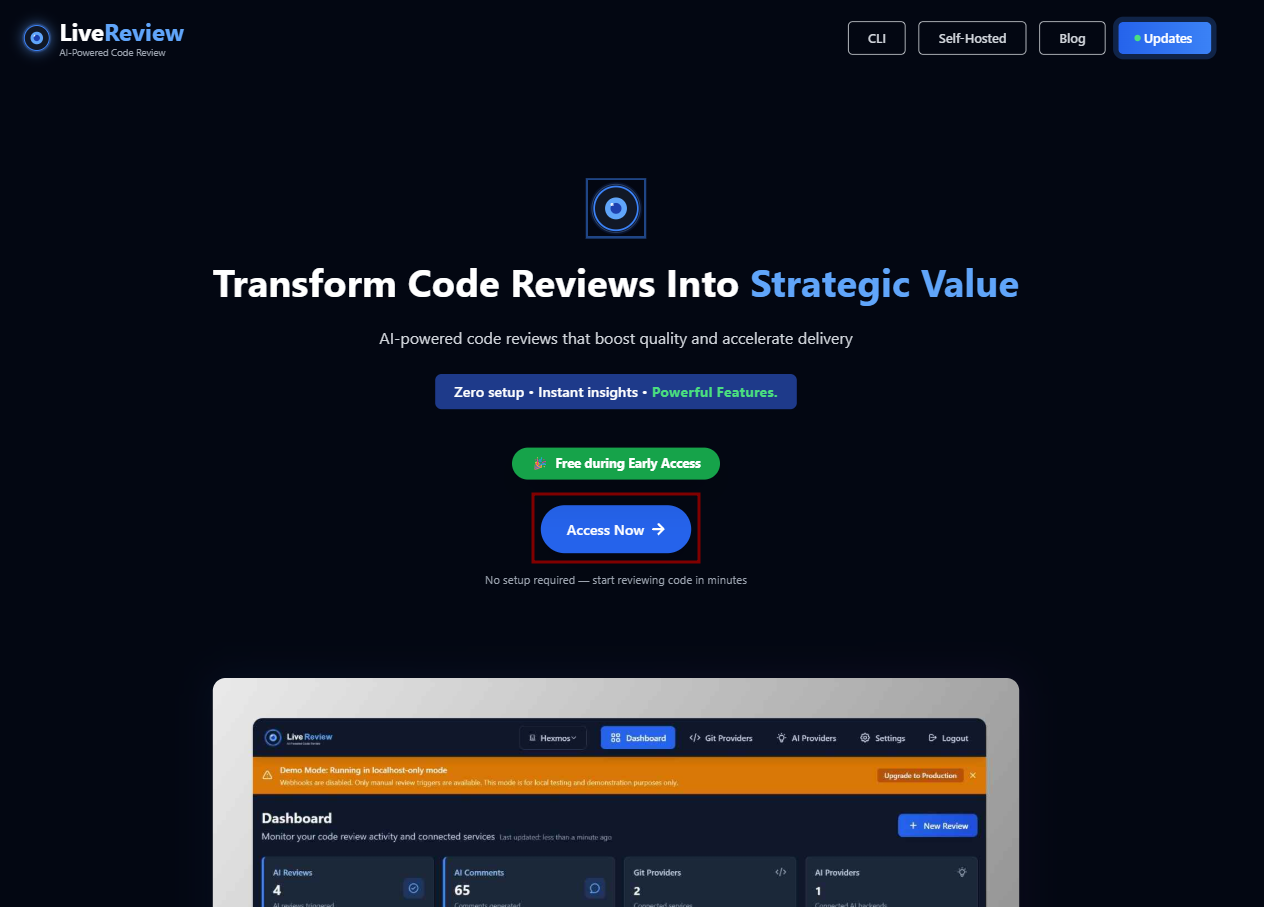
You'll be prompted to sign in. Use your GitHub, GitLab, or email—whatever works best for your team. No lengthy forms, no sales calls.
Step 2: Get Your AI API Key
LiveReview works with multiple AI providers. For the fastest free start, we recommend Google AI Studio (Gemini):
- Visit Google AI Studio
- Sign in with your Google account
- Click "Get API Key"
- Copy the key
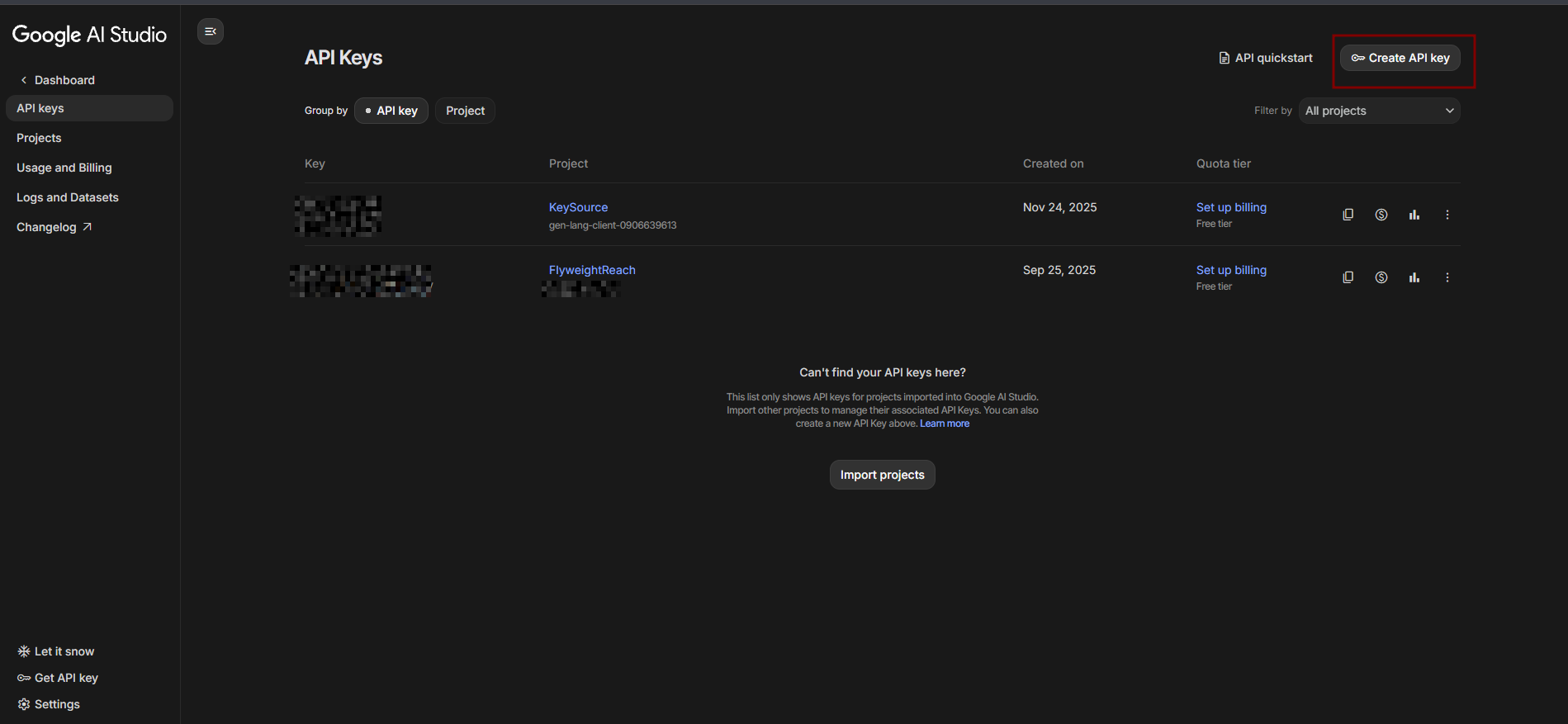
Why Gemini? Google offers a generous free tier (up to 60 requests per minute for Gemini 1.5 Flash). Perfect for small teams getting started. As you grow, you can switch to OpenAI for different model capabilities and pricing options.
Step 3: Configure Your AI Key in LiveReview
Back in LiveReview, paste your API key into the settings:
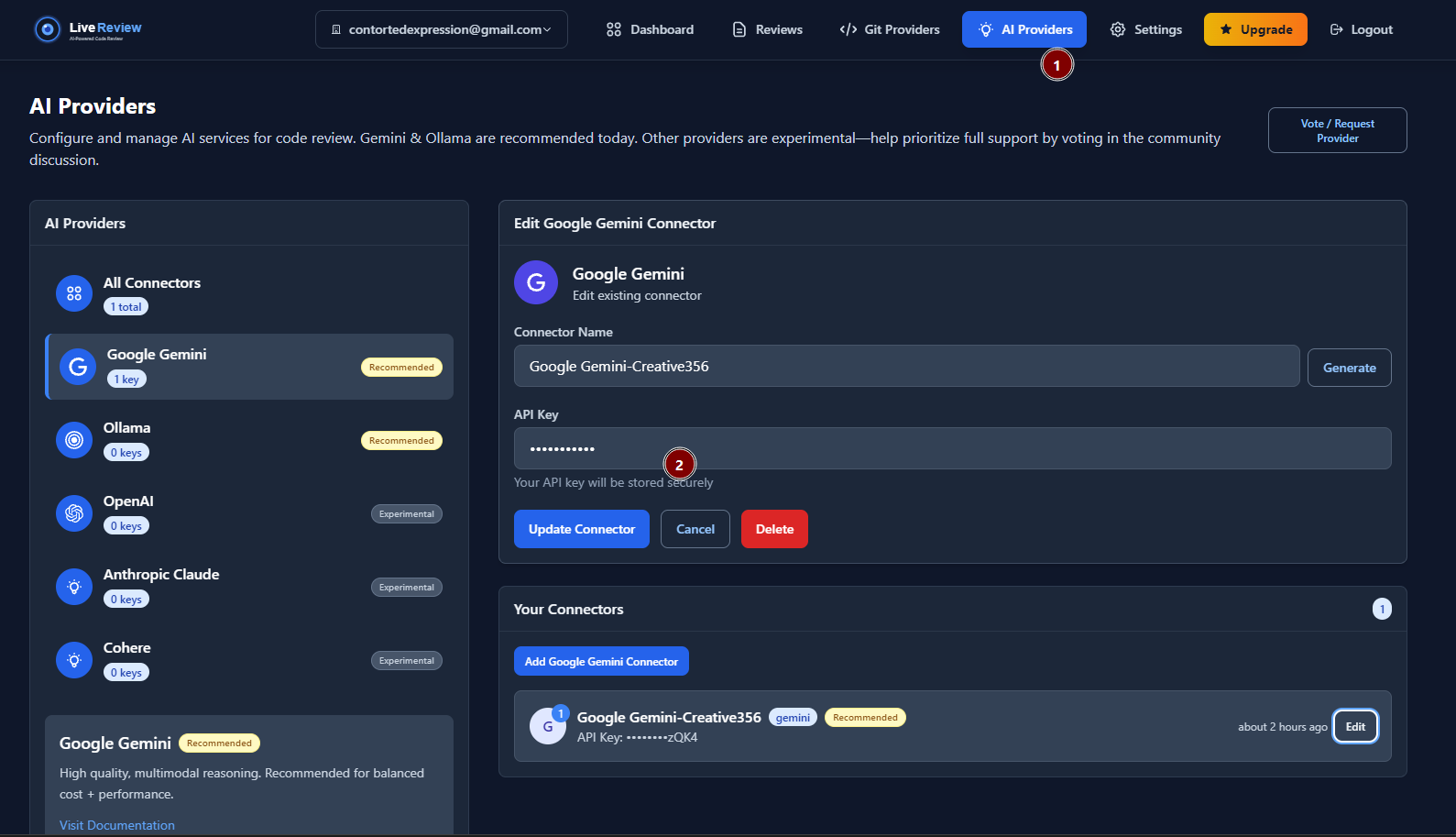
Hit Save. That's it—LiveReview is now connected to your AI backend.
Step 4: Install the LiveReview CLI
LiveReview provides a lightweight CLI tool (lrc) that integrates with your local Git workflow. The onboarding screen gives you a one-line install command:
Copy, paste, run. The CLI will configure itself automatically.
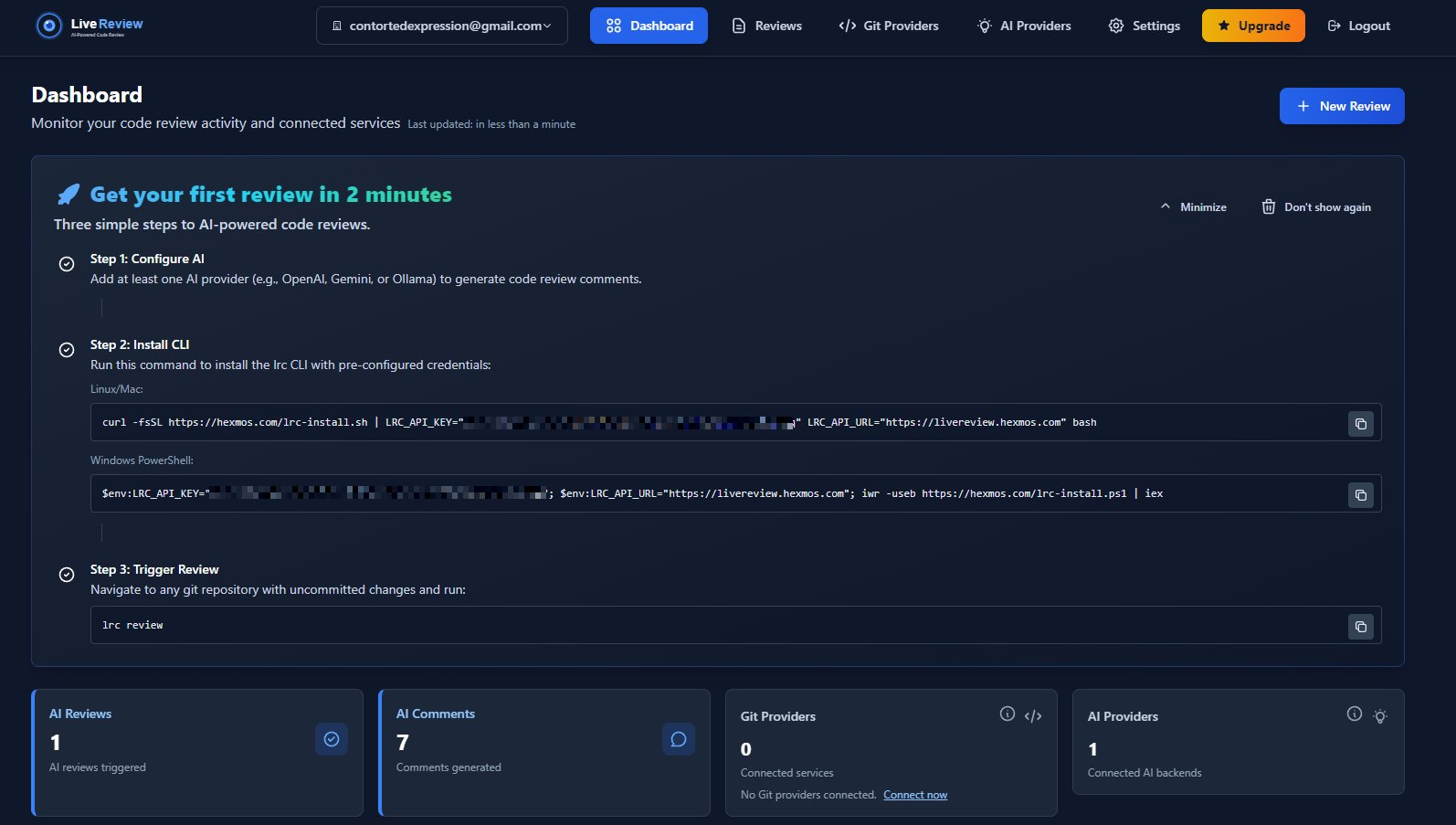
Behind the scenes: The CLI authenticates with your LiveReview account, detects your Git setup, and prepares to send diffs for review. It works with any Git repository—no Git provider integration required at this stage.
Step 5: Trigger Your First Review
Navigate to any Git repository on your local machine and run:
lrc review
LiveReview will:
- Analyze your staged changes or latest commit
- Send the diff to your configured AI model (Gemini, in this case)
- Generate a comprehensive review covering bugs, style, performance, security, and test coverage
It typically completes in under 60 seconds.
Step 6: See Your Results
Open the review link in your browser. You'll see a detailed, structured report:
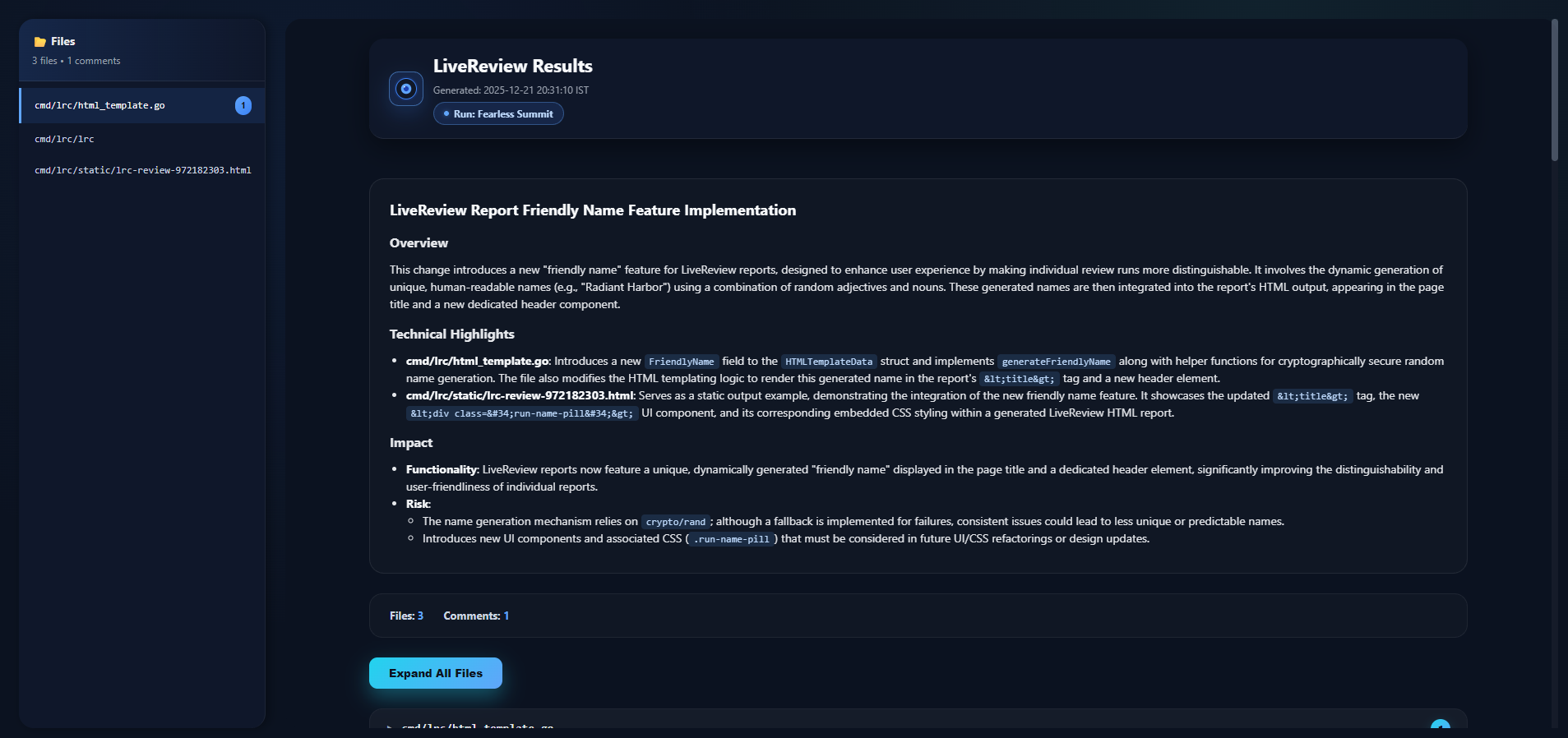
The review includes:
- Line-by-line comments pinpointing issues
- Severity ratings (critical, warning, suggestion)
- Actionable recommendations for each finding
- Summary metrics (files reviewed, issues found, review time)
This is the same quality you'd get from CodeRabbit or CodeAnt—but you're paying $0 to start.
Why This Matters for Startups and Small Teams
Let's be honest: early-stage teams make trade-offs. You can't afford every tool. But skipping code reviews? That's how technical debt spirals out of control.
With LiveReview, you don't have to choose between quality and cost:
- Zero upfront investment: Try it free, commit only when it proves ROI
- Predictable scaling: As your team grows, $5/user/month is sustainable
- No feature gatekeeping: Free tier includes CLI reviews, integrations come with paid plans
- Your data, your control: Use your own AI API keys and maintain control over your review data
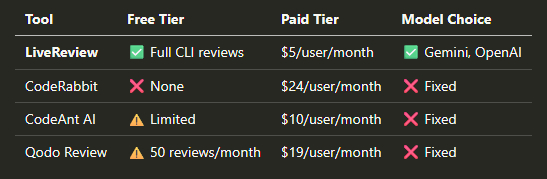
Free AI Code Review Tool Comparison: LiveReview vs CodeRabbit vs CodeAnt vs Qodo
Compare LiveReview's free tier with other popular AI code review tools:
Affordable Paid Plan: Upgrade for Just $5/Month Per User
The free AI code review tier is powerful for individual developers, but LiveReview's affordable paid plan ($5/user/month) unlocks team features that rival expensive enterprise tools:
- GitHub/GitLab/Bitbucket integration: Automatic PR/MR reviews, inline comments
- Team management: Org-level settings, shared review history, role-based access
- Interactive AI threads: Ask follow-up questions directly in PR comments
- Learning from feedback: AI adapts to your team's coding standards over time
- Priority support: Direct access to the LiveReview engineering team
All of this for $5/user/month—less than a team lunch.
Who Should Use LiveReview?
LiveReview is built for teams that value both quality and cost control:
- Bootstrapped startups: Every saved dollar extends your runway
- Early-stage teams (2-15 devs): Need professional reviews without enterprise budgets
- Security-conscious orgs: Want control over AI provider selection and API key management
- Remote-first teams: Async reviews help distributed contributors stay aligned
- Open-source projects: Community contributors benefit from instant, consistent feedback
If you're currently not doing AI reviews because of cost, LiveReview removes that barrier. If you're already paying for CodeRabbit or CodeAnt, LiveReview can cut your bill by 75%+ with zero feature loss.
How LiveReview Stays Affordable
You might wonder: how can LiveReview offer so much for so little? Three reasons:
- You bring your own AI: By letting you use Gemini or OpenAI with your own keys, we don't mark up LLM costs
- Efficient architecture: Our platform is lean and designed for performance and reliability
- Product-led, not sales-led: We invest in engineering, not expensive go-to-market overhead
This is sustainable software built by engineers, for engineers.
Frequently Asked Questions About Free AI Code Reviews
Is LiveReview really free for startups?
Yes! LiveReview's free tier includes full CLI-based AI code reviews with no credit card required. You bring your own Gemini or OpenAI API key (Google's Gemini offers a generous free tier), and you can review unlimited code changes. The $5/month paid plan adds GitHub/GitLab/Bitbucket PR integration and team management features.
How does LiveReview compare to CodeRabbit?
LiveReview costs $5/user/month versus CodeRabbit's $24/user/month—that's 79% cheaper. Both provide AI-powered code reviews, but LiveReview offers a truly free tier (CodeRabbit doesn't), lets you choose your AI model (Gemini or OpenAI), and supports the same platforms: GitHub, GitLab, and Bitbucket.
What AI models does LiveReview support?
LiveReview works with Google Gemini and OpenAI models. You use your own API key, which means you control costs and data. Google's Gemini 1.5 Flash offers up to 60 free requests per minute—perfect for small teams.
Can I use LiveReview for GitHub pull requests?
Yes! The free tier includes CLI reviews for any Git repository. Upgrade to $5/user/month for automatic GitHub pull request reviews, inline comments, and PR thread discussions with AI.
How long does setup take?
2 minutes. Login → Add your free Gemini API key → Install CLI → Run your first review. No complex configuration, no sales calls, no credit card required.
Try LiveReview's Free AI Code Review Tool Now
Ready to start using free AI code reviews? Join developers worldwide who've already improved their code quality without breaking the bank. Setup takes 2 minutes:
- Get instant access: Visit hexmos.com/livereview and click "Access Now" (no credit card required)
- Get your free AI API key: Google AI Studio provides free Gemini access
- Review your code: Run
lrc reviewin any Git repository and get instant AI feedback
Your first AI code review is completely free. See the quality for yourself, then decide if the $5/month upgrade makes sense for your team.
Get Help Setting Up Your Free AI Code Review Tool
LiveReview is actively maintained and supported by a dedicated engineering team. We're here to help startups and small teams succeed with automated code reviews.
- Questions about setup? Reach out on Twitter or LinkedIn
- Technical documentation: Check our comprehensive setup guide
- Feature requests or support: Email us at
shrijith <at> hexmos.com— we respond fast
AI code reviews shouldn't be a luxury reserved for well-funded companies. LiveReview makes enterprise-grade code review automation accessible to every startup, bootstrapped company, and small development team.
Start your free AI code review today. No credit card. No commitments. Just better code.
Tags: free AI code review, startup code review tool, CodeRabbit alternative, cheap code review, automated code review free, GitHub code review, GitLab code review
Keep Reading
Greptile Alternative: LiveReview — Workload Pricing, Risk Scoring, and Real Self-Hosting
LiveReview vs Greptile: per-seat credits vs workload pricing, PR-first vs commit-time review, and what real self-hosting changes for sensitive code.
We Don't Need Another Bot That Generates Ten Suggestions and Makes Developers Ignore All of Them.
LiveReview scores every hunk by Blast Radius and Review Priority so the most consequential changes surface first, instead of burying reviewers in a flat list of findings.
Ready to Transform Your Code Reviews?
Start free — get risk-aware AI code review on your first pull request today.