
A few micro reviews a daykeeps outages away.
Micro reviews. Healthy code. Reliable deployments.
Right now, GenAI is like a race car without brakes. It accelerates fast, you describe something, and large blocks of code appear instantly.
But AI agents silently break things. They remove logic. Relax constraints. Introduce expensive cloud calls. Leak credentials. Change behavior without telling you.
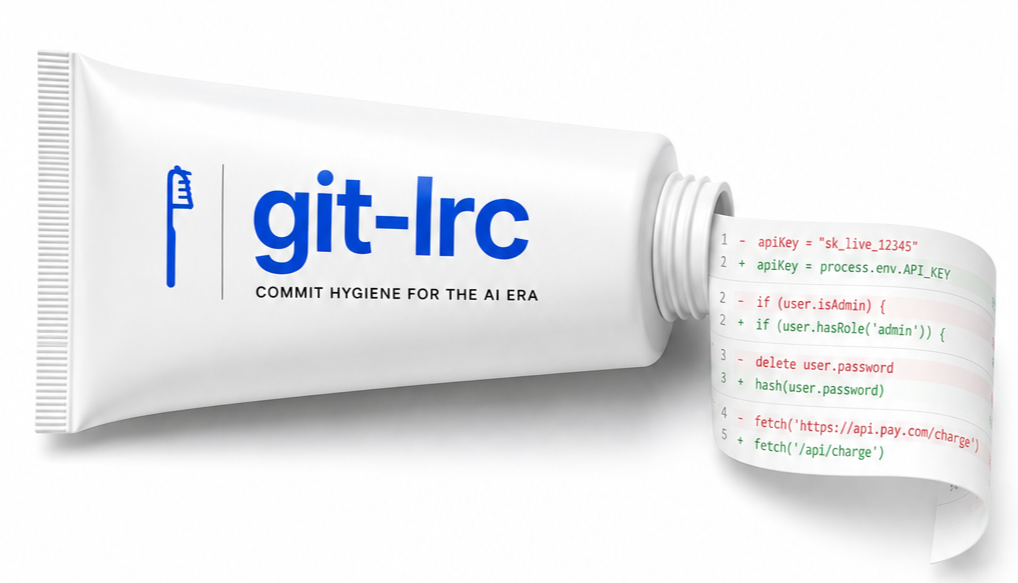
git-lrc is your braking system. It hooks into git commit and runs an AI review on every diff before it lands.
Used by engineers at


















Prevent Outages, Breaches, and Technical Debt Before They Happen
Every commit git-lrc reviews gets checked against the same risk categories LiveReview tracks across production codebases. Hover or tap any item below to see exactly what it costs when it slips through.
What takes down production - and impacts your on-call rotation.
Reliability
10 risks tracked
Correctness
10 risks tracked
Performance
10 risks tracked
Scalability
10 risks tracked
Reliability → Error Handling
Unhandled errors crash services mid-request, leaving customers staring at broken pages during peak traffic.
Institutional memory
Summary Deck
Every completed review also generates a short slide deck - a 60-second summary of what changed, why, and what risks were flagged, without anyone having to write it. Pairs with Git Log Tracking to give your team institutional memory of every change, with no changelog to maintain.
What was implemented, why, and what risks were flagged - in slides, not a wall of diff.
Watch: git-lrc Reviewing a Commit
See how git-lrc catches issues before code ships:
Why Commit Is The Sweet Spot
PR review is too late and IDE review is too optional. Commit-time sits in the middle: early enough to fix problems before they land in git history, but reliable enough to run without depending on individual discretion or special tooling.
1. Why not review in a PR?
By PR time, the mistake is already committed, pushed, and visible to the team. That is too late for low-priority errors you could have fixed yourself earlier instead of pulling team attention into avoidable cleanup.
2. Why not review with IDE extensions?
IDE extensions are useful, but optional. Engineers can ignore them, disable them, or use a different editor entirely, so they are convenience tooling, not a universal trigger.
3. Commit is the sweet spot
Commit-time is early enough that fixes are cheap and bad code does not enter permanent git history, but late enough that the trigger is reliable and not left to individual discretion.
4. Git is the common denominator
You cannot force one editor or one AI tool across a team, but everyone commits code. That makes git the one shared layer where review behavior can actually be standardized.
5. Early micro reviews improve macro PRs
Catch issues while diffs are small, so pull requests stay cleaner and teammates spend attention on higher-value review instead of avoidable fixes.
6. Built on habit, not hype
The best workflow rides an existing habit instead of asking developers to remember a separate ritual. Commit is already part of the job.
If you want reliable adoption, attach review to the one unavoidable moment: git commit.
Predictable, Unlimited, LOC-Based
Predictable pricing that scales with reviewed code
30k free. Premium starts at $32 for 100k . Paid plans keep users unlimited.
1. Free Individual
Install git-lrc and start with 30k per month
Bring your own AI keys. Keep git-lrc and the VS Code extension.
2. Premium
Upgrade when 30k LOC is not enough
Starts at $32 for 100k LOC. Scales by workload, not by seat.
3. Enterprise
Move further for privacy and deployment control
Self-hosting, SSO, custom domains, and tighter data control.
Get Started
One command installs the binary and sets up hooks globally.
1Install
curl -L https://hexmos.com/ipm-install | bash && ipm i HexmosTech/git-lrc2Setup (~1 minute, one-time)
git lrc setupTwo steps, both open in your browser:
- LiveReview API key - sign in with Hexmos
- Free Gemini API key - grab one from Google AI Studio
Machine-wide. After this, every git repo on your machine triggers review on commit. No per-repo config needed.
Quick video of how setup works - two browser steps, done in under a minute.
For Claude Code users
claude-lrc comes bundled in
Installing git-lrc also gives you claude-lrc - the same review, vouch, and skip workflow, available as slash commands right inside Claude Code. No separate install, no leaving the chat.
Plugin surface
claude-lrc
Two Ways to Trigger
Watch: a commit triggers an AI review automatically, right in your browser.
Option A: Review on Commit (automatic)
Option B: Review Before Commit (manual)
The Review UI
The review UI in action - diff view, inline comments, file navigation, and more.
After Review
Review
Vouch
Skip
The Review Cycle
The workflow that actually works:
Every review is tracked in your git log with iteration count and coverage. Weeks later, your team sees exactly which commits were reviewed, vouched, or skipped.
Git Log Tracking
Every commit gets a review status line appended to its git log message. Your team sees exactly which commits were reviewed, vouched, or skipped - right in git log.
iter - number of review cycles before committing.
coverage - percentage of the final diff already AI-reviewed in prior iterations.
Repository Rules
A good reviewer doesn't just know your language and framework - it knows your repository: which patterns your team prefers, which dependencies are off-limits, and which files don't need a second look. Drop a .lrc/ directory in your repo and git-lrc reads it on every review.
This is per-repo, and stacks on top of any org-wide Custom Prompts. Most teams should start with Repository Rules — each team keeps its own rules without affecting anyone else's repo.
.lrc/
├── ignore               # files the reviewer never sees
├── rules/
│   ├── INSTRUCTIONS.md  # read first, every review
│   ├── security.md
│   └── style.md
└── policy/
    └── tools.toml       # which checks are allowed to run
Repository Rules
Write down the handful of decisions that come up in every review - "prefer direct SQL over ORM abstractions", "avoid new infrastructure dependencies". INSTRUCTIONS.md is read first, every other rules/*.md file follows in order, so the reviewer always has your team's context.
Ignore File
Point the reviewer away from generated code, vendored dependencies, and anything else that doesn't need a second look. Gitignore syntax, matched from your repo root - ignored files don't count toward billable lines.
PoliciesComing soon
Decide which tools and checks are allowed to run on this repo. Machine-readable settings that git-lrc reads directly - never sent to the AI model.
Static ChecksComing soon
Pair AI review with static analyzers like semgrep and eslint, authorized through policy and run as part of the same commit-time flow - one gate, multiple kinds of checks.
Nothing hidden: if it's sent to the reviewer, you can see it first.
lrc config init - scaffold .lrc/ in your repo
lrc config check - validate rules, ignore patterns, and policy, offline
lrc config preview - show exactly what will be sent to the reviewer
Tip: git lrc <command> and lrc <command> are interchangeable.
Get Actionable Engineering Intelligence with MCP and APIs
Every code review performed by LiveReview adds to a growing source of engineering intelligence. Query, analyze, and act on that knowledge with the LiveReview MCP and API.
Instead of manually piecing together pull requests, comments, and reviews, generate custom reports, identify your strongest contributors, uncover quality and security trends, drill into engineering activity, or ask whatever your imagination comes up with, all in minutes instead of hours.
- 1Go to CI/CD Gates in the LiveReview dashboard and click 'New Ruleset'.
- 2Name it, then write or pick a preset jq expression against the findings document.
- 3Use 'Ask LLM' if the condition gets complex: it builds a copy-paste prompt (with your org's taxonomy and a sample document) for ChatGPT, Gemini, or DeepSeek to draft the expression.
- 4Confirm the live BLOCK/ALLOW preview matches what you expect against a real past review, then save.
- 5Open the ruleset's 'Get code' integration page, copy the snippet for your CI provider, and add the LIVEREVIEW_API_KEY secret to your pipeline.
…and many more.
Loved by the community
22 developers are sharing git-lrc on LinkedIn. Swipe through what they had to say.
Security
git-lrc covers the security questions enterprise teams ask first: deployment model differences, data confidentiality, AI safeguards, supply-chain visibility, and a clear response policy.
Deployment Variants
Separate security guidance for self-hosted/Ollama and cloud LLM paths because the threat models are different.
Data Handling And Confidentiality
Clear statements on what code can leave your network, when provider APIs are used, and retention/deletion behavior.
AI Risk Mitigations
Prompt-injection defenses, guardrails for unsafe output, and model provenance expectations are documented.
Supply Chain And Response
Automated scanner results, SBOM visibility, open GitHub source, and a responsive private disclosure policy.
Install it before your next commit.
One command. Two browser steps. Then every AI-generated commit gets reviewed automatically. Your future self will thank you.
Need help or have questions?
Email [email protected] or open an issue on GitHub.
For teams: Check out LiveReview - the full suite with dashboards, org-level policies, and review analytics.
Achievements





Launched On